Numerical: Multiplexer Type 1 (Example 3) | Number System and Code | Digital Circuit Design
TL;DR
Learn how to implement boolean functions using a multiplexer in a step-by-step approach.
Transcript
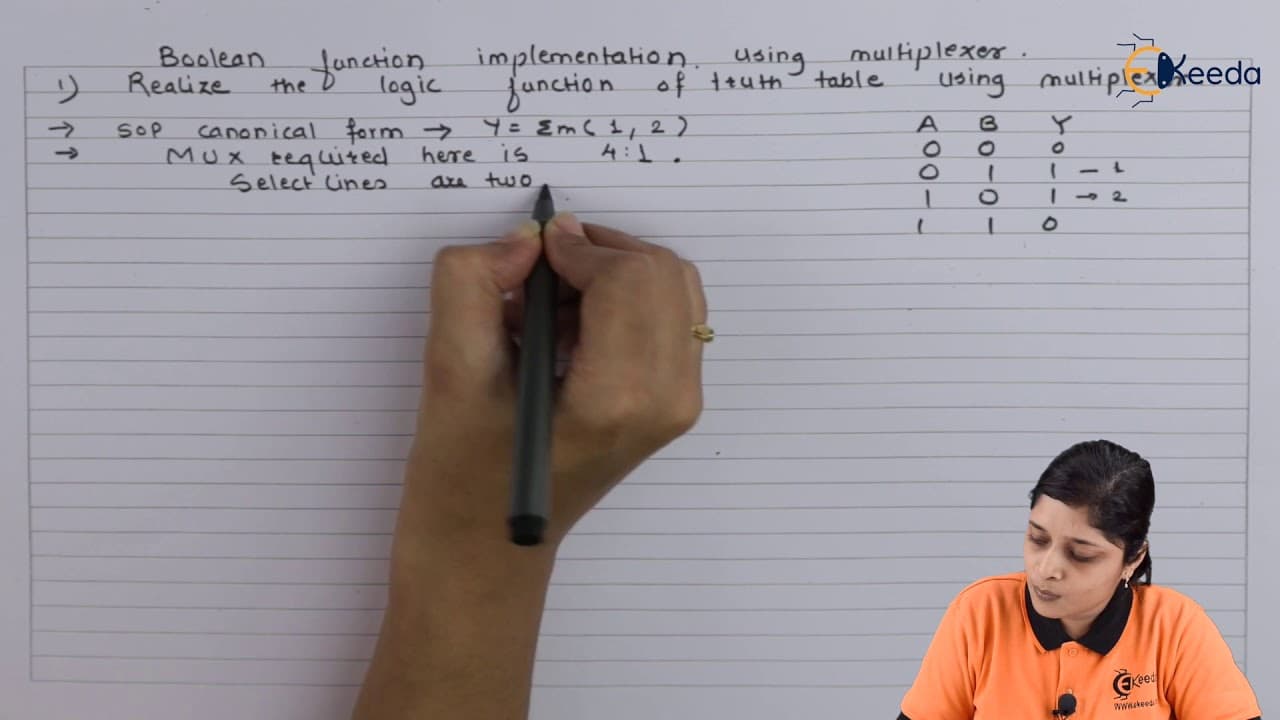
click the bell icon to get latest videos from akira hello friends let's see the example based on multiplexer let's start the discussion we are discussing here boolean function implementation using multiplexer and your question is realize the logic function of truth table using multiplexer so you have two table given first step is to obtain the sop ... Read More
Key Insights
- 💁 Understanding SOP canonical form is crucial for implementing boolean functions with a multiplexer.
- 🫥 Proper selection of inputs and select lines is essential for accurate logic function realization.
- 🍉 Connecting minterms and main terms correctly in a MUX setup ensures accurate boolean function implementation.
- 😫 The enable terminal must be set to logic 1 for the MUX to function correctly.
Install to Summarize YouTube Videos and Get Transcripts
Explore YouTube Video Summarizer or Get YouTube Transcript Extractor
Questions & Answers
Q: How do you obtain the SOP canonical form from a truth table for implementing boolean functions with a multiplexer?
To obtain the SOP canonical form, identify the rows in the truth table where the output is 1 and write the minterms in the SOP expression accordingly.
Q: What are the key considerations when selecting the inputs and select lines for a 4:1 MUX in implementing a logic function?
When selecting inputs and select lines, ensure that the number of inputs matches the MUX size, and choose the select lines based on the number of inputs and required variables in the expression.
Q: How do you connect the minterms and main terms with logic 1 and logic 0, respectively, in a multiplexer implementation?
Connect the minterms identified as logic 1 in the truth table to the MUX output with logic 1, while connecting the remaining terms to logic 0 to realize the boolean function accurately.
Q: Why is it essential to have the enable terminal set to logic 1 in a multiplexer implementation?
The enable terminal needs to be set to logic 1 for the multiplexer to operate properly, ensuring that the selected input lines are activated based on the select lines input.
Summary & Key Takeaways
-
Implement boolean functions with a multiplexer using SOP canonical form from truth tables.
-
Select necessary input and select lines for a 4:1 MUX to realize the logic function.
-
Connect minterms with logic 1 and remaining terms with logic 0 based on truth table entries.
Read in Other Languages (beta)
Share This Summary 📚
Summarize YouTube Videos and Get Video Transcripts with 1-Click
Try YouTube Summary with ChatGPT & Claude or YouTube Transcript Generator
Explore More Summaries from Ekeeda 📚






Summarize YouTube Videos and Get Video Transcripts with 1-Click
Try YouTube Summary with ChatGPT & Claude or YouTube Transcript Generator