How to Edit YouTube Videos Efficiently as a Beginner
TL;DR
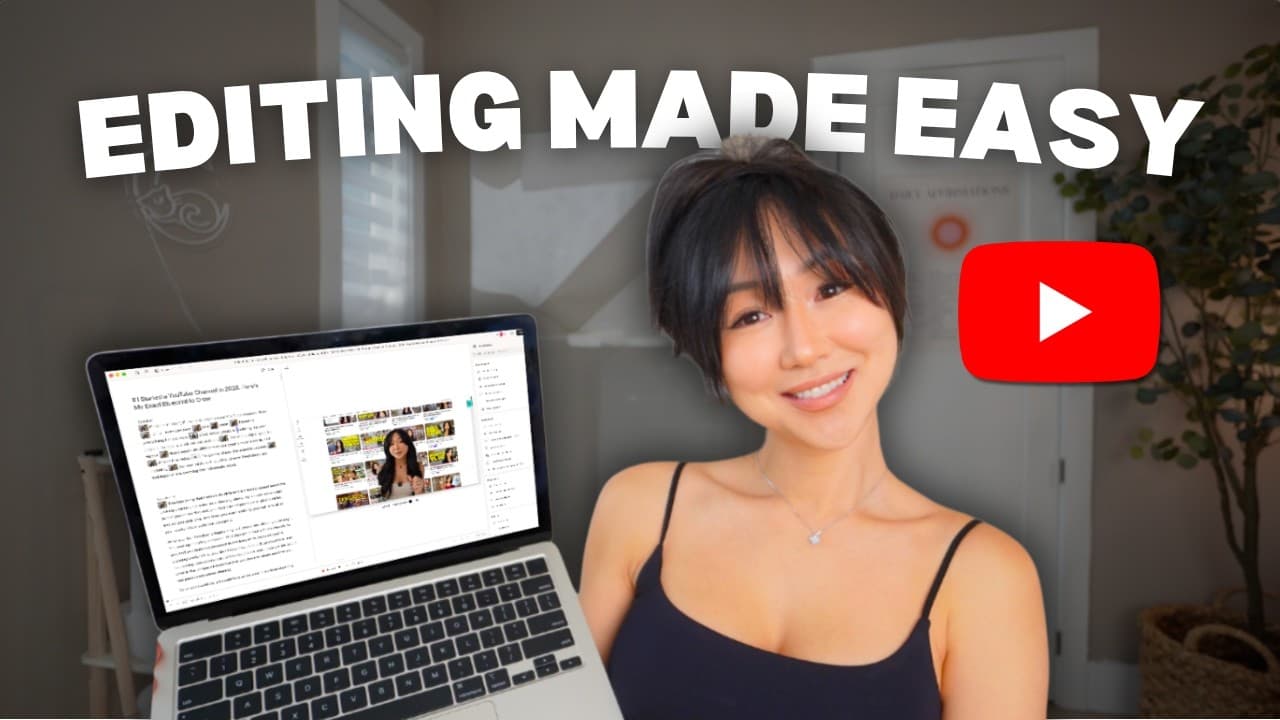
To edit YouTube videos quickly as a beginner, use Descript for its user-friendly features like removing retakes and filler words. Start by organizing your project, then utilize AI tools for initial editing before fine-tuning with text animations and transitions. Descript can also help optimize your video for search with titles, tags, and descriptions.
Transcript
What if you could go from raw footage to publish YouTube video in under one hour without any editing experience? In today's video, I'm going to show you step by step how to edit your videos efficiently while still engaging your viewer. Whether you are a creator or a business owner, what I'm about to share with you will not only save you hundreds of... Read More
Key Insights
- Descript is a powerful tool for video editing, allowing users to efficiently edit videos without extensive experience. It offers features like removing retakes, filler words, and word gaps, significantly reducing editing time.
- The project setup in Descript is crucial for organization. Users can create folders for different content types, such as Instagram stories or YouTube videos, to keep their projects organized and easily accessible.
- Descript's AI tools help streamline the editing process by automatically removing retakes and filler words, making initial video cleanup quick and efficient.
- The text-based editing feature in Descript allows users to easily identify and remove unwanted sections by reading the transcribed script, making the editing process more intuitive.
- Descript offers advanced editing features like green screen effects, text animations, and sound effects, enabling users to create professional-looking videos without needing other software.
- The platform supports B-roll addition, captions, and transitions, enhancing video engagement by providing visual variety and maintaining viewer interest.
- Descript's optimization tools assist in generating video titles, tags, and descriptions, ensuring that videos are search-optimized and ready for publishing on platforms like YouTube.
- Descript also facilitates video promotion and repurposing, offering features to create blog posts and short-form content, maximizing content reach and engagement.
Install to Summarize YouTube Videos and Get Transcripts
Explore YouTube Video Summarizer or Get YouTube Transcript Extractor
Questions & Answers
Q: How does Descript help in organizing video projects?
Descript aids in organizing video projects by allowing users to create specific folders for different content types, such as Instagram stories or YouTube videos. This organizational structure ensures that projects are easily accessible and manageable, facilitating a smoother editing process. Users can create new folders and projects within their workspace, keeping their content structured and reducing clutter.
Q: What are the key features of Descript for initial video cleanup?
Descript offers several key features for initial video cleanup, including the ability to automatically remove retakes, filler words, and word gaps. These AI-powered tools help in trimming down raw footage quickly, making the video more concise and engaging. By utilizing these features, users can significantly reduce the time spent on the initial editing process, focusing more on creative enhancements.
Q: How does Descript facilitate advanced video editing?
Descript facilitates advanced video editing through features like green screen effects, text animations, and sound effects. Users can easily apply these effects to enhance their videos, making them look more professional. The platform's text-based editing system allows users to read and edit the script directly, simplifying the process of adding these advanced features without needing extensive video editing experience.
Q: What role does Descript play in video optimization?
Descript plays a significant role in video optimization by providing tools to generate video titles, tags, and descriptions. These features help ensure that videos are search-optimized and ready for publishing on platforms like YouTube. By leveraging Descript's optimization tools, creators can increase their video's visibility and engagement, reaching a broader audience effectively.
Q: How can Descript be used for video promotion and repurposing?
Descript can be used for video promotion and repurposing by creating blog posts and short-form content from existing videos. The platform offers features to draft blog posts and generate clips from longer videos, allowing creators to maximize their content's reach and engagement. This functionality helps in distributing content across various platforms, increasing visibility and audience interaction.
Q: What are the benefits of Descript's text-based editing feature?
Descript's text-based editing feature offers several benefits, including the ability to read and edit the transcribed script directly. This approach makes identifying and removing unwanted sections intuitive and straightforward. Users can strike out or delete portions of the script, with changes automatically applied to the video, streamlining the editing process and enhancing efficiency.
Q: How does Descript enhance video engagement?
Descript enhances video engagement by providing tools to add B-roll, captions, and transitions, creating visual variety and maintaining viewer interest. These features allow creators to break the monotony of talking-head videos, offering viewers a more dynamic and engaging experience. By incorporating these elements, videos become more appealing and retain viewers' attention longer.
Q: What makes Descript a suitable tool for beginners in video editing?
Descript is suitable for beginners in video editing due to its user-friendly interface and intuitive features. The platform's AI tools automate many editing tasks, such as removing retakes and filler words, simplifying the editing process. Additionally, the text-based editing system allows beginners to edit videos by reading the script, making it accessible for those without extensive video editing experience.
Summary & Key Takeaways
-
Descript is highlighted as a user-friendly video editing tool that enables efficient editing for beginners. It offers features like removing retakes, filler words, and word gaps, which streamline the editing process significantly.
-
The video covers various editing techniques using Descript, including adding text, sound effects, and animations. It also demonstrates how to use green screen effects and create transitions to enhance video quality.
-
Descript's additional features for video optimization and promotion are discussed, such as generating video titles, tags, and descriptions, and creating blog posts and short-form content for broader content distribution.
Read in Other Languages (beta)
Share This Summary 📚
Summarize YouTube Videos and Get Video Transcripts with 1-Click
Try YouTube Summary with ChatGPT & Claude or YouTube Transcript Generator
Explore More Summaries from Vanessa Lau 📚


Summarize YouTube Videos and Get Video Transcripts with 1-Click
Try YouTube Summary with ChatGPT & Claude or YouTube Transcript Generator