Products
Features
YouTube Video Summarizer
Summarize YouTube videos
Web & PDF Highlighter
Highlight web pages & PDFs
Chat with PDF
Ask any PDF questions with AI
Ask AI Clone
Chat with your highlights & memories
Audio Transcriber
Transcribe audio files to text
Glasp Reader
Read and highlight articles
Kindle Highlight Export
Export your Kindle highlights
Idea Hatch
Hatch ideas from your highlights
Integrations
Obsidian Plugin
Notion Integration
Pocket Integration
Instapaper Integration
Medium Integration
Readwise Integration
Snipd Integration
Hypothesis Integration
Apps & Extensions
Chrome Extension
Safari Extension
Edge Add-ons
Firefox Add-ons
iOS App
Android App
Discover
Discover
Ideas
Discover new ideas and insights
Articles
Curated articles and insights
Books
Book recommendations by great minds
Posts
Essays and notes from readers
Quotes
Inspiring quotes collection
Videos
Curated videos and summaries
Explore Glasp
Glasp Newsletter
Weekly insights and updates
Glasp Talk
Interview series with great minds
Glasp Blog
Latest news and articles
Glasp Use Cases
Learn how others use Glasp
Build & Support
Glasp API
Access Glasp's API for developers
MCP Connector
Connect Glasp to Claude & ChatGPT
Community
Glasp Reddit Community
Students
Student discount and benefits
FAQs
Frequently Asked Questions
AboutPricing
DashboardLog inSign up

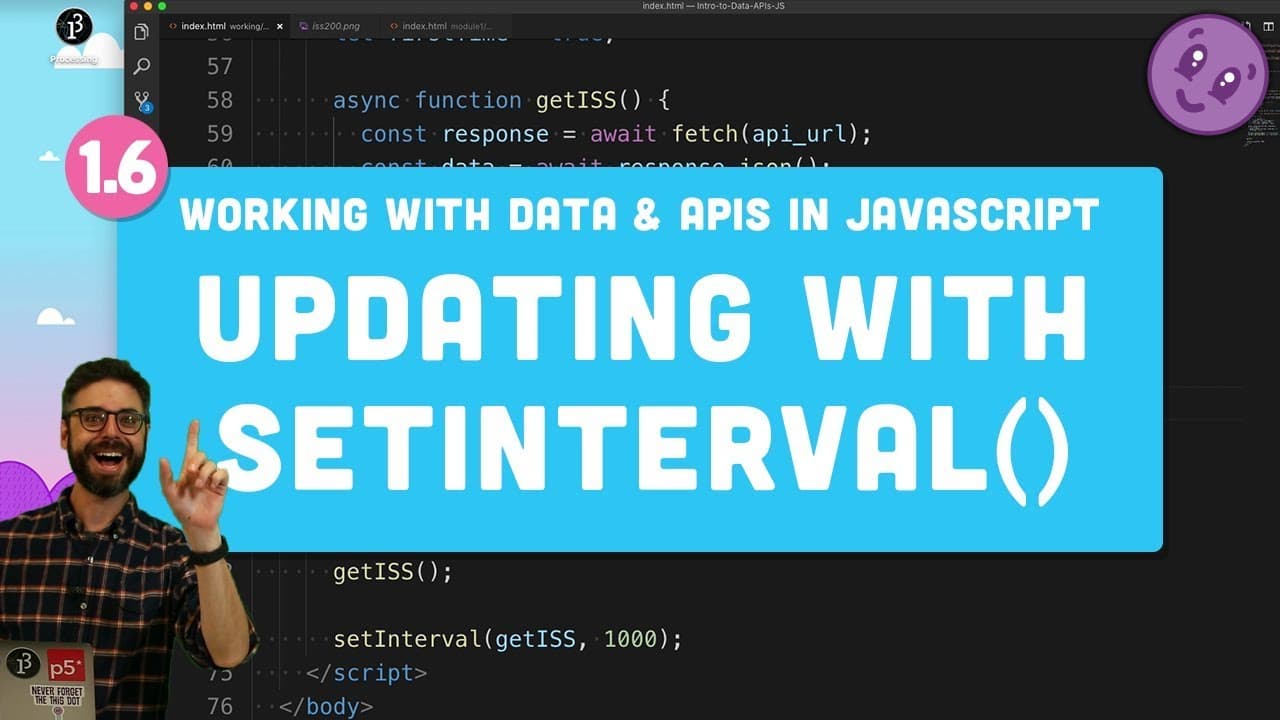
1.6 Refreshing Data with setInterval() - Working with Data and APIs in JavaScript
118.1K views
•
May 29, 2019
by
The Coding Train
YouTube video player
1.6 Refreshing Data with setInterval() - Working with Data and APIs in JavaScript

TL;DR

  • Learn to fetch external API data, update maps dynamically, and consider API rate limits.

Transcript

So far, we've looked at how to reach out and make a request using the fetch function to an external API with a particular URL path, grab the data in JSON format, pull out a piece of that data we want, and then use it for a particular reason. And in this case, the data that I'm getting is the latitude and longitude of the International Space Station... Read More

Key Insights

  • 💁 JavaScript fetch function retrieves data from external APIs in various formats.
  • 📽️ Leaflet.js library facilitates dynamic mapping functionalities in JavaScript projects.
  • ☠️ Considerations of API rate limits are crucial for efficient data retrieval and cost management.
  • 🤩 Dynamically updating map locations and managing data refresh are key aspects of interactive mapping projects.
  • 🛟 Node.js enables server-side JavaScript applications for advanced data manipulation and communication.
  • 🔠 Saving data, authenticating with APIs, and hiding API keys are vital aspects of server-side JavaScript applications.
  • 🏣 Post requests with fetch enable data transmission to servers for database storage and further processing.

Install to Summarize YouTube Videos and Get Transcripts

Explore YouTube Video Summarizer or Get YouTube Transcript Extractor

Questions & Answers

Q: How can you dynamically update the map's location using JavaScript?

You can use the setView function with latitude, longitude, and zoom level to update the map's location dynamically in JavaScript.

Q: Why is it important to consider API rate limits when making requests?

API rate limits restrict the number of requests per second, affecting the application's performance and cost. Being mindful of these limits is crucial for efficient data retrieval.

Q: How can you ensure the map remains centered on the International Space Station?

By setting a Boolean flag variable like 'first time' to true and only updating the map's view the first time data is fetched, you can keep the map centered on the ISS.

Q: What additional features can be added to enhance the ISS tracking project?

Features like displaying altitude, toggling UI elements, or using the p5 library for custom drawing can enhance the ISS tracking project.

Summary & Key Takeaways

  • Demonstrated fetching data from an external API in JSON format, extracting specific data for use.

  • Utilized Leaflet.js library to plot International Space Station's latitude and longitude on a map dynamically.

  • Addressed considerations like API rate limits and automatic data refresh.


Read in Other Languages (beta)

English

Share This Summary 📚

Summarize YouTube Videos and Get Video Transcripts with 1-Click

Download browser extensions on:

Try YouTube Summary with ChatGPT & Claude or YouTube Transcript Generator

Explore More Summaries from The Coding Train 📚

Coding Challenge #116: Lissajous Curve Table thumbnail
Coding Challenge #116: Lissajous Curve Table
The Coding Train
9.4: Genetic Algorithm: Looking at Code - The Nature of Code thumbnail
9.4: Genetic Algorithm: Looking at Code - The Nature of Code
The Coding Train
Text Generation using Spell with Nabil Hassein thumbnail
Text Generation using Spell with Nabil Hassein
The Coding Train
Coding Challenge #126: Toothpicks thumbnail
Coding Challenge #126: Toothpicks
The Coding Train
ITP/IMA Winter Show 2018 thumbnail
ITP/IMA Winter Show 2018
The Coding Train
Classifying Poses with ml5.js Part 2 thumbnail
Classifying Poses with ml5.js Part 2
The Coding Train

Summarize YouTube Videos and Get Video Transcripts with 1-Click

Download browser extensions on:

Try YouTube Summary with ChatGPT & Claude or YouTube Transcript Generator

Apps & Extensions

  • Chrome Extension
  • Safari Extension
  • Edge Add-ons
  • Firefox Add-ons
  • iOS App
  • Android App

Key Features

  • YouTube Video Summarizer
  • Web & PDF Summarizer
  • Web & PDF Highlighter
  • Chat with PDF
  • Ask AI Clone
  • Audio Transcriber
  • Glasp Reader
  • Kindle Highlight Export
  • Idea Hatch

Integrations

  • Obsidian Plugin
  • Notion Integration
  • Pocket Integration
  • Instapaper Integration
  • Medium Integration
  • Readwise Integration
  • Snipd Integration
  • Hypothesis Integration

More Features

  • APIs
  • MCP Connector
  • Blog & Post
  • Embed Links
  • Image Highlight
  • Personality Test
  • Quote Shots

Company

  • About us
  • Blog
  • Community
  • FAQs
  • Job Board
  • Newsletter
  • Pricing
Terms

•

Privacy

•

Guidelines

© 2026 Glasp Inc. All rights reserved.




