My Favourite iPhone XS Apps
TL;DR
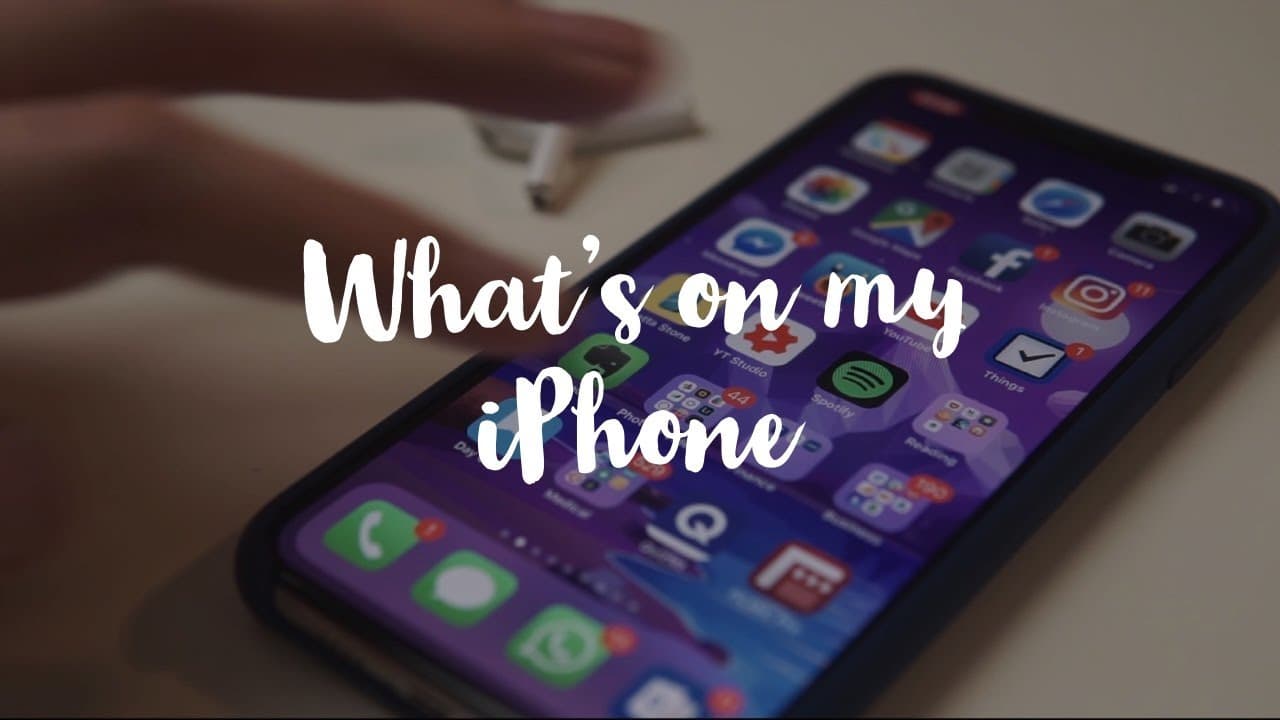
A junior doctor in Cambridge showcases essential iPhone apps, covering organization, education, productivity, reading, writing, audio, music, photo, and video.
Transcript
hey guys welcome back to the channel if you new here my name is Ali I'm a junior doctor working in Cambridge and in this video I'm gonna be taking you through the apps on my iPhone so to give this video some semblance of structure I'm gonna be talking about these apps in six distinct categories and these are all gonna be time-stamped in the descrip... Read More
Key Insights
- 😶🌫️ Google Drive serves as an indispensable utility for storing a wide range of content in the cloud.
- 🍵 Password management is highlighted as a crucial aspect handled by the content creator using 1Password.
- 😀 Educational apps like Rosetta Stone and Quizlet are essential for language learning and flashcards.
- 😀 Reading apps such as Kindle, Pocket, and Medium enhance the reading experience on the iPhone.
- 😀 Apps like Notability, Bear, Evernote, and OneNote cater to various writing needs effectively.
- 😀 Audio and music apps like Spotify, Audible, Overcast, and Ultimate Guitar Tabs provide entertainment and educational value.
- 😀 Photo and video editing apps like Lightroom, Spark Post, and Filmic Pro enhance content creation on the iPhone.
Install to Summarize YouTube Videos and Get Transcripts
Explore YouTube Video Summarizer or Get YouTube Transcript Extractor
Questions & Answers
Q: What are the key apps highlighted in the organization and productivity section?
The key apps highlighted in this section are Microsoft Outlook for email, Fantastical for calendar organization, Things for to-do lists, Google Drive for cloud storage, and 1Password for password management.
Q: How does the content creator approach learning and education apps?
The content creator uses Rosetta Stone for language learning, Quizlet for flashcards, and previously used Anki for medical school notes. These apps aid in learning and retaining information effectively.
Q: Which apps are essential for reading, according to the content creator?
The content creator uses the Kindle app for reading books, Pocket for saving articles, Medium for article subscriptions, and Reader for managing RSS feeds. These apps enhance the reading experience on the iPhone.
Q: How does the content creator utilize apps for writing purposes?
The content creator uses Notability for managing to-do lists, Bear for note-taking, Evernote for comprehensive note-taking, OneNote for detailed note organization, and Day One for journaling. These apps cater to different writing needs efficiently.
Summary & Key Takeaways
-
Junior doctor showcases essential iPhone apps categorically.
-
Features Microsoft Outlook, Fantastical, Things, Google Drive, and 1Password.
-
Also discusses educational apps, writing apps, and photo/video editing tools.
Read in Other Languages (beta)
Share This Summary 📚
Summarize YouTube Videos and Get Video Transcripts with 1-Click
Try YouTube Summary with ChatGPT & Claude or YouTube Transcript Generator
Explore More Summaries from Ali Abdaal 📚

Summarize YouTube Videos and Get Video Transcripts with 1-Click
Try YouTube Summary with ChatGPT & Claude or YouTube Transcript Generator