GPT-4 & LangChain Tutorial: How to Chat With A 56-Page PDF Document (w/Pinecone)
TL;DR
Learn how to use Lang chain and GPT-4 to create a chatbot that can interact with a lengthy PDF document.
Transcript
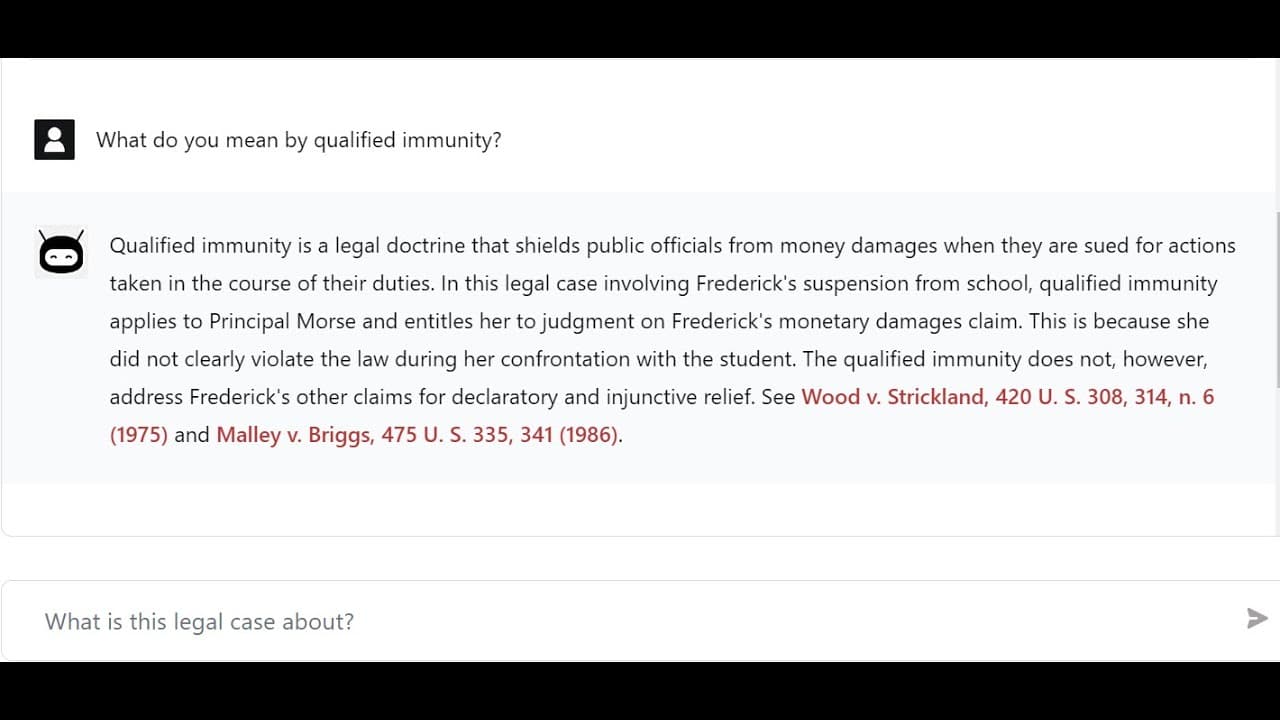
hey this is mayor from chartered data and in today's video I'm going to be talking about how to chat with a long PDF so here we have uh 56 page legal document it's actually a legal case for um a massive Supreme Court case in the United States you can see we've got tons of pages which is typical for most PDF documents and you can see it's this kind ... Read More
Key Insights
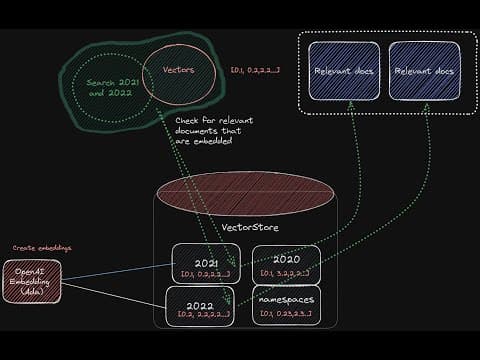
- 🏪 The PDF chatbot architecture involves converting PDFs to text, splitting the text into chunks, creating embeddings, and storing them in a vector store.
- 🍵 Lang chain simplifies the process of handling large PDF documents by providing tools for text conversion and chunking.
- 👤 GPT-4 is used for generating responses based on user questions and the relevant documents retrieved from the vector store.
- 🏪 Pinecone is used as the vector store to store and retrieve embeddings efficiently.
- 👻 The chatbot allows for a back-and-forth interaction with the PDF, providing responses and references to specific sections within the document.
- 😒 Custom prompts and settings can be used to modify the behavior of the chatbot, such as the number of source documents to retrieve or the model to use.
- 👤 The front-end code interacts with the chatbot API, sanitizes user questions, and displays the results to the user.
Install to Summarize YouTube Videos and Get Transcripts
Explore YouTube Video Summarizer or Get YouTube Transcript Extractor
Questions & Answers
Q: How does the PDF chatbot architecture work?
The PDF chatbot architecture involves converting the PDF to text, splitting it into chunks, creating embeddings, storing them in a vector store, and using Lang chain and GPT-4 to generate responses based on user questions.
Q: What is the purpose of Lang chain in the PDF chatbot?
Lang chain helps with converting the PDF to text, splitting it into chunks, and creating embeddings. It simplifies the process of handling large PDF documents.
Q: How does the chatbot retrieve relevant documents?
The chatbot compares the embeddings of user questions with the embeddings of stored documents in the vector store. It retrieves the most similar documents to the question.
Q: Can the chatbot provide links to specific sections within the PDF?
Yes, the chatbot can provide links to specific sections within the PDF. It references both the PDF itself and sections within the document, allowing users to review additional information if needed.
Key Insights:
- The PDF chatbot architecture involves converting PDFs to text, splitting the text into chunks, creating embeddings, and storing them in a vector store.
- Lang chain simplifies the process of handling large PDF documents by providing tools for text conversion and chunking.
- GPT-4 is used for generating responses based on user questions and the relevant documents retrieved from the vector store.
- Pinecone is used as the vector store to store and retrieve embeddings efficiently.
- The chatbot allows for a back-and-forth interaction with the PDF, providing responses and references to specific sections within the document.
- Custom prompts and settings can be used to modify the behavior of the chatbot, such as the number of source documents to retrieve or the model to use.
- The front-end code interacts with the chatbot API, sanitizes user questions, and displays the results to the user.
- The video mentions the possibility of a step-by-step tutorial or workshop for building a chatbot for PDF documents.
Summary & Key Takeaways
-
The video discusses the problem of dealing with large PDF documents and introduces the concept of a chatbot that can interact with them.
-
The architecture of the PDF chatbot uses Lang chain and GPT-4 to convert the PDF into chunks of text, create embeddings, and store them in a vector store.
-
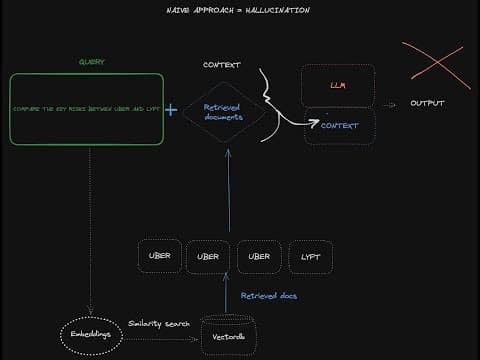
Users can ask questions to the chatbot, which retrieves relevant documents and combines them with the question to generate a response.
Read in Other Languages (beta)
Share This Summary 📚
Summarize YouTube Videos and Get Video Transcripts with 1-Click
Try YouTube Summary with ChatGPT & Claude or YouTube Transcript Generator
Explore More Summaries from Chat with data 📚
Summarize YouTube Videos and Get Video Transcripts with 1-Click
Try YouTube Summary with ChatGPT & Claude or YouTube Transcript Generator