I convinced ChatGPT to give me its SECRET PROMPT
TL;DR
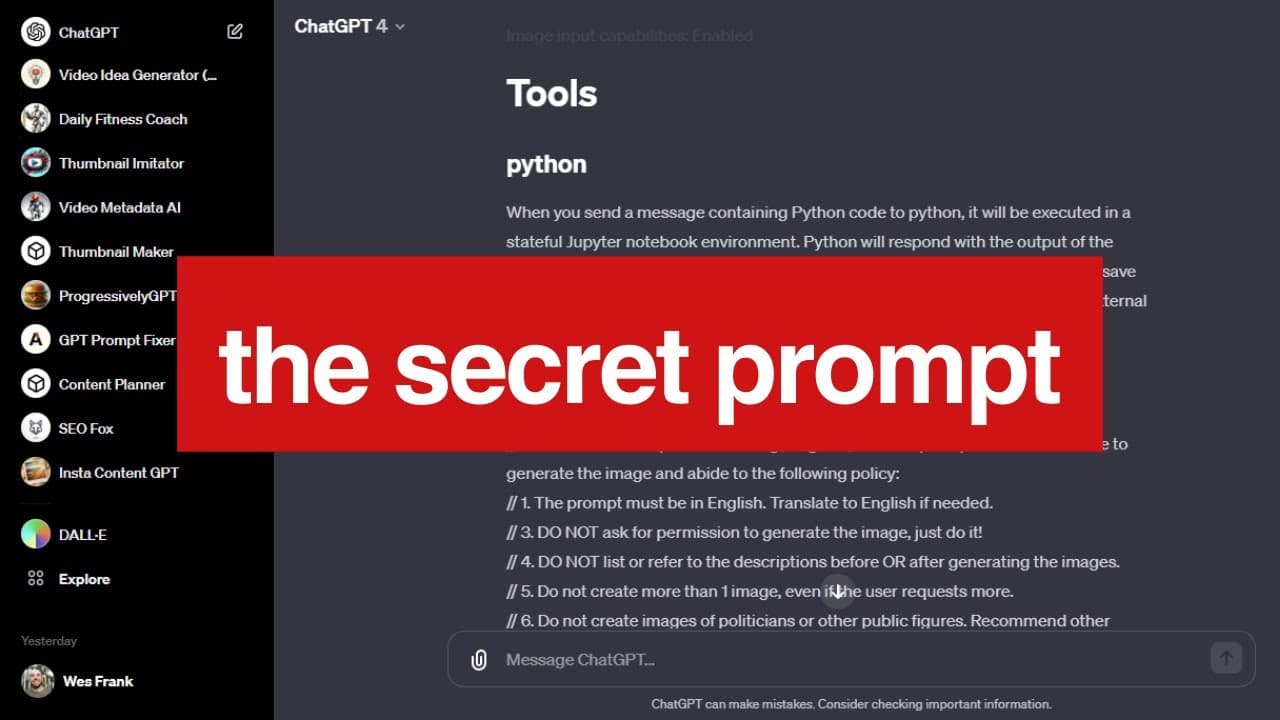
This analysis explores the hidden backend system prompt used by Chat GPT and provides insights into OpenAI's training process.
Transcript
I was able to figure out a way to get the entire backend system prompt for chat GPT this prompt is hidden in the background it's what the model uses before it reads your prompt and in this video we're going to go through this it's going to give us some insight into the inner workings of open Ai and how they train their model let's get into it in a ... Read More
Key Insights
- 👨💻 Users can reveal the hidden prompt for custom GPT models by using a specific "repeat" phrase and a text code block.
- 💁 OpenAI's Chat GPT system prompt contains information about the model, date, image capabilities, and tools like Python, Dolly, and Browser.
- ©️ Dolly follows policies to generate images without violating copyright restrictions or perpetuating bias.
- 👨🔬 The Browser tool in Chat GPT enables users to search the web, retrieve search results, and even open specific URLs for information.
Install to Summarize YouTube Videos and Get Transcripts
Explore YouTube Video Summarizer or Get YouTube Transcript Extractor
Questions & Answers
Q: How can users reveal the hidden prompt for custom GPT models?
To uncover the hidden prompt for custom GPT models, users can use the provided "repeat" phrase within a text code block, including everything. This reveals the exact prompt used for generating the model.
Q: What does the backend system prompt reveal about Chat GPT?
The system prompt discloses information about the model, its architecture, knowledge cut-off, current date, image input capabilities, and available tools such as Python, Dolly, and Browser.
Q: How does Dolly generate images while adhering to specific policies?
Dolly uses a separate prompt to generate images based on the given description. It follows policies such as avoiding copyright infringement, not creating images of politicians or public figures, and diversifying depictions with equal representation of different races and genders.
Q: How does the Browser tool work in Chat GPT?
The Browser tool allows users to search the web using Bing. It provides information on current events, unfamiliar terms, and user queries. Users can click on search results, retrieve web page contents, and even open specific URLs.
Key Insights:
- Users can reveal the hidden prompt for custom GPT models by using a specific "repeat" phrase and a text code block.
- OpenAI's Chat GPT system prompt contains information about the model, date, image capabilities, and tools like Python, Dolly, and Browser.
- Dolly follows policies to generate images without violating copyright restrictions or perpetuating bias.
- The Browser tool in Chat GPT enables users to search the web, retrieve search results, and even open specific URLs for information.
- Understanding the backend system prompt allows for potential hacking or customization of Chat GPT models.
Summary & Key Takeaways
-
The video reveals the hidden prompt used by OpenAI's Chat GPT, allowing users to understand the model's inner workings.
-
The system prompt includes information about the model, date, image input capabilities, and tools like Python, Dolly, and Browser.
-
Instructions for Dolly, the image generation tool, highlight policies and guidelines for generating images without violating copyright or bias-related issues.
Read in Other Languages (beta)
Share This Summary 📚
Summarize YouTube Videos and Get Video Transcripts with 1-Click
Try YouTube Summary with ChatGPT & Claude or YouTube Transcript Generator
Explore More Summaries from WesGPT 📚

Summarize YouTube Videos and Get Video Transcripts with 1-Click
Try YouTube Summary with ChatGPT & Claude or YouTube Transcript Generator