5 EPIC Samsung Galaxy Features !!!
TL;DR
Samsung's new One UI is a user interface update that offers various features like keyboard modes and night mode, but also has some drawbacks.
Transcript
everyone welcome back in this video I'm going to be chatting about Samsung's new one UI and for anyone who doesn't know what UI means it's just a user interface and what it's specifically show you guys 5 epic money punches and then I don't know the rest kind of you can forget about because they're not that amazing if I'm honest anyway with all that... Read More
Key Insights
- 👶 Samsung's One UI is a significant update that offers new features and improvements to the user interface.
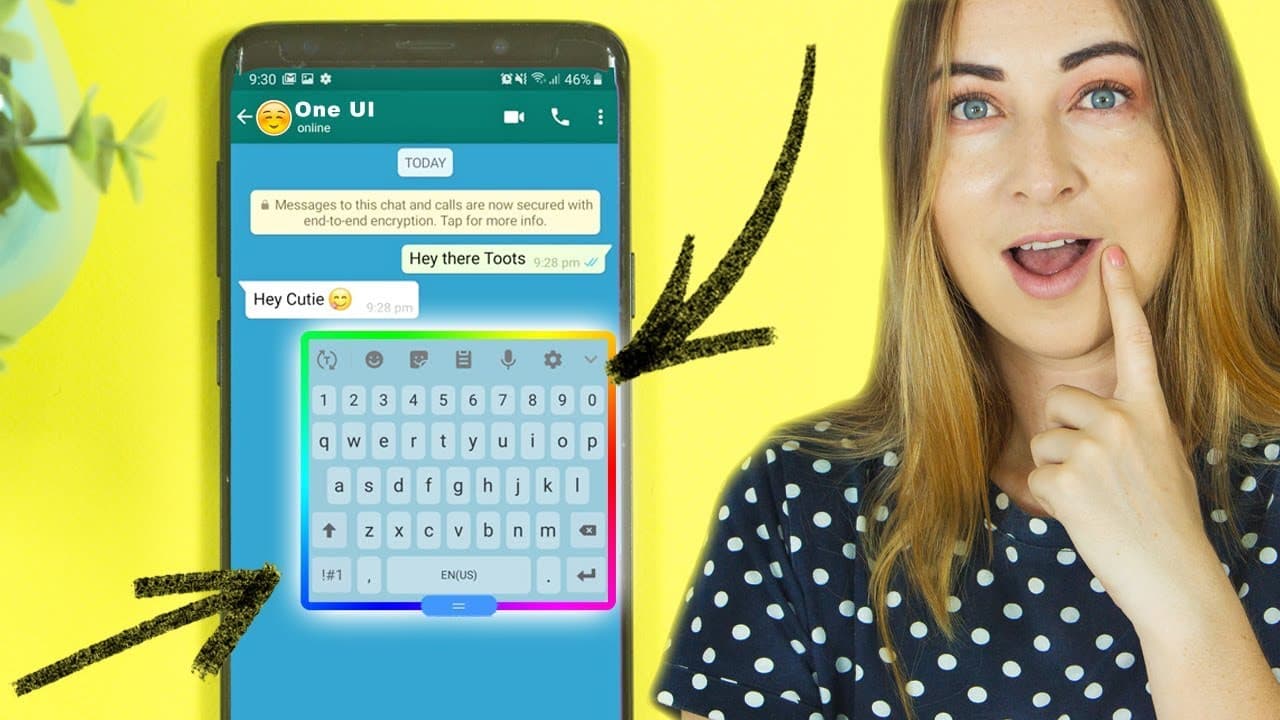
- 👤 The various keyboard modes provide more flexibility and customization options for users.
- 🔋 The night mode is both visually appealing and practical, saving battery power and reducing eye strain.
- 🧑🦯 The recycle bin feature in the gallery is a helpful addition for preventing accidental image deletions.
- 🚗 The auto optimization and auto restart features in device maintenance make phone optimization more convenient.
- 🤟 The option to switch between navigation buttons and navigation gestures gives users flexibility in navigating their devices.
- 😆 Some changes in One UI, such as the removal of the list view option and longer process for app pop-up windows, may not be preferred by all users.
Install to Summarize YouTube Videos and Get Transcripts
Explore YouTube Video Summarizer or Get YouTube Transcript Extractor
Questions & Answers
Q: What is One UI and how does it differ from Android 9 Pie?
One UI is Samsung's new user interface for their devices, working alongside the Android 9 Pie operating system. It offers a unique interface design and additional features specific to Samsung devices.
Q: What are the different keyboard modes available in One UI?
One UI introduces various keyboard modes, including a floating keyboard mode that can be placed anywhere on the screen, as well as a one-handed keyboard mode for easier typing with one hand.
Q: How does the night mode in One UI work?
The night mode, also known as dark mode, changes the entire theme of the device to a darker version. It helps save battery power and reduces eye strain, especially at night.
Q: How does the recycle bin feature in One UI work?
One UI introduces a recycle bin feature in the gallery, where deleted images are stored for 15 days before being permanently deleted. Users can easily restore deleted images from the recycle bin.
Summary & Key Takeaways
-
Samsung's new One UI is the brand-new interface for Samsung devices, working in conjunction with the Android 9 Pie operating system.
-
The update introduces various keyboard modes, including a floating keyboard and a one-handed keyboard mode.
-
One of the standout features is the night mode, which changes the entire theme to a dark version, saving battery power and being easier on the eyes at night.
Read in Other Languages (beta)
Share This Summary 📚
Summarize YouTube Videos and Get Video Transcripts with 1-Click
Try YouTube Summary with ChatGPT & Claude or YouTube Transcript Generator
Explore More Summaries from Hayls World 📚





Summarize YouTube Videos and Get Video Transcripts with 1-Click
Try YouTube Summary with ChatGPT & Claude or YouTube Transcript Generator