🤗 AutoTrain: Train state-of-the-art image classification models (no code)
TL;DR
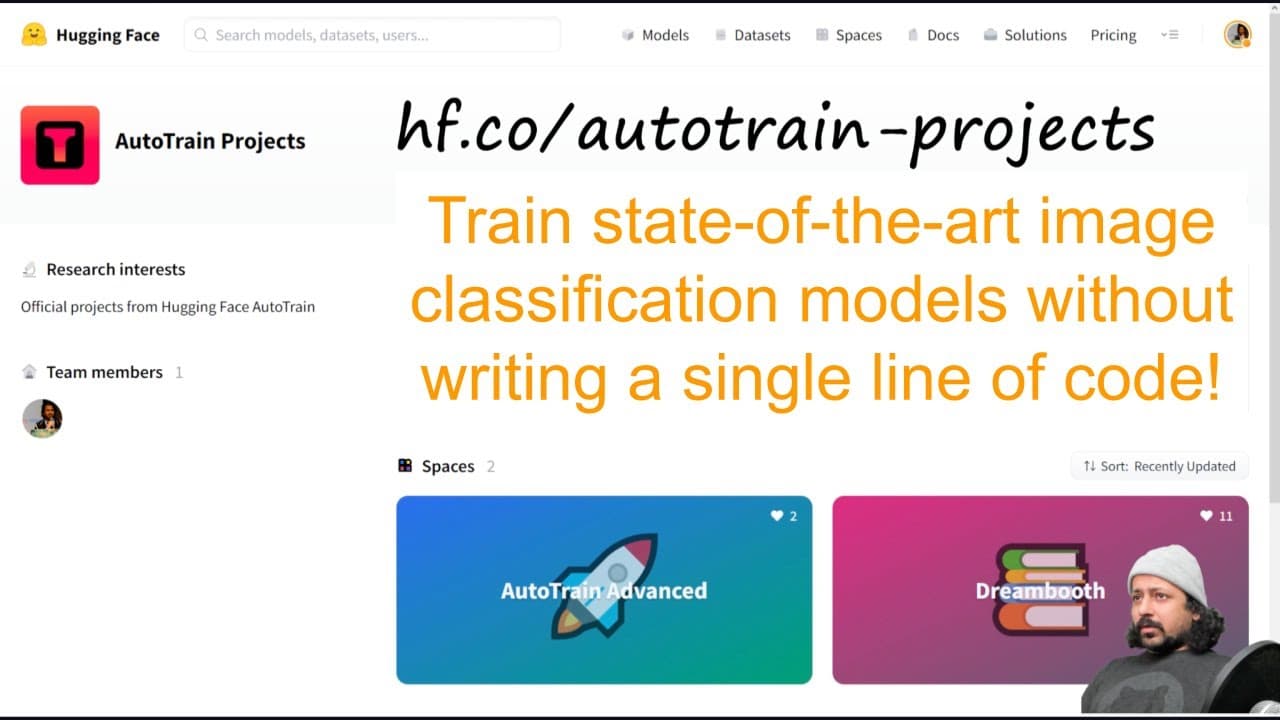
Learn how to train an advanced image classification model using Hugging Face's Auto Train without writing any code.
Transcript
hello everyone and welcome to my YouTube channel in today's video I'm going to show you how you can train a state-of-the-art image classification model without writing any line of code and for this we will be using hugging faces Auto Train so autotrain has built something new called Auto Train Advanced and that's what we will be using so you need t... Read More
Key Insights
- 👻 Hugging Face's Auto Train Advanced allows users to train image classification models without coding.
- 🤐 Users can duplicate a space, add a secret HF token, and upload training and validation data in zip format.
- 🚂 Costs are estimated based on the number of images and models being trained.
- 💌 Users can choose Auto Train to let the system decide the model or select one from Hugging Face's Hub.
Install to Summarize YouTube Videos and Get Transcripts
Explore YouTube Video Summarizer or Get YouTube Transcript Extractor
Questions & Answers
Q: How can I train an image classification model without writing any code?
You can use Hugging Face's Auto Train Advanced, which allows you to duplicate a space, add a secret token, and upload your training and validation data in zip format.
Q: Is there a cost associated with training models using Auto Train?
While Hugging Face offers a free tier, training more than the allowed number of images may incur costs. The estimated cost is displayed before creating the project.
Q: Can I choose my own model from Hugging Face's Hub while using Auto Train?
Yes, you have the option to let Auto Train choose the model or select one from Hugging Face's Hub. Choosing a model from the Hub allows you to customize parameters for different jobs.
Q: Can I deploy the trained model after using Auto Train?
Yes, once the model is trained, you can view it on the Model Hub. You have access to the model files and can use Hugging Face to deploy the model or use it in Transformers.
Summary & Key Takeaways
-
The video introduces Hugging Face's Auto Train Advanced, a tool for training image classification models without coding.
-
The process involves duplicating a space, adding a secret HF token, selecting a project name and task, and choosing either Auto Train or a model from Hugging Face's Hub.
-
The user must upload training and validation data in zip format, and the estimated cost for training is provided.
Read in Other Languages (beta)
Share This Summary 📚
Summarize YouTube Videos and Get Video Transcripts with 1-Click
Try YouTube Summary with ChatGPT & Claude or YouTube Transcript Generator
Explore More Summaries from Abhishek Thakur 📚



Summarize YouTube Videos and Get Video Transcripts with 1-Click
Try YouTube Summary with ChatGPT & Claude or YouTube Transcript Generator