Strategic Presence Over Zoom
TL;DR
Learn how to be an effective virtual communicator by improving your setup, environment, and technology.
Transcript
covet 19 has plunged us into a virtual world we have had to change how we do everything classes work awkward happy hours dating oh wait um i forgot to turn on my virtual background let me fix that did not want to show you guys my bed and it's not turning us we're just gonna run with it okay yes but where was it we've had to change how we do everyth... Read More
Key Insights
- 💦 Virtual communication has become essential in various aspects of our lives, from work to socializing.
- 💃 Proper setup, including location, dress, and framing, is crucial for an effective virtual presentation.
- ♻️ A clean and organized environment without distractions enhances the virtual communication experience.
- 🖐️ Lighting and shadows play a significant role in creating a visually appealing virtual presentation.
- ❓ Familiarizing yourself with the technology and utilizing its features maximizes your communication impact.
- ❓ Testing technology, ensuring a stable internet connection, and preparing for unexpected issues are vital in virtual communication.
- 🌍 By improving virtual communication skills, individuals can make a positive impact on their lives, organizations, and the world.
Install to Summarize YouTube Videos and Get Transcripts
Explore YouTube Video Summarizer or Get YouTube Transcript Extractor
Questions & Answers
Q: How can I improve my setup during virtual presentations?
Before delivering a virtual presentation, choose a suitable location and dress appropriately. Ensure your frame looks natural by keeping your eyes at the same height as the camera, leaving some space above your head, and fitting your shoulders within the frame.
Q: What considerations should be made regarding the environment during virtual communication?
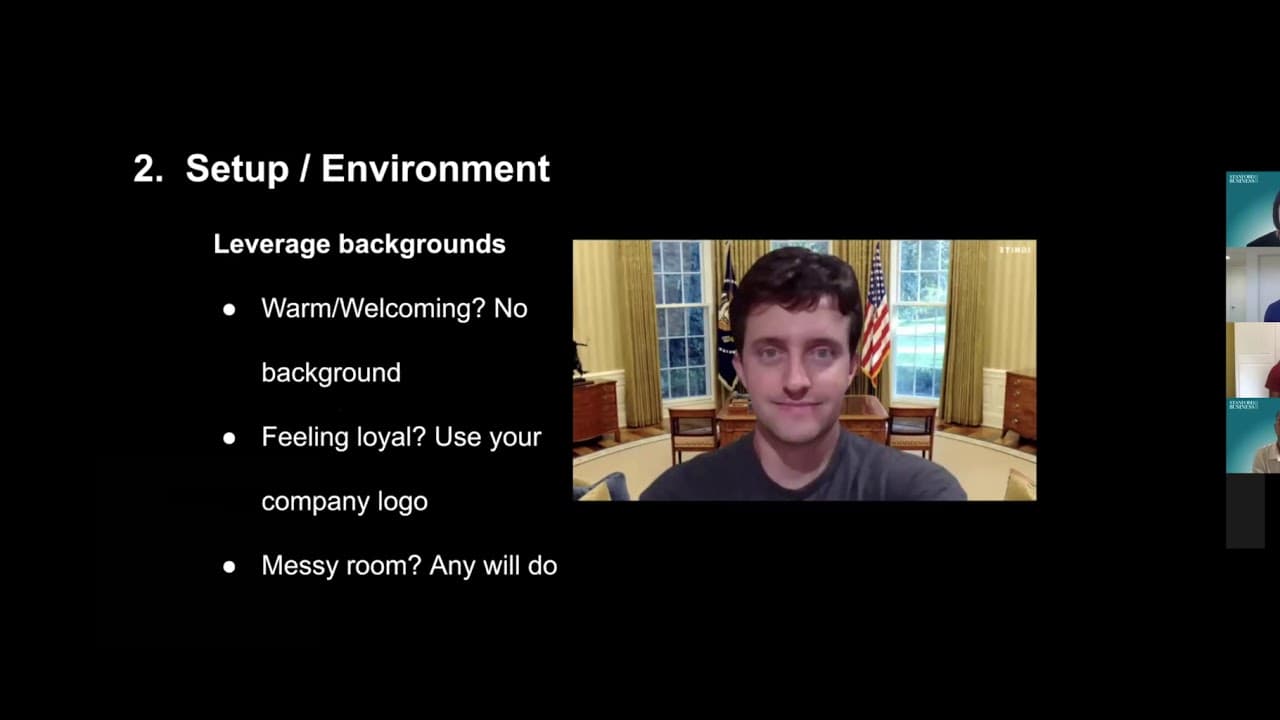
Your room should be clean and organized, with no surprises or background noise. Utilize suitable backgrounds to create the desired atmosphere. Pay attention to lighting, aiming for a brightly lit room or using additional lights, and deliver your message from a comfortable place.
Q: How can I leverage technology for effective virtual communication?
Start by testing your technology, ensuring that your audio and video are functioning correctly. Check your internet speed to ensure a smooth connection. Familiarize yourself with the features and tools available on virtual communication platforms to engage with your audience effectively. Lastly, be prepared for any technical issues by having a backup device.
Q: How do I ensure a successful virtual presentation?
By following the tips provided, you can improve your virtual communication skills. Pay attention to your setup, environment, and technology to create a professional and engaging virtual presentation.
Summary & Key Takeaways
-
Adjust your setup before delivering a virtual presentation by choosing a suitable location, dressing appropriately, and positioning yourself naturally within the frame.
-
Create a conducive environment by ensuring a clean and organized room, informing others of your presentation to avoid interruptions, and utilizing appropriate backgrounds.
-
Pay attention to lighting and shadows, aiming for a well-lit room or using additional lights as needed. Lastly, use comfortable furniture to deliver your message effectively.
Read in Other Languages (beta)
Share This Summary 📚
Summarize YouTube Videos and Get Video Transcripts with 1-Click
Try YouTube Summary with ChatGPT & Claude or YouTube Transcript Generator
Explore More Summaries from Stanford Graduate School of Business 📚




Summarize YouTube Videos and Get Video Transcripts with 1-Click
Try YouTube Summary with ChatGPT & Claude or YouTube Transcript Generator