Unboxing And Managing Viewer Feedback: A Complete Guide To Comment Moderation
TL;DR
Learn how to effectively review and moderate comments on your blog to improve reader experience and create a dialogue with your audience.
Transcript
hello students this is your course on blogging and tools in this video on measuring and managing blog performance we're going to talk about reviewing and moderating comments comment review and moderation is an activity that you start doing from the very beginning itself as soon as you publish your first blog post that attracts a comment from your r... Read More
Key Insights
- 💬 Comment review and moderation should begin as soon as you publish your first blog post.
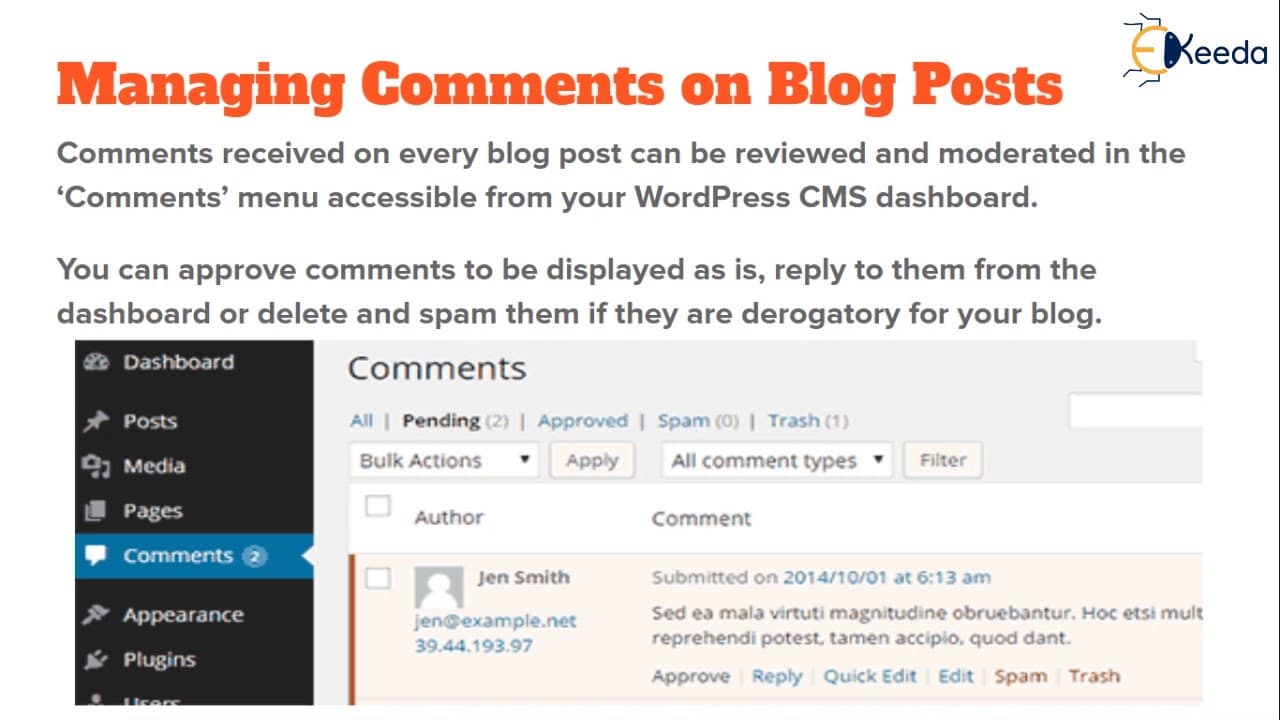
- 💬 The comments menu in WordPress CMS allows you to manage comments efficiently.
- 💬 Approving relevant comments without changes enhances the reader experience.
- 💬 Editing comments with grammatical errors or typos can improve the comment's quality.
- 💬 Responding to comments creates a dialogue and improves reader engagement.
- ⌛ It is a qualitative and time-consuming activity that cannot be fully automated.
- 💬 Checking comments daily and taking prompt action is essential for effective comment management.
Install to Summarize YouTube Videos and Get Transcripts
Explore YouTube Video Summarizer or Get YouTube Transcript Extractor
Questions & Answers
Q: Why is comment review and moderation important for blog performance?
Comment review and moderation is essential as it improves reader experience, creates dialogue with readers, and provides valuable feedback on your blog's content.
Q: How can I access the comments menu in WordPress CMS?
To access the comments menu in WordPress CMS, click on the comments option located in the dashboard alongside posts, media, and pages.
Q: Should I approve all comments on my blog?
It is advisable to approve comments that are relevant, add value for future readers, and align with your blog's content. However, you can make edits if there are grammatical errors or typos.
Q: Why is it important to reply to comments?
Replying to comments helps build a relationship with your readers, creates a dialogue, and allows you to understand their interests and preferences, ultimately improving your blog's content.
Summary & Key Takeaways
-
Comment review and moderation is crucial from the start of publishing your blog posts to enhance reader experience.
-
The comments menu in WordPress CMS allows you to review, approve, mark as spam, or delete comments.
-
Replying to comments not only approves them but also creates a rapport with readers, gathering valuable feedback.
Read in Other Languages (beta)
Share This Summary 📚
Summarize YouTube Videos and Get Video Transcripts with 1-Click
Try YouTube Summary with ChatGPT & Claude or YouTube Transcript Generator
Explore More Summaries from Ekeeda 📚






Summarize YouTube Videos and Get Video Transcripts with 1-Click
Try YouTube Summary with ChatGPT & Claude or YouTube Transcript Generator