How to Build a Stopwatch App with Svelte and TailwindCSS
TL;DR
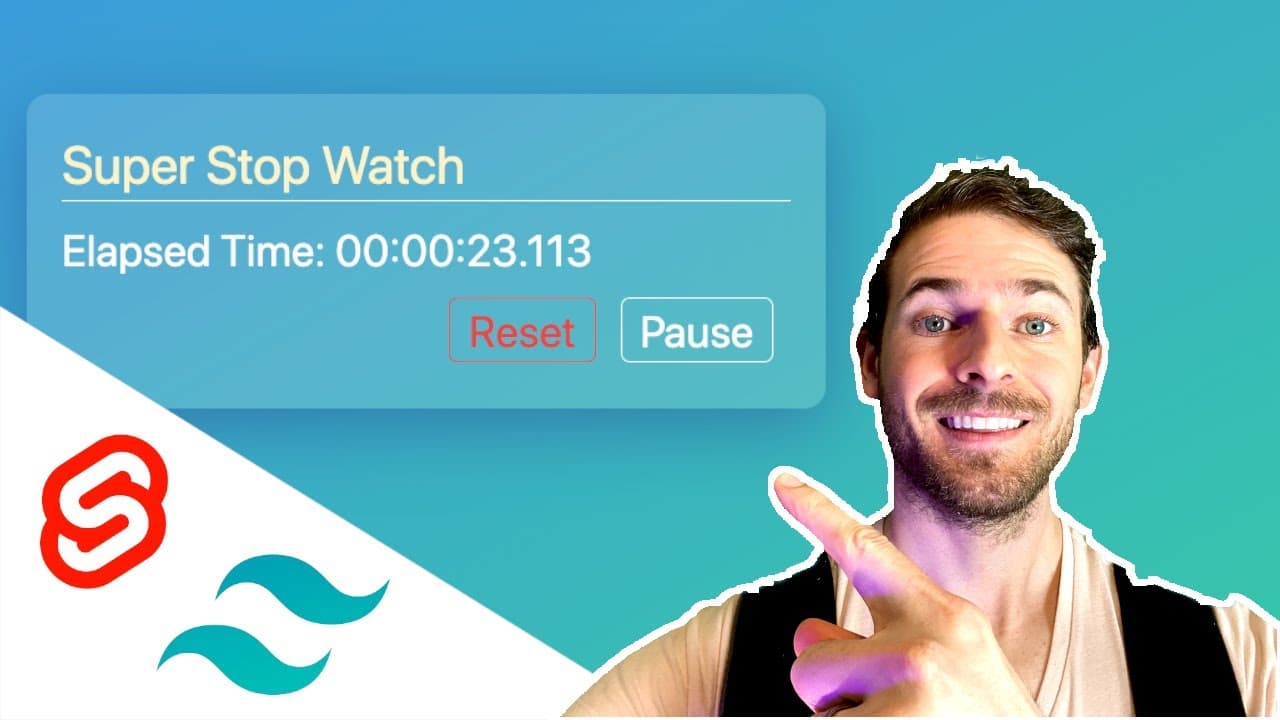
To build a stopwatch app using Svelte and Tailwind CSS, implement features like start, pause, resume, and reset buttons while utilizing TypeScript enums to manage the stopwatch's state. Style the app with a glassmorphic design, and ensure real-time elapsed time updates by integrating JavaScript logic for accurate time tracking and formatting.
Transcript
hey everyone welcome back to another video in this one i'm going to be showing you how to build a stopwatch using svelt and tailwind css so if you see here we have the application that we're going to try building together if you click on the start button it's going to start the stopwatch and then of course you can click pause to kind of pause its r... Read More
Key Insights
- 🏛️ Building the stopwatch required integrating both frontend design and functional programming using Svelte and Tailwind CSS.
- 😄 TypeScript enums provided clarity and ease of managing the state transitions within the application.
- 👻 Conditional rendering in Svelte allows for dynamic UI updates based on the application state, enhancing user experience.
- ❓ The reset functionality highlighted the importance of maintaining state integrity by properly clearing intervals.
- ⌛ Elapsed time calculations took precise tracking methods, showcasing JavaScript's capabilities for real-time updates.
- 🚙 Tailwind CSS's utility-first approach enabled rapid styling adjustments, streamlining the design process.
- 💁 Implementing functions for formatting time demonstrated a practical approach to handling numerical data in a user-friendly manner.
Install to Summarize YouTube Videos and Get Transcripts
Explore YouTube Video Summarizer or Get YouTube Transcript Extractor
Questions & Answers
Q: What technology stack is used in this tutorial for building the stopwatch?
This tutorial utilizes Svelte for building the user interface and managing application state, along with Tailwind CSS for applying modern, responsive styles. Svelte's reactive nature enables the stopwatch to dynamically update without the need for additional libraries, while Tailwind CSS provides utility-first styling for quick design implementations.
Q: How does the application manage different states of the stopwatch?
The application uses an enum in TypeScript to define three states: New, Running, and Paused. This enum allows the code to conditionally render buttons based on the current state, ensuring that only relevant buttons are visible to the user, such as showing the Start button when the stopwatch is new or the Reset button when paused.
Q: Explain the purpose of the reset function in the stopwatch application.
The reset function is crucial for restoring the stopwatch to its initial state. When called, it sets the elapsed time back to zero, resets the application state to 'New', and clears any running intervals to prevent unwanted behavior. This allows users to restart their timing effectively without any carryovers from previous sessions.
Q: How is the elapsed time calculated and displayed?
The elapsed time is calculated using a combination of JavaScript's Date functions and intervals. When the stopwatch starts, an interval continually updates the elapsed time by calculating the difference between the current time and the time when the stopwatch was started. The result is then formatted and displayed in a readable format, differentiating hours, minutes, seconds, and milliseconds.
Q: What styling techniques are employed in the stopwatch design?
Tailwind CSS is used for styling the stopwatch, employing utility classes for quick visual enhancements such as borders, padding, and margins. Additionally, glassmorphism is implemented to give the interface a modern, translucent effect, creating an aesthetically pleasing and user-friendly design.
Q: Can you describe the logic behind pausing and resuming the stopwatch?
When the user pauses the stopwatch, the application updates the state and halts the time calculation by controlling the running interval. On resuming, the stopwatch continues from the last elapsed time rather than resetting. This is achieved by retaining the prior elapsed time and updating the start time to the current moment when resuming.
Summary & Key Takeaways
-
The tutorial covers building a stopwatch application, focusing on implementing features such as start, pause, resume, and reset buttons using Svelte for interactivity and Tailwind CSS for styling.
-
It emphasizes the use of glassmorphism for the design and shows how to manage the state of the stopwatch using TypeScript enums for clarity and maintainability.
-
The step-by-step coding guide includes creating the necessary HTML structure, applying styling, and writing the JavaScript logic to handle time tracking, ensuring a fully operational stopwatch.
Read in Other Languages (beta)
Share This Summary 📚
Summarize YouTube Videos and Get Video Transcripts with 1-Click
Try YouTube Summary with ChatGPT & Claude or YouTube Transcript Generator
Explore More Summaries from Web Dev Cody 📚





Summarize YouTube Videos and Get Video Transcripts with 1-Click
Try YouTube Summary with ChatGPT & Claude or YouTube Transcript Generator