Products
Features
YouTube Video Summarizer
Summarize YouTube videos
Web & PDF Highlighter
Highlight web pages & PDFs
Chat with PDF
Ask any PDF questions with AI
Ask AI Clone
Chat with your highlights & memories
Audio Transcriber
Transcribe audio files to text
Glasp Reader
Read and highlight articles
Kindle Highlight Export
Export your Kindle highlights
Idea Hatch
Hatch ideas from your highlights
Integrations
Obsidian Plugin
Notion Integration
Pocket Integration
Instapaper Integration
Medium Integration
Readwise Integration
Snipd Integration
Hypothesis Integration
Apps & Extensions
Chrome Extension
Safari Extension
Edge Add-ons
Firefox Add-ons
iOS App
Android App
Discover
Discover
Ideas
Discover new ideas and insights
Articles
Curated articles and insights
Books
Book recommendations by great minds
Posts
Essays and notes from readers
Quotes
Inspiring quotes collection
Videos
Curated videos and summaries
Explore Glasp
Glasp Newsletter
Weekly insights and updates
Glasp Talk
Interview series with great minds
Glasp Blog
Latest news and articles
Glasp Use Cases
Learn how others use Glasp
Build & Support
Glasp API
Access Glasp's API for developers
MCP Connector
Connect Glasp to Claude & ChatGPT
Community
Glasp Reddit Community
Students
Student discount and benefits
FAQs
Frequently Asked Questions
AboutPricing
DashboardLog inSign up

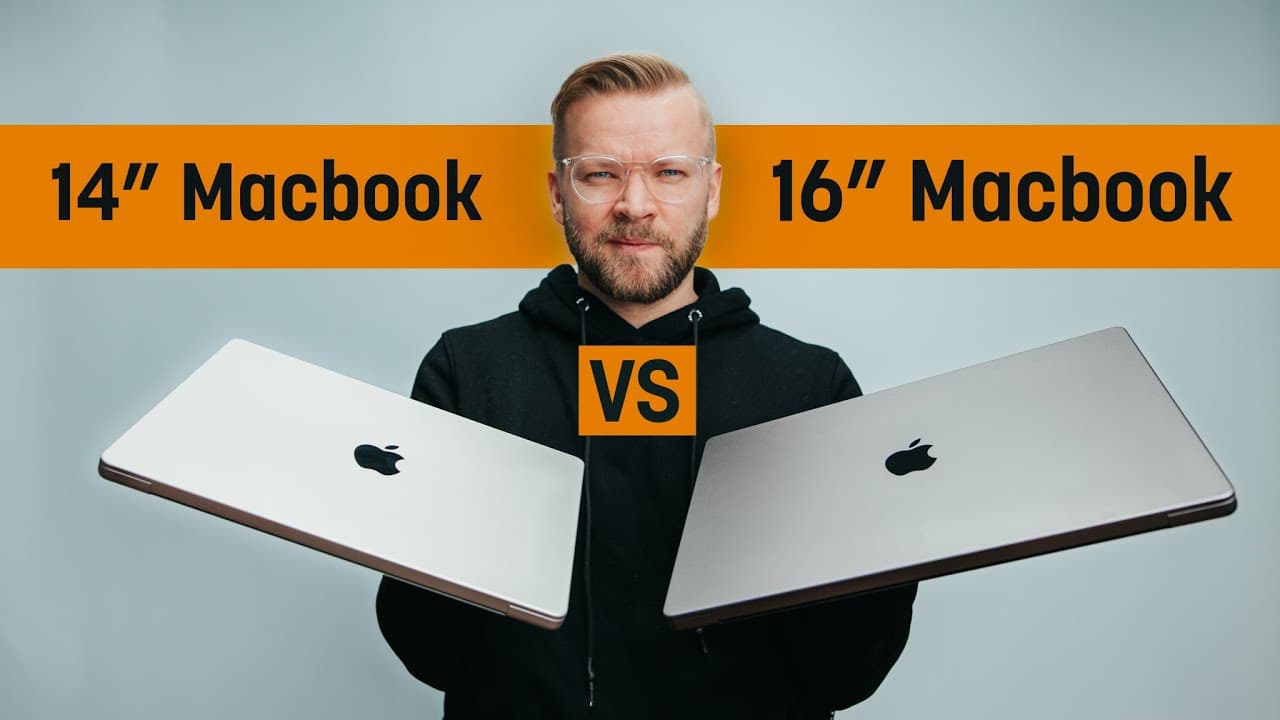
14" VS 16" Macbook Pro - Which M1 Max Should You Buy As A Creator?
150.1K views
•
January 13, 2022
by
Matti Haapoja
YouTube video player
14" VS 16" Macbook Pro - Which M1 Max Should You Buy As A Creator?

TL;DR

The M1 Max MacBook Pro is a top-tier content creation laptop; decide between the 16-inch and 14-inch models based on needs.

Transcript

okay so i think it's pretty unanimous that the m1 max macbook pro is absolutely incredible by far the best powerhouse content creation laptop i've ever had in my life and every single content creator that i've talked to has said the exact same thing the only question is which is better the 16 inch or the 14 inch now i do need to make an apology on ... Read More

Key Insights

  • ❓ The M1 Max MacBook Pro is highly recommended for content creators for its exceptional performance and features.
  • 🤌 Differences between the 16-inch and 14-inch models lie in size, weight, battery life, and price.
  • 🤌 The choice between the 16-inch and 14-inch models depends on individual needs, with the 16-inch suited for stationary work and the 14-inch for on-the-go professionals.

Install to Summarize YouTube Videos and Get Transcripts

Explore YouTube Video Summarizer or Get YouTube Transcript Extractor

Questions & Answers

Q: What makes the M1 Max MacBook Pro stand out for content creation?

Users find the M1 Max MacBook Pro exceptional due to its high performance, outstanding battery life, quality display, and portability.

Q: What are the significant differences between the 16-inch and 14-inch models?

The main divergences lie in size, weight, battery life, and price, with the 16-inch offering slightly better specs while the 14-inch is more portable.

Q: How does the M1 Max MacBook Pro handle demanding tasks like video editing?

The M1 Max MacBook Pro excels in heavy editing tasks, with its power ensuring smooth workflow and time efficiency for content creators.

Q: Which model, the 16-inch or 14-inch, would be more suitable for a creative professional on the move?

For frequent travelers, the compact size and lighter weight of the 14-inch make it the preferred choice, offering portability without compromising performance.

Summary & Key Takeaways

  • The M1 Max MacBook Pro is praised as the best content creation laptop by users.

  • Differences between the 16-inch and 14-inch models are minimal, with price, screen size, and battery life being key factors.

  • Recommended for creative professionals working mostly from one location, the 16-inch is ideal, while the 14-inch is better for frequent travelers.


Read in Other Languages (beta)

English

Share This Summary 📚

Summarize YouTube Videos and Get Video Transcripts with 1-Click

Download browser extensions on:

Try YouTube Summary with ChatGPT & Claude or YouTube Transcript Generator

Explore More Summaries from Matti Haapoja 📚
GoPro Hero 10 Review // Huge Camera Update With Insane Slow Motion thumbnail
GoPro Hero 10 Review // Huge Camera Update With Insane Slow Motion
Matti Haapoja
When to put the camera down thumbnail
When to put the camera down
Matti Haapoja
Make FAKE Sets With This AI Tool For VIDEO thumbnail
Make FAKE Sets With This AI Tool For VIDEO
Matti Haapoja
I ruined his career with 3 words thumbnail
I ruined his career with 3 words
Matti Haapoja
How To Light Your Videos (without expensive lights) thumbnail
How To Light Your Videos (without expensive lights)
Matti Haapoja
TESLA HYPE - Real or Fake? thumbnail
TESLA HYPE - Real or Fake?
Matti Haapoja

Summarize YouTube Videos and Get Video Transcripts with 1-Click

Download browser extensions on:

Try YouTube Summary with ChatGPT & Claude or YouTube Transcript Generator

Apps & Extensions

  • Chrome Extension
  • Safari Extension
  • Edge Add-ons
  • Firefox Add-ons
  • iOS App
  • Android App

Key Features

  • YouTube Video Summarizer
  • Web & PDF Summarizer
  • Web & PDF Highlighter
  • Chat with PDF
  • Ask AI Clone
  • Audio Transcriber
  • Glasp Reader
  • Kindle Highlight Export
  • Idea Hatch

Integrations

  • Obsidian Plugin
  • Notion Integration
  • Pocket Integration
  • Instapaper Integration
  • Medium Integration
  • Readwise Integration
  • Snipd Integration
  • Hypothesis Integration

More Features

  • APIs
  • MCP Connector
  • Blog & Post
  • Embed Links
  • Image Highlight
  • Personality Test
  • Quote Shots

Company

  • About us
  • Blog
  • Community
  • FAQs
  • Job Board
  • Newsletter
  • Pricing
Terms

•

Privacy

•

Guidelines

© 2026 Glasp Inc. All rights reserved.