Live Coding a Shopping Cart using Vue
TL;DR
This tutorial shows how to build a basic shopping cart app using Vue.js with essential features.
Transcript
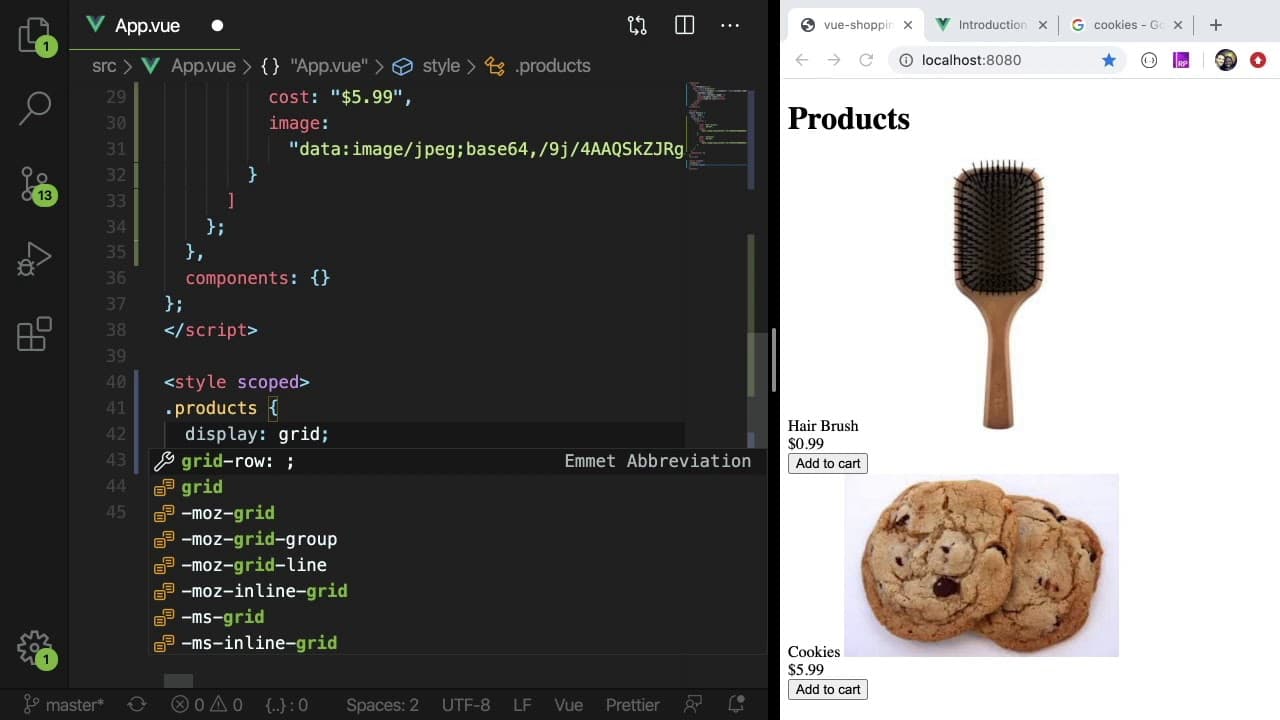
how's it going everyone we are going to be building a really simple shopping cart application in this live coding tutorial you see here with my horribly styled CSS and this beautiful pink header you have the ability to view some products on a website which you can you know see here we have the hair brush and some cookies displays the cost of them a... Read More
Key Insights
- 🕸️ The tutorial emphasizes the importance of understanding Vue.js concepts like data binding, methods, and event handling for interactive web applications.
- 🫵 Beginners are encouraged to learn from mistakes, as the creator openly demonstrates their debugging process, which enhances the learning experience for viewers.
- 🕸️ The project highlights the need for both visual and functional elements in web development, with the creator intentionally noting their less-than-ideal CSS styling to focus on functionality.
- 👻 Implementing Vue's component structure allows for more organized code, making it manageable as the project scales.
- 🈸 The tutorial serves as a fundamental introduction to e-commerce app development, showcasing core features that can be expanded upon for more complex applications in the future.
- 🤸 The absence of persistent storage for cart data underlines the importance of local storage or cookies for real-world applications, hinting at future improvements.
- 🫵 Viewers are encouraged to take on the challenge of modifying and improving the application post-tutorial, solidifying their learning through practice.
Install to Summarize YouTube Videos and Get Transcripts
Explore YouTube Video Summarizer or Get YouTube Transcript Extractor
Questions & Answers
Q: What technologies are used in building the shopping cart application?
The shopping cart application is built using Vue.js, a progressive JavaScript framework, combined with Vue Router and Vuex for state management. However, the tutorial maintains a simple structure without persistent state storage or robust routing to focus on essential functionalities.
Q: How does the "Add to Cart" functionality work in the application?
The "Add to Cart" feature is implemented by using a method that pushes selected product items into a cart array within the Vue component's data object. When the user clicks the 'Add to Cart' button, the product is stored in the cart, which can then be visualized through updates in the UI.
Q: What issue did the creator encounter while coding?
During the coding process, the creator faced difficulties with event handling in Vue.js, such as confusing v-on syntax and understanding the component structure required for event emission. They also struggled with referencing product items in the cart and managing their removal correctly.
Q: What is the significance of using a data structure to manage cart items?
Using a data structure, specifically an array, to manage cart items allows for dynamic updates and easy manipulation of the cart's contents. This provides a straightforward way to implement functionalities such as adding, removing, and counting items, which are essential for a shopping cart system.
Summary & Key Takeaways
-
The tutorial guides viewers through creating a simple shopping cart application using Vue.js, focusing on displaying products and managing a cart.
-
Key functionalities include adding items to the cart, viewing cart contents, and removing items, all while highlighting potential coding mistakes and troubleshooting methods.
-
The project serves as an introductory guide for beginners in web development, emphasizing learning through practical mistakes and real-time coding.
Read in Other Languages (beta)
Share This Summary 📚
Summarize YouTube Videos and Get Video Transcripts with 1-Click
Try YouTube Summary with ChatGPT & Claude or YouTube Transcript Generator
Explore More Summaries from Web Dev Cody 📚





Summarize YouTube Videos and Get Video Transcripts with 1-Click
Try YouTube Summary with ChatGPT & Claude or YouTube Transcript Generator