My Youtube Filming and Equipment Set Up (Advice for Beginners, Hacks, and more!)
TL;DR
Learn essential YouTube filming equipment for beginners.
Transcript
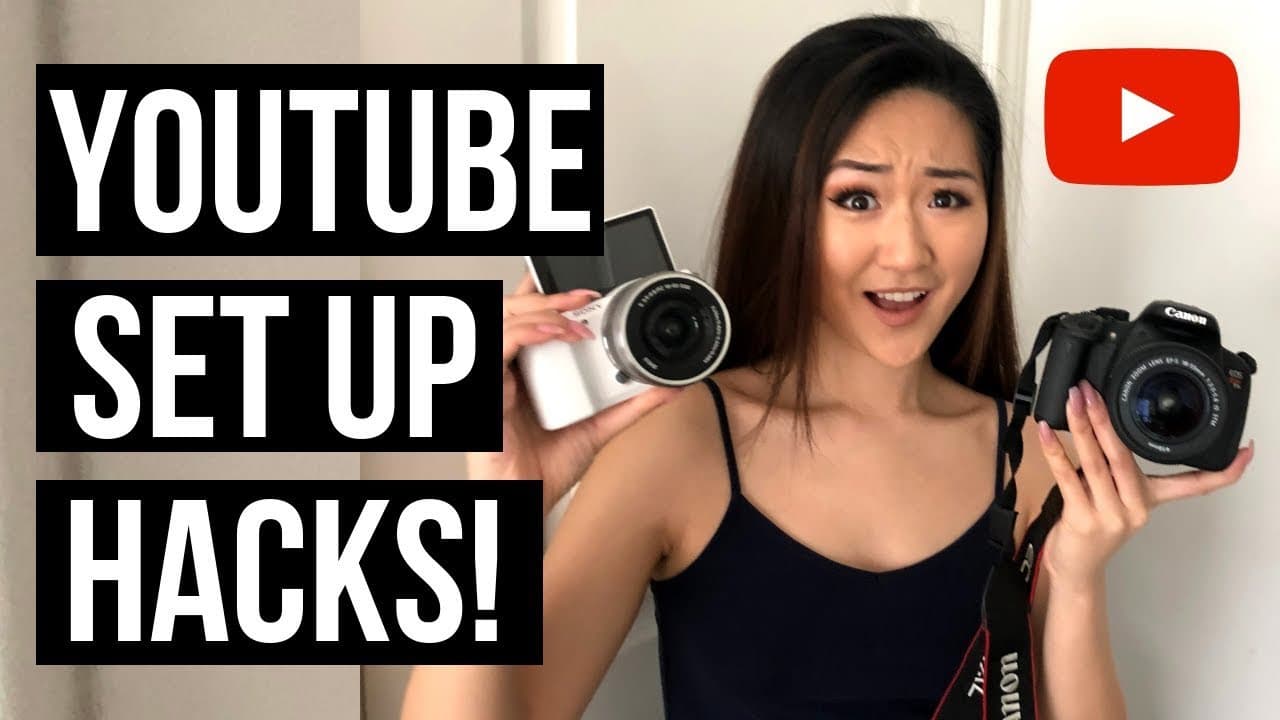
What is up everyone? Welcome back to my channel. Now you'll notice that the setup here is a little bit different than my other videos, and the reason for this is because I am using my older camera, the Sony A5100, I'm using my vlogging camera today, and the reason why I'm using a different camera is because in today's video, I'm going to share with... Read More
Key Insights
- Investing in a good camera is crucial for YouTubers. A DSLR is recommended for its versatility, allowing for future upgrades like external mics and lenses.
- The Sony A5100 is great for beginners due to its excellent focus and audio quality, but lacks support for external mics, limiting its use in diverse filming conditions.
- A power adapter for cameras can prevent interruptions due to battery depletion, ensuring continuous filming, which is especially useful for extended shoots.
- Using a remote with a DSLR can enhance filming efficiency by allowing for easy recording without leaving the frame, beneficial for both video and thumbnail creation.
- Audio quality can be a challenge with Canon cameras, making an external microphone essential. A lapel mic offers proximity to the speaker, minimizing ambient noise.
- iMovie is a suitable video editing software for beginners, but Final Cut Pro offers more stability and features for advanced editing, despite its higher cost.
- Natural lighting is often sufficient for filming, but using a white backdrop or investing in lighting equipment like ring lights can enhance video brightness.
- Starting a YouTube channel requires minimal equipment initially. As passion and commitment grow, investing in additional tools like microphones and better cameras becomes worthwhile.
Install to Summarize YouTube Videos and Get Transcripts
Explore YouTube Video Summarizer or Get YouTube Transcript Extractor
Questions & Answers
Q: What is the primary camera recommendation for new YouTubers?
The primary camera recommendation for new YouTubers is a DSLR, specifically the Canon Rebel T5i. It offers versatility with the ability to add external microphones and lenses, which is crucial for enhancing video quality and adapting to various filming needs as the channel grows.
Q: Why does the creator prefer a DSLR over the Sony A5100?
The creator prefers a DSLR over the Sony A5100 because DSLRs allow for the addition of external microphones and lenses, which are essential for professional-quality videos. While the Sony A5100 offers great focus and audio quality, it lacks the capability to support external mics, limiting its versatility.
Q: How can a power adapter benefit YouTubers during filming?
A power adapter benefits YouTubers by preventing filming interruptions due to battery depletion. By replacing the battery with an adapter that plugs into an outlet, the camera can run continuously, which is particularly useful for long filming sessions and avoids the hassle of frequent battery replacements.
Q: What is the advantage of using a remote with a DSLR?
Using a remote with a DSLR offers the advantage of starting and stopping recordings without leaving the filming area, enhancing efficiency. It is particularly useful for taking thumbnail photos, as it eliminates the need for self-timers and allows for quick retakes, improving workflow and saving time.
Q: What are the audio challenges with Canon cameras, and how are they addressed?
Canon cameras often have audio quality challenges, necessitating the use of external microphones. To address this, the creator uses a lapel microphone, which clips onto clothing and provides clear audio capture close to the speaker, reducing background noise and improving overall sound quality in videos.
Q: Why did the creator switch from iMovie to Final Cut Pro?
The creator switched from iMovie to Final Cut Pro due to frequent crashes in iMovie. While iMovie is adequate for beginners, Final Cut Pro offers more stability and advanced features, which are beneficial for more complex editing needs as the creator's channel and editing skills evolve.
Q: What lighting solutions are suggested for beginners?
For beginners, the creator suggests using natural lighting, such as window light, which is often sufficient. However, if additional lighting is needed, options like ring lights or box lights can be considered. A white backdrop can also enhance brightness in videos by reflecting light effectively.
Q: What is the creator's advice on equipment investment for new YouTubers?
The creator advises new YouTubers to start with minimal equipment, such as a camera and basic editing software, to test their interest and commitment to the platform. As they become more invested and experienced, they can gradually upgrade their equipment, like adding microphones and better cameras, to improve video quality.
Summary & Key Takeaways
-
This video offers a comprehensive guide on essential YouTube filming equipment, focusing on cameras, audio, and editing tools. It emphasizes starting with minimal gear and upgrading as needed.
-
The creator discusses the advantages of DSLRs over vlogging cameras, highlighting the ability to add external mics and lenses, which enhance filming versatility and quality.
-
Practical tips for beginners include using natural lighting, employing power adapters to avoid battery issues, and utilizing remotes for efficient filming and photography.
Read in Other Languages (beta)
Share This Summary 📚
Summarize YouTube Videos and Get Video Transcripts with 1-Click
Try YouTube Summary with ChatGPT & Claude or YouTube Transcript Generator
Explore More Summaries from Vanessa Lau 📚

Summarize YouTube Videos and Get Video Transcripts with 1-Click
Try YouTube Summary with ChatGPT & Claude or YouTube Transcript Generator