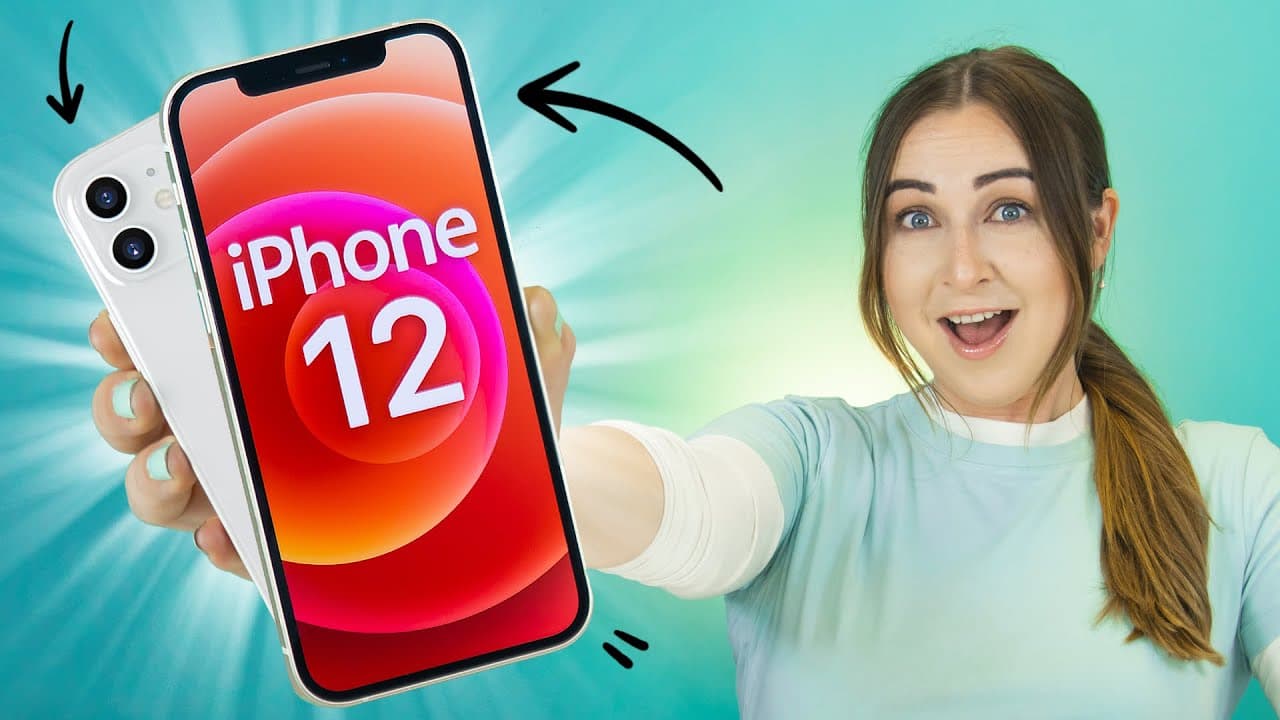
iPhone 12 Tips Tricks & Hidden Features + IOS 14 | THAT YOU MUST TRY!!! ( iPhone 12 Pro, 12 Pro Max)
TL;DR
Get the most out of your iPhone 12 with these 10 tips, tricks, and hidden features.
Transcript
I was 14 on the iPhone 12 is amazing and I have 10 tips tricks and hidden features that you guys absolutely last tried like tapping the back awesome charging sounds hiding photos and a bunch of other cool new features but definitely stay until the end because I'm giving away some app store gift cards to some of my lucky subscribers so let's get int... Read More
Key Insights
- 💁 The iPhone 12 offers various hidden features and tips to enhance the user experience.
- 👻 Back tap is a convenient feature that allows users to perform actions by double tapping or triple tapping on the back of the phone.
- 🎮 Shazam integration in the control center makes it easy to identify songs playing on the iPhone 12.
- 🎥 The iPhone 12's camera has been upgraded with features like filming in 10-bit HDR and taking nighttime selfies.
- 😀 Widgets can be added and customized on the home screen for quick access to apps and contacts.
- 😀 The Photos app provides options to hide and unhide photos in a separate hidden folder.
- 📟 Users can organize their apps and pages, hide or display them, and easily move applications between pages.
- 😀 The Shortcuts app enables users to create a customized charging sound for their iPhone 12.
- 🖼️ Picture in picture mode allows for multitasking by minimizing videos to a small window.
Install to Summarize YouTube Videos and Get Transcripts
Explore YouTube Video Summarizer or Get YouTube Transcript Extractor
Questions & Answers
Q: How do I use the back tap feature on the iPhone 12?
To use back tap, go to Settings > Accessibility > Touch > Back Tap. You can choose different actions for double tap and triple tap, such as opening an app or activating reachability.
Q: How can I identify songs playing on my iPhone 12?
Simply swipe down on the control center and tap the Shazam icon. It will recognize the song and provide you with song details.
Q: Can I customize the charging sound on my iPhone 12?
Yes, you can create a custom charging sound by using the Shortcuts app. Go to Automation > Create Personal Automation > Charger > Add Action > Speak Text and customize the phrase you want to hear when charging.
Q: How do I enable picture in picture mode on my iPhone 12?
In the Settings app, go to General > Picture in Picture and toggle it on. Now, when you swipe up to go to the home screen, videos will be minimized and you can multitask.
Summary & Key Takeaways
-
Back tap: Use this nifty feature to set up different actions when you double tap or triple tap on the back of your iPhone 12.
-
Shazam integration: Easily identify songs playing on your iPhone 12 by accessing Shazam in the control center.
-
Keyboard shortcuts and undo/redo: Learn how to access character or number keyboards, select words or sentences, and use gestures to undo or redo typing actions.
-
iPhone 12 camera upgrades: Discover the new capabilities of the iPhone 12 camera, such as filming in 10-bit HDR, taking nighttime selfies, and creating time lapses.
-
Widgets: Add and customize widgets on your home screen for quick access to apps like Spotify or contact shortcuts.
-
Hidden photos: Learn how to hide and unhide photos in the Photos app.
-
Organizing apps and pages: Hide apps or pages, access the app library, and easily move applications between pages.
-
Create a customized charging sound: Use the Shortcuts app to create a unique charging sound for your iPhone 12.
-
Picture in picture mode: Multitask by minimizing videos to a small window while using other apps.
-
Other features: Explore additional features such as recording videos with Memoji, activating text-to-speech, and optimizing battery charging for AirPods.
Read in Other Languages (beta)
Share This Summary 📚
Summarize YouTube Videos and Get Video Transcripts with 1-Click
Try YouTube Summary with ChatGPT & Claude or YouTube Transcript Generator
Explore More Summaries from Hayls World 📚





Summarize YouTube Videos and Get Video Transcripts with 1-Click
Try YouTube Summary with ChatGPT & Claude or YouTube Transcript Generator