Products
Features
YouTube Video Summarizer
Summarize YouTube videos
Web & PDF Highlighter
Highlight web pages & PDFs
Chat with PDF
Ask any PDF questions with AI
Ask AI Clone
Chat with your highlights & memories
Audio Transcriber
Transcribe audio files to text
Glasp Reader
Read and highlight articles
Kindle Highlight Export
Export your Kindle highlights
Idea Hatch
Hatch ideas from your highlights
Integrations
Obsidian Plugin
Notion Integration
Pocket Integration
Instapaper Integration
Medium Integration
Readwise Integration
Snipd Integration
Hypothesis Integration
Apps & Extensions
Chrome Extension
Safari Extension
Edge Add-ons
Firefox Add-ons
iOS App
Android App
Discover
Discover
Ideas
Discover new ideas and insights
Articles
Curated articles and insights
Books
Book recommendations by great minds
Posts
Essays and notes from readers
Quotes
Inspiring quotes collection
Videos
Curated videos and summaries
Explore Glasp
Glasp Newsletter
Weekly insights and updates
Glasp Talk
Interview series with great minds
Glasp Blog
Latest news and articles
Glasp Use Cases
Learn how others use Glasp
Build & Support
Glasp API
Access Glasp's API for developers
MCP Connector
Connect Glasp to Claude & ChatGPT
Community
Glasp Reddit Community
Students
Student discount and benefits
FAQs
Frequently Asked Questions
AboutPricing
DashboardLog inSign up

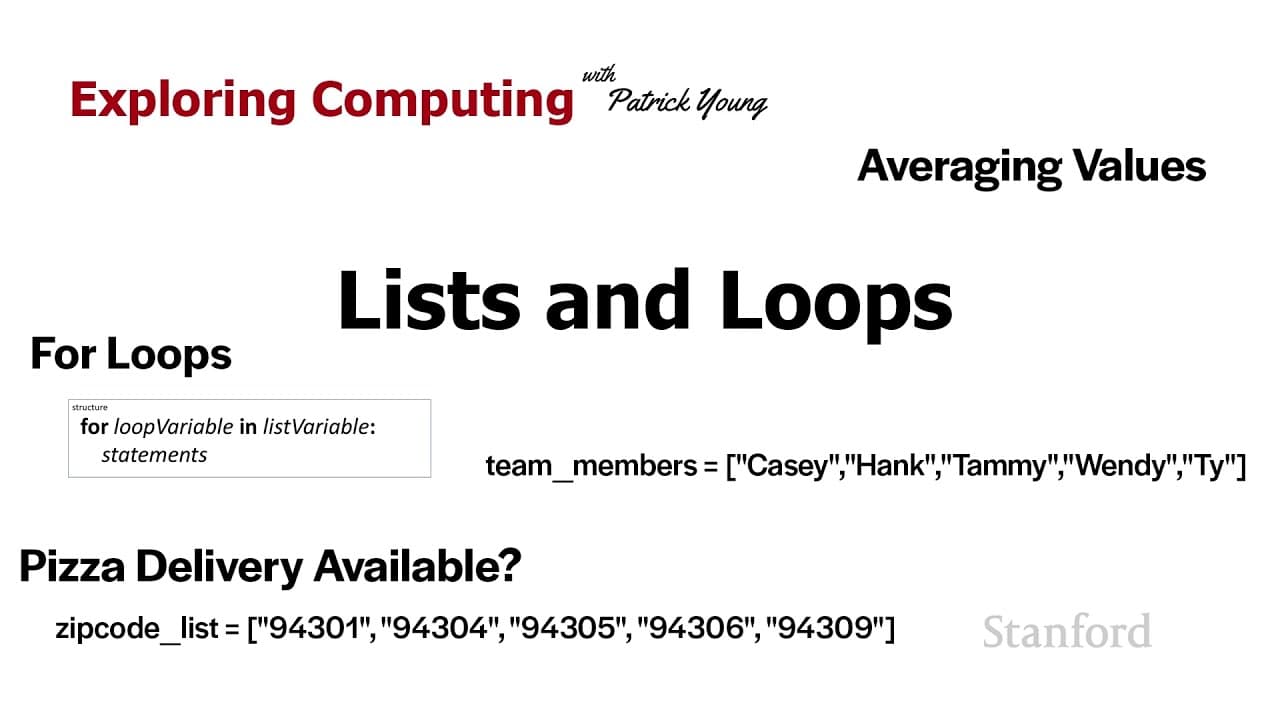
Stanford CS105: Introduction to Computers | 2021 | Lecture 18.2 Lists and Loops
August 5, 2021
by
Stanford Online
YouTube video player
Stanford CS105: Introduction to Computers | 2021 | Lecture 18.2 Lists and Loops

TL;DR

Computers are efficient at processing lists of information, and Python provides functionalities for creating, modifying, and iterating through lists with loops.

Transcript

welcome to exploring computing today's video is bliss and loops so one thing that computers are really good at is processing lists of information and this is both because we don't really like processing large amounts of information let's say we need to do a calculation on a single stanford student like maybe we're doing graduation check on a single... Read More

Key Insights

  • 👂 Lists are essential for processing large amounts of information efficiently in computer programming.
  • 👻 Python allows for the creation, storage, and manipulation of lists using square brackets and variables.
  • 👂 Iterating through lists using loops, such as for loops, simplifies repetitive actions on list items.
  • 👂 Square bracket notation is used to access, modify, and add items to a list in Python.
  • ❤️‍🩹 The append() method is used to add new items to the end of an existing list.
  • 👂 Length and boolean operations can provide valuable information about lists, such as the number of items and existence of specific values.
  • 🔁 Proper indentation is crucial when using loops and conditional statements to ensure desired results.

Install to Summarize YouTube Videos and Get Transcripts

Explore YouTube Video Summarizer or Get YouTube Transcript Extractor

Questions & Answers

Q: How are lists used in computer programming?

Lists are commonly used to organize and process large amounts of information in computer programming. They allow for easy storage and retrieval of data items.

Q: How can I access and modify specific items in a list in Python?

To access specific items in a list, you can use square bracket notation followed by the index number of the item you want to access. To modify items, simply assign a new value to the desired index.

Q: Can I add new items to an existing list in Python?

Yes, you can add new items to the end of a list using the append() method. This method takes the item you want to add as an argument.

Q: How can I iterate through the items in a list in Python?

You can use a for loop to iterate through the items in a list. By assigning a loop variable, such as "course", to each item in the list, you can perform actions on each item within the loop.

Summary & Key Takeaways

  • Computers excel at processing large amounts of information, making lists a common tool for organizing data.

  • Python allows users to create lists by enclosing items in square brackets, and variables can store lists.

  • Lists can be accessed and modified using square bracket notation, and new items can be added using the append() method.

  • Loops, such as for loops, are powerful tools for iterating through the items in a list and performing actions on them.


Read in Other Languages (beta)

English

Share This Summary 📚

Summarize YouTube Videos and Get Video Transcripts with 1-Click

Download browser extensions on:

Try YouTube Summary with ChatGPT & Claude or YouTube Transcript Generator

Explore More Summaries from Stanford Online 📚
Stanford CS229: Machine Learning | Summer 2019 | Lecture 20 - Variational Autoencoder thumbnail
Stanford CS229: Machine Learning | Summer 2019 | Lecture 20 - Variational Autoencoder
Stanford Online
Stanford Webinar - GPT-3 & Beyond thumbnail
Stanford Webinar - GPT-3 & Beyond
Stanford Online
Stanford CS224N NLP with Deep Learning | Winter 2021 | Lecture 16 - Social & Ethical Considerations thumbnail
Stanford CS224N NLP with Deep Learning | Winter 2021 | Lecture 16 - Social & Ethical Considerations
Stanford Online
Stanford AA228/CS238 Decision Making Under Uncertainty I Policy Gradient Estimation and Optimization thumbnail
Stanford AA228/CS238 Decision Making Under Uncertainty I Policy Gradient Estimation and Optimization
Stanford Online
Bayesian Networks 4 - Probabilistic Inference | Stanford CS221: AI (Autumn 2021) thumbnail
Bayesian Networks 4 - Probabilistic Inference | Stanford CS221: AI (Autumn 2021)
Stanford Online

Summarize YouTube Videos and Get Video Transcripts with 1-Click

Download browser extensions on:

Try YouTube Summary with ChatGPT & Claude or YouTube Transcript Generator

Apps & Extensions

  • Chrome Extension
  • Safari Extension
  • Edge Add-ons
  • Firefox Add-ons
  • iOS App
  • Android App

Key Features

  • YouTube Video Summarizer
  • Web & PDF Summarizer
  • Web & PDF Highlighter
  • Chat with PDF
  • Ask AI Clone
  • Audio Transcriber
  • Glasp Reader
  • Kindle Highlight Export
  • Idea Hatch

Integrations

  • Obsidian Plugin
  • Notion Integration
  • Pocket Integration
  • Instapaper Integration
  • Medium Integration
  • Readwise Integration
  • Snipd Integration
  • Hypothesis Integration

More Features

  • APIs
  • MCP Connector
  • Blog & Post
  • Embed Links
  • Image Highlight
  • Personality Test
  • Quote Shots

Company

  • About us
  • Blog
  • Community
  • FAQs
  • Job Board
  • Newsletter
  • Pricing
Terms

•

Privacy

•

Guidelines

© 2026 Glasp Inc. All rights reserved.