Create Geometry of 3d Building Model Using Coordinate
TL;DR
Learn how to create building geometry in Strat Pro using coordinate system.
Transcript
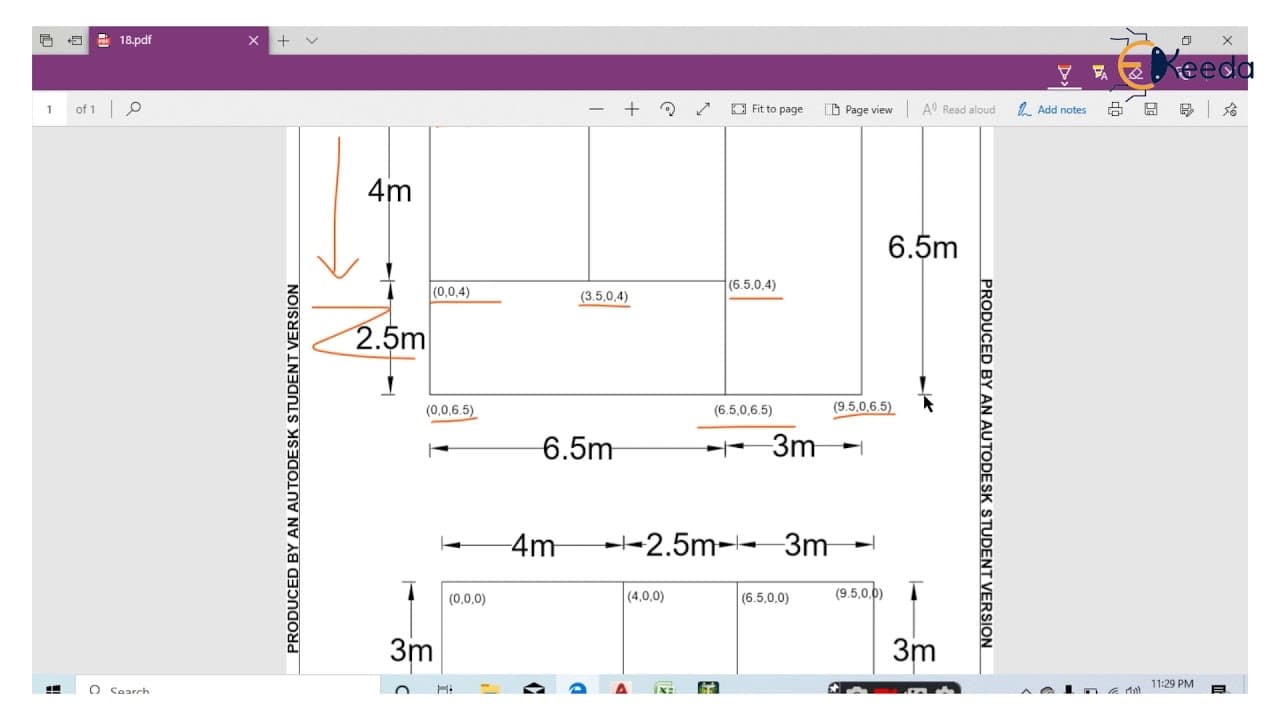
hey guys welcome back in this lecture we will learn how to create a building geometry using coordinate system in strat pro open new project as well space frame file name is 3d building select a location length unit is meter and force unit is kilo newton go to next and finish in this lecture we will learn how to create a geometry using coordinates s... Read More
Key Insights
- 😚 Closing the grid and taking a top view are important steps in creating building geometry.
- 🚰 Nodes are created by entering their coordinates in the table.
- 😁 Beams can be connected to the nodes using the "add beam" function or by selecting the nodes with the beam cursor.
Install to Summarize YouTube Videos and Get Transcripts
Explore YouTube Video Summarizer or Get YouTube Transcript Extractor
Questions & Answers
Q: How do you create a building geometry using coordinates in Strat Pro?
To create a building geometry, you need to close the grid, take a top view, and create nodes by entering their coordinates in the table. These nodes can then be connected with beams.
Q: What are the steps for creating nodes in Strat Pro?
The steps for creating nodes in Strat Pro are: (1) Take a top view, (2) Enter the coordinates of each node in the table, and (3) Press enter to create the node.
Q: How do you connect nodes with beams in Strat Pro?
To connect nodes with beams in Strat Pro, you can use the "add beam" function and add the nodes one by one. Alternatively, you can use the beam cursor to select all the nodes and create beams along the x-axis or z-axis.
Q: How can you create an open base in Strat Pro?
To create an open base in Strat Pro, you can delete all the members of the bottom floor, select the floor, hold the control button, and go to "fill floor grid with plates" to create plates.
Summary & Key Takeaways
-
This lecture teaches how to create a building geometry using coordinates in Strat Pro.
-
The process involves closing the grid, taking a top view, and creating nodes.
-
Nodes are created by entering the coordinates in the table and connecting them with beams.
Read in Other Languages (beta)
Share This Summary 📚
Summarize YouTube Videos and Get Video Transcripts with 1-Click
Try YouTube Summary with ChatGPT & Claude or YouTube Transcript Generator
Explore More Summaries from Ekeeda 📚






Summarize YouTube Videos and Get Video Transcripts with 1-Click
Try YouTube Summary with ChatGPT & Claude or YouTube Transcript Generator