My Working From Home Desk Setup as a PhD Student - Ergonomic Home Office Tour
TL;DR
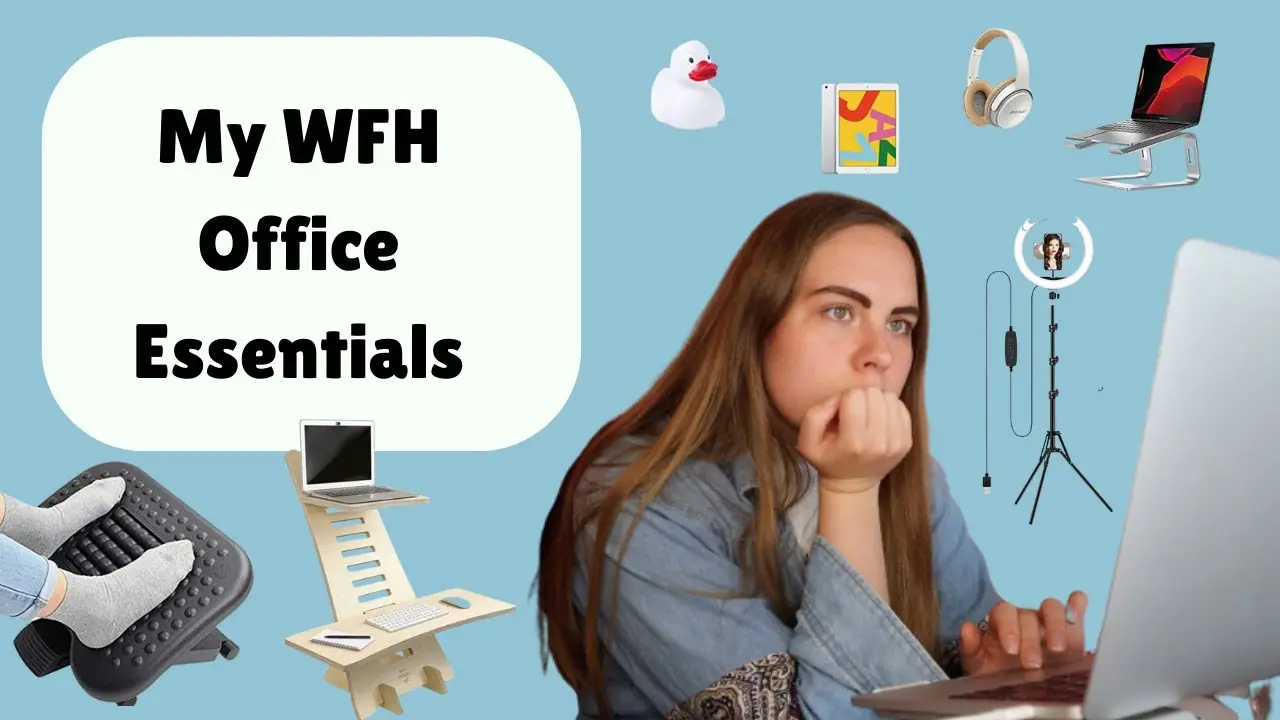
This video provides a detailed tour of the creator's work from home desk setup, focusing on ergonomics and productivity.
Transcript
hello everyone and welcome or welcome back to my channel today's video i'm going to be giving you a full tour through my work from home sort of desk setup as part of my phd work just so you can really see what my work from home setup is like what all of the things that i have are i have done a couple similar videos before but i do think i've had a ... Read More
Key Insights
- 💦 Ergonomics in a work from home setup is crucial for comfort, productivity, and overall well-being.
- 💁 A standing desk offers the benefit of increased alertness and reduced sedentary behavior.
- 🏪 Portable monitors provide flexibility and convenience for those who need a secondary display.
- 🙂 Proper lighting, such as a ring light, improves video call quality and professionalism.
- 🦆 The rubber duck technique can be applied beyond programming to enhance problem-solving skills.
- 💦 Accessories like footstools, headphones, and comfortable chairs contribute to a more ergonomic and enjoyable work environment.
- 💟 Personalizing the workspace through DIY decor can add aesthetic appeal and boost motivation.
Install to Summarize YouTube Videos and Get Transcripts
Explore YouTube Video Summarizer or Get YouTube Transcript Extractor
Questions & Answers
Q: Why is ergonomics important in a work from home setup?
Ergonomics is important to maintain proper posture, prevent musculoskeletal issues, and increase productivity by reducing discomfort and fatigue during long hours of work.
Q: How does the standing desk help with productivity?
Using a standing desk allows for better alertness and focus during work, as well as increased movement and reduced sedentary behavior, which can improve overall health and well-being.
Q: What are the benefits of using a portable monitor?
A portable monitor provides additional screen space, flexibility in terms of working from different locations, and ease of travel for those who need to work on-the-go.
Q: How does the ring light enhance video calls?
The ring light improves video call quality by providing better lighting, especially in low-light conditions, resulting in a clearer and more professional appearance during virtual meetings.
Q: How does the rubber duck aid in problem-solving?
The rubber duck technique involves explaining coding or programming issues to an inanimate object, like a rubber duck, which helps programmers clarify their thoughts and often leads to identifying solutions on their own.
Q: Why is having a footstool important in an ergonomic setup?
A footstool helps maintain a 90-degree angle at the knees, improving blood circulation, reducing pressure on the lower back, and allowing for leg movement and comfort throughout the workday.
Q: What role do the headphones play in the setup?
The headphones provide a noise-canceling feature, allowing for better concentration and focus in a noisy environment, enhancing productivity during work or study sessions.
Q: Is there a recommended chair for an ergonomic setup?
While the chair in the video is comfortable and adjustable, finding an ergonomic chair that suits personal preferences and aesthetic preferences can be challenging, but it is essential for maintaining good posture and spine alignment.
Summary & Key Takeaways
-
The video showcases the creator's work from home setup, which is a multifunctional room used for both office work and personal training.
-
The emphasis is on ergonomics, ensuring proper sitting posture, screen height, and distance, and incorporating a standing desk for added movement.
-
The creator highlights various tools and devices, including a laptop stand, portable monitor, ring light for video calls, rubber duck for problem-solving, and comfortable accessories like headphones, footstool, and chair.
Read in Other Languages (beta)
Share This Summary 📚
Summarize YouTube Videos and Get Video Transcripts with 1-Click
Try YouTube Summary with ChatGPT & Claude or YouTube Transcript Generator
Explore More Summaries from PhD and Productivity 📚



Summarize YouTube Videos and Get Video Transcripts with 1-Click
Try YouTube Summary with ChatGPT & Claude or YouTube Transcript Generator