Lightroom CC RAW Edit Shot on Sony A7r II
TL;DR
Roberto Blake showcases Lightroom raw editing techniques on Sony a7r II shots, emphasizing creative transformation.
Transcript
hey everybody this is Roberto Blake of robertoblake.com helping you create something awesome today so today I'm an Adobe Lightroom CC 2015 and um I'm actually going to be editing some shots I took with the Sony a7r I that I borrowed from our good friends over at lumoid um a couple of weeks back this camera was tremendous and I got some great shots ... Read More
Key Insights
- ❓ Roberto showcases diverse editing approaches in Lightroom, emphasizing the importance of creative transformation in photography.
- ✋ He highlights the potential of the Sony a7r II for high-quality editing with minimal noise even at high sharpening levels.
- ✊ The showcase demonstrates the power of raw editing to enhance details, color balance, and overall visual impact in images.
- 🧡 Roberto's editing techniques range from subtle adjustments for natural shots to bold creative transformations for artistic impact.
- ✋ Lumoid's camera borrowing service provides access to high-quality gear for photographers to experiment and create stunning shots.
- 🥰 Creative image processing can turn challenging or underexposed images into visually striking pieces of art.
- ⚖️ Editing workflows in Lightroom involve a balance of exposure, contrast, saturation, and sharpening for optimal image enhancement.
Install to Summarize YouTube Videos and Get Transcripts
Explore YouTube Video Summarizer or Get YouTube Transcript Extractor
Questions & Answers
Q: What camera did Roberto use for the shots in the Lightroom raw editing showcase?
Roberto used the Sony a7r II for the shots in the Lightroom raw editing showcase, borrowed from Lumoid.
Q: How does Roberto approach editing different types of shots in Lightroom?
Roberto demonstrates varying editing techniques like adjusting exposure, contrast, sharpening, and creative transformations to suit different shot scenarios.
Q: What was Roberto's focus when editing the candid human portrait shot?
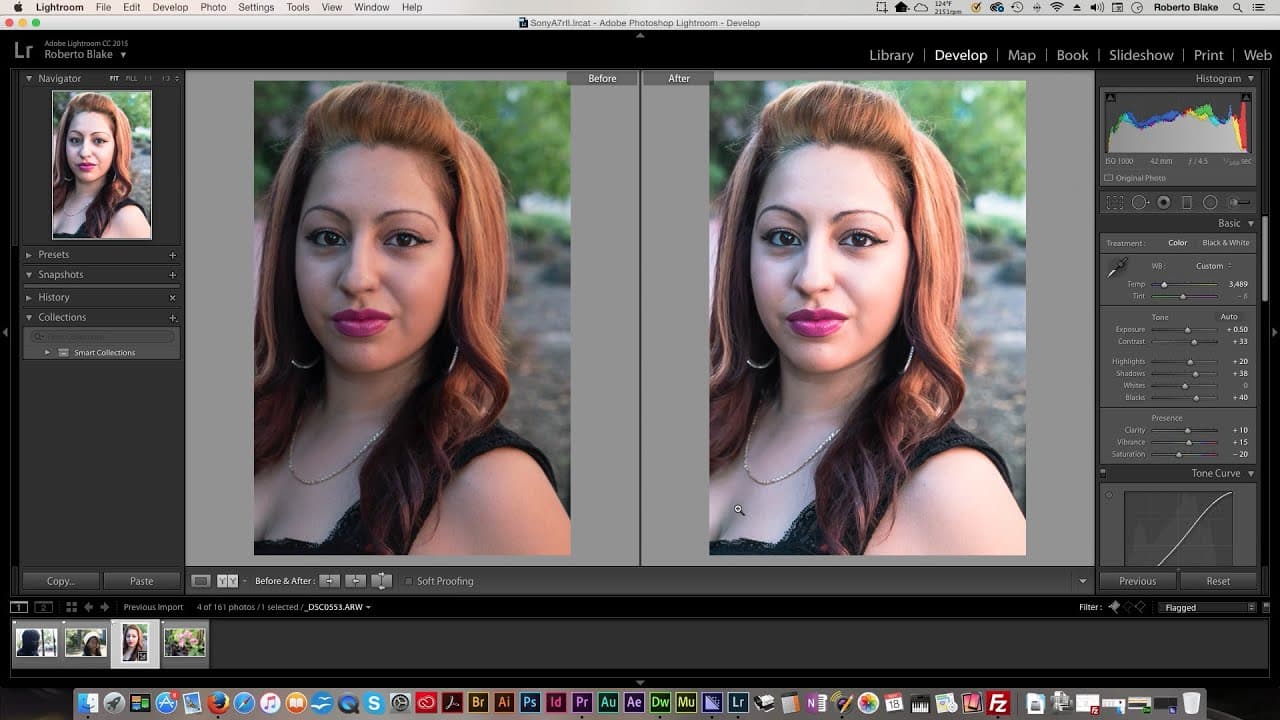
Roberto focused on enhancing details in the candid human portrait shot by adjusting exposure, contrast, Shadows, highlights, and fine-tuning saturation and vibrance.
Q: How did Roberto transform the underexposed photographer portrait into black and white art?
Roberto creatively transformed the underexposed photographer portrait into striking black and white art by adjusting exposure, contrast, Shadows, highlights, and applying sharpness.
Summary & Key Takeaways
-
Roberto Blake demonstrates Lightroom raw editing on Sony a7r II shots, showcasing diverse editing approaches.
-
He starts with a candid human portrait, adjusting exposure, contrast, and sharpening to enhance details.
-
Then, he creatively transforms an underexposed image of a photographer into striking black and white art, followed by editing a floral landscape shot with subtle adjustments.
Read in Other Languages (beta)
Share This Summary 📚
Summarize YouTube Videos and Get Video Transcripts with 1-Click
Try YouTube Summary with ChatGPT & Claude or YouTube Transcript Generator
Explore More Summaries from Roberto Blake 📚






Summarize YouTube Videos and Get Video Transcripts with 1-Click
Try YouTube Summary with ChatGPT & Claude or YouTube Transcript Generator