How to Prepare for Your First YouTube Video
TL;DR
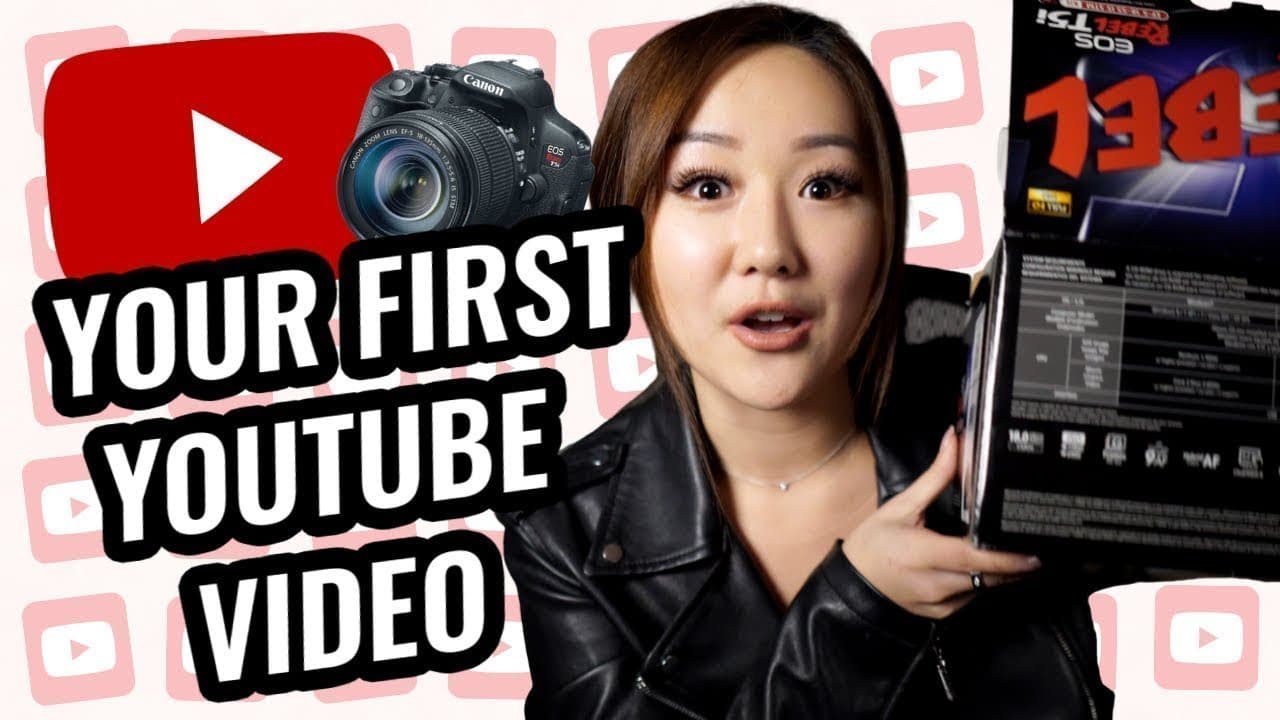
Starting your first YouTube video can be daunting, but preparation is key. Begin by filming early in the day to utilize natural light, conduct a test run to ensure technical settings are optimal, and allow ample time for editing. Avoid announcing your video until it's ready to reduce pressure and improve quality.
Transcript
[inaudible] everyone. Welcome back to my channel, the best place for new coaches, content creators and entrepreneurs. In today's video, I want to take it back to a year and a half ago where I started this YouTube channel. Specifically when I uploaded this video right here, this was my very first video that I uploaded onto this channel. It was aroun... Read More
Key Insights
- Filming early in the day is crucial to take advantage of natural lighting, especially if you lack studio lights.
- A test run is essential to familiarize yourself with camera settings, lighting, and audio quality before the actual filming.
- Announce your video only after filming to avoid unnecessary pressure and ensure better content quality.
- Allocate at least two days for video editing to learn the basics and avoid a stressful editing process.
- Ensure you have a reliable internet connection for uploading videos, as upload speeds can significantly impact the process.
- Invest in a high-capacity memory card to avoid interruptions during filming due to storage limitations.
- Having extra batteries or an AC adapter can prevent filming disruptions due to battery depletion.
- Consider technical aspects like good WiFi and memory capacity to streamline the video creation process.
Install to Summarize YouTube Videos and Get Transcripts
Explore YouTube Video Summarizer or Get YouTube Transcript Extractor
Questions & Answers
Q: How can I prepare for filming my first YouTube video?
To prepare for filming your first YouTube video, start by planning your shoot early in the day to leverage natural lighting. Conduct a test run to check camera settings, lighting, and audio quality. Allocate ample time for editing, and ensure you have a reliable internet connection and sufficient storage space on your memory card.
Q: What are the common mistakes when filming a first YouTube video?
Common mistakes include not conducting a test run, leading to technical issues during filming, and announcing the video before it's ready, which adds unnecessary pressure. Additionally, underestimating the time required for editing and lacking technical resources like good WiFi, extra batteries, or adequate memory can disrupt the process.
Q: Why is it important to film early in the day for a YouTube video?
Filming early in the day is important because it allows you to take advantage of natural lighting, which is especially beneficial if you lack studio lights. Natural light is more consistent and can improve video quality, while filming later might result in poor lighting conditions as the day progresses.
Q: How does a test run benefit the filming process?
A test run benefits the filming process by allowing you to adjust camera settings, lighting, and audio to optimal levels before the actual shoot. It helps identify potential issues, such as background distractions or audio glitches, ensuring a smoother and more efficient filming experience.
Q: What should I consider regarding memory cards for YouTube filming?
When choosing a memory card for YouTube filming, consider the card's storage capacity. High-capacity cards prevent interruptions due to full storage, allowing continuous filming. It's also wise to clear old files from existing cards before filming and invest in quality cards that can handle large video files.
Q: How can I ensure my video uploads smoothly to YouTube?
To ensure smooth video uploads to YouTube, invest in a reliable internet connection with good upload speeds. Large video files can take significant time to upload, and slow internet can prolong this process. Consider visiting locations with better WiFi if your home connection is inadequate.
Q: What is the role of extra batteries or an AC adapter in filming?
Extra batteries or an AC adapter are crucial for uninterrupted filming. Long filming sessions can drain camera batteries quickly, and having spares or an adapter ensures you don't have to pause filming to recharge. This is especially helpful for beginners who may take longer to record.
Q: How long should I allocate for editing my first YouTube video?
Allocate at least two days for editing your first YouTube video. This time allows you to familiarize yourself with editing software, experiment with different techniques, and refine your video without feeling rushed. Editing often takes longer than expected, especially if you're new to the process.
Summary & Key Takeaways
-
Preparing for your first YouTube video involves understanding the technical and strategic aspects of filming. Start early in the day to make use of natural light, conduct test runs to ensure all settings are correct, and allow ample time for editing. Avoid announcing your video until it's ready to reduce stress and enhance quality.
-
Technical preparation is key: ensure you have a sufficient memory card, extra batteries or an AC adapter, and a good internet connection for uploading. These elements help prevent interruptions and ensure a smoother filming and editing process.
-
Strategic planning includes deciding whether to announce your video before or after filming, depending on your need for accountability. Allocate enough time for video editing, especially if you're new to it, to avoid a rushed and stressful process.
Read in Other Languages (beta)
Share This Summary 📚
Summarize YouTube Videos and Get Video Transcripts with 1-Click
Try YouTube Summary with ChatGPT & Claude or YouTube Transcript Generator
Explore More Summaries from Vanessa Lau 📚



Summarize YouTube Videos and Get Video Transcripts with 1-Click
Try YouTube Summary with ChatGPT & Claude or YouTube Transcript Generator