Google Search Console Couldn't Fetch Error ( Sitemap Errors) | Explain By Hridoy Chowdhury
TL;DR
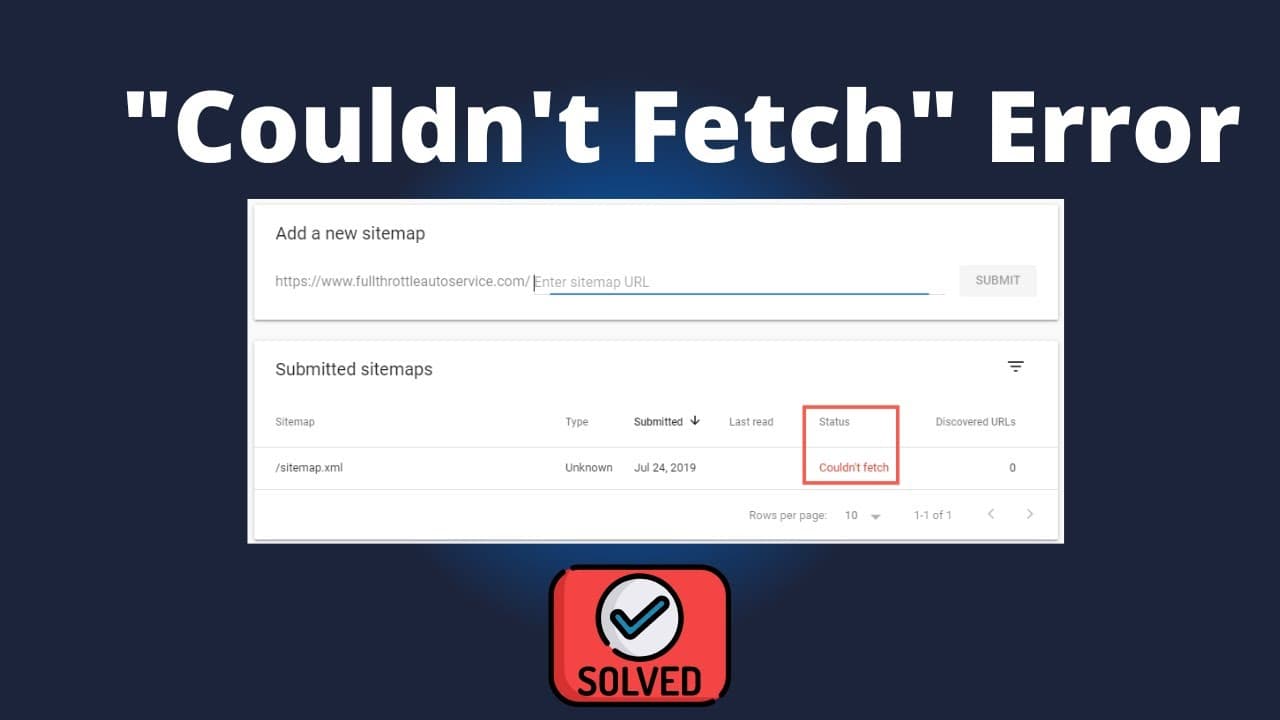
Google sitemap fetch errors are often due to a console bug.
Transcript
successfully foreign foreign trust me you haven't faced this uh couldn't face problems foreign Read More
Key Insights
- The 'couldn't fetch sitemap' error is frequently a bug within Google's search console, indicating a temporary issue rather than a permanent problem.
- There is no straightforward solution to the 'couldn't fetch' error; often, the status is pending, and patience is required.
- Changing your IP address or browser might resolve the sitemap fetch error, though these methods are not always reliable.
- In the new Google Search Console, users can check if their website's URL is indexed by entering the URL directly.
- If a URL is indexed, the message 'URL is on Google' will appear; otherwise, users can request re-indexing.
- Re-indexing requests prompt Google's crawler to review the URL again, which may resolve indexing issues.
- Staying connected with Hridoy Chowdhury through various social media platforms can provide additional insights and updates on SEO topics.
- The content emphasizes the importance of patience and troubleshooting when dealing with technical SEO issues like sitemap errors.
Install to Summarize YouTube Videos and Get Transcripts
Explore YouTube Video Summarizer or Get YouTube Transcript Extractor
Questions & Answers
Q: What is the 'couldn't fetch sitemap' error?
The 'couldn't fetch sitemap' error is a common issue in Google Search Console, often resulting from a bug. This error indicates that the console is unable to retrieve the sitemap for a website temporarily. Users typically need to wait for the issue to resolve itself, as it is not a permanent problem.
Q: Are there any reliable solutions to the sitemap fetch error?
There are no guaranteed solutions to the sitemap fetch error, as it is often due to a bug in Google's system. Some users attempt to resolve it by changing their IP address or browser, but these methods do not consistently work. Patience is often required until the error resolves on its own.
Q: How can users check if their website's URL is indexed?
Users can check if their website's URL is indexed by entering the URL into the new Google Search Console. If the URL is indexed, the console will display a message stating 'URL is on Google.' If not, users can request indexing to prompt Google's crawler to review the URL again.
Q: What should users do if their URL is not indexed?
If a user's URL is not indexed, they should request re-indexing through the Google Search Console. This action prompts Google's crawler to review the URL again, which may help resolve any indexing issues. It's an important step in ensuring the website is visible in search results.
Q: Can changing the IP address or browser help with the error?
Changing the IP address or browser might help resolve the 'couldn't fetch sitemap' error, although these methods are not always reliable. Since the error is often due to a bug in Google's system, these changes may not consistently fix the issue, and users might need to wait for an automatic resolution.
Q: What role does patience play in resolving sitemap errors?
Patience is crucial when dealing with sitemap errors, as these issues are often temporary and caused by bugs in Google's system. Users might need to wait for the error to resolve itself, as there are no guaranteed solutions. Understanding this can help manage expectations and reduce frustration.
Q: How can staying connected with experts like Hridoy Chowdhury help?
Staying connected with experts like Hridoy Chowdhury can provide valuable insights and updates on SEO topics, including technical issues like sitemap errors. Following experts on social media and other platforms can keep users informed about best practices and emerging solutions in the field of SEO.
Q: What is the significance of requesting re-indexing?
Requesting re-indexing is significant because it prompts Google's crawler to review a URL again, which can resolve indexing issues. This process is essential for ensuring that a website's content is visible in search results, especially if it was previously not indexed or if there have been updates to the site.
Summary & Key Takeaways
-
The 'couldn't fetch sitemap' error in Google Search Console is commonly due to a bug, requiring users to wait for resolution. Changing IP or browser might help, but there's no guaranteed fix. Users can check URL indexing status in the console and request re-indexing if needed.
-
To determine if a website's URL is indexed, users can input it into the new Google Search Console. If not indexed, they can request re-indexing, prompting Google's crawler to review it again. Staying informed through expert advice, like that of Hridoy Chowdhury, can be beneficial.
-
Technical SEO issues like sitemap errors require patience and sometimes creative troubleshooting. While some methods like IP or browser changes might aid in resolving issues, the key is understanding that these errors can often be temporary and due to system bugs.
Read in Other Languages (beta)
Share This Summary 📚
Summarize YouTube Videos and Get Video Transcripts with 1-Click
Try YouTube Summary with ChatGPT & Claude or YouTube Transcript Generator
Explore More Summaries from Learn From Top Rated Freelancer 📚






Summarize YouTube Videos and Get Video Transcripts with 1-Click
Try YouTube Summary with ChatGPT & Claude or YouTube Transcript Generator