How to Add Themes to ggplots in R for Customization
TL;DR
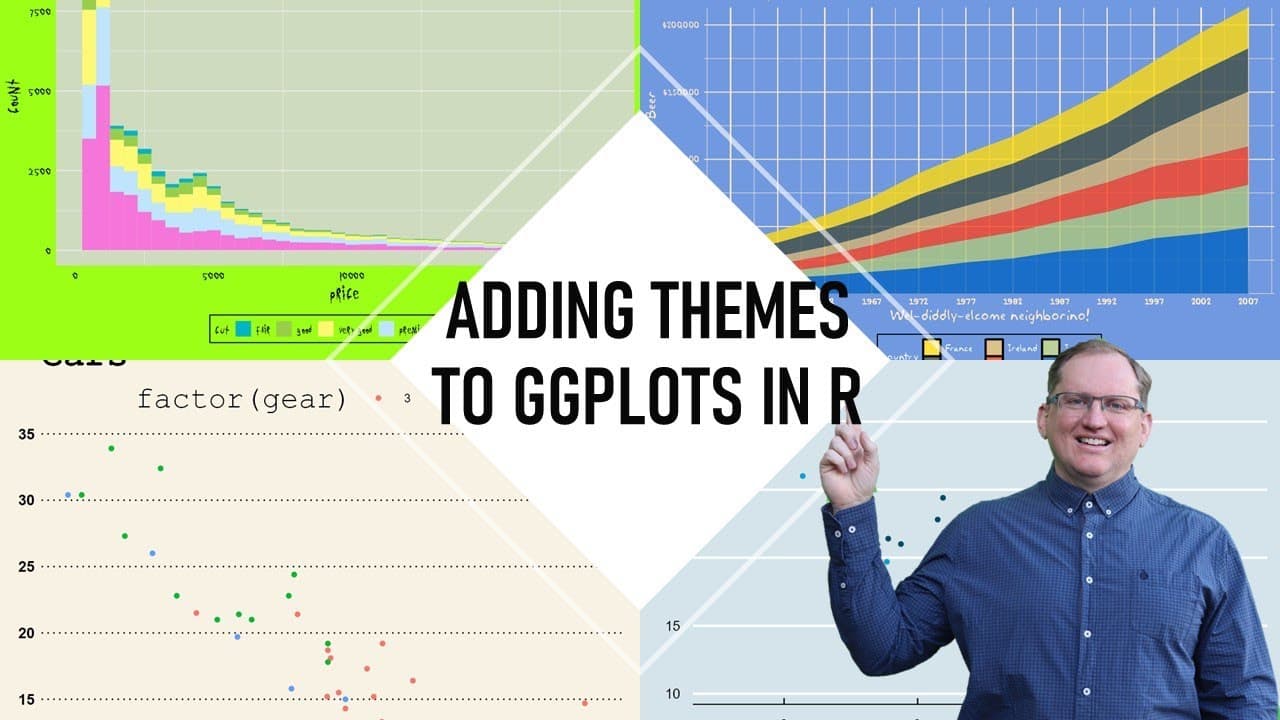
To add themes to ggplots in R, use the GGthemes package to install various pre-built styles that enhance your visualizations. These themes can reflect professional aesthetics from publications like The Economist or be playful like TV shows. Customize your plots by applying specific themes and fonts to improve their overall appearance, making them suitable for both formal and casual presentations.
Transcript
hi friends welcome back to the channel today we are going to look at how to use themes to alter the appearance of our GG plots so a theme is a really convenient way of being able to alter the appearance in a consistent fashion of any GG plot that we make in particular we are going to be looking at several packages that have pre-built themes and the... Read More
Key Insights
- 🥴 Themes in GG plots serve as powerful tools for visual customization, allowing for greater impact and professionalism in data presentations.
- 📦 Specific packages primarily focus on themes reflecting styles from well-known publications, ensuring consistency in branding for corporate data visualization.
- 🙂 Playful themes can create engaging and entertaining visualizations, making data more relatable for casual audiences or lighter contexts.
- ❓ Installing and applying themes requires understanding both the installation process and how to manipulate theme-related parameters effectively.
- 😀 Resetting themes is crucial for maintaining desired visuals; the process can occasionally require restarting the R session to ensure default settings.
- ❓ The tutorial emphasizes the importance of aesthetics in graphical presentations, impacting how data is interpreted and conveyed to audiences.
- 👤 Users should explore theme help pages for additional examples and design inspiration, enhancing their educational journey in data visualization.
Install to Summarize YouTube Videos and Get Transcripts
Explore YouTube Video Summarizer or Get YouTube Transcript Extractor
Questions & Answers
Q: What is the main purpose of using themes in GG plots?
Themes in GG plots allow users to consistently alter the visual appearance of their graphics. This can enhance readability and aesthetic appeal, especially when targeting specific audiences or mimicking styles from established publications or entertaining themes from popular culture. By applying different themes, users can maintain a uniform look across multiple visualizations.
Q: How can users install and access the GG themes package?
To use GG themes, users need to install the package via their R environment. They can do this by navigating to the packages section, using the install command, and entering the package name. After installation, users must load the package by entering library(ggthemes) to access its functionalities and apply themes easily to their GG plots.
Q: What types of themes are available in the GG themes package?
The GG themes package offers a variety of themes, including those emulating the styles of the Wall Street Journal, BBC, and The Economist, among others. In addition, it features playful themes inspired by popular TV shows like The Simpsons and Rick and Morty, enabling users to create graphics that can cater to both serious reporting and light-hearted presentations.
Q: Can users create their own custom themes in GG plots?
Yes, users can create custom themes in GG plots once they master using pre-built ones from packages. This involves understanding the underlying code structure and how theme parameters affect the overall appearance of plots. Customization allows users to align their visualizations with specific brand identities or aesthetic preferences.
Summary & Key Takeaways
-
The video tutorial focuses on using themes to alter the appearance of GG plots, showcasing packages that offer both professional and playful options.
-
It covers installation and application of specific themes, including those reflecting styles from renowned publications and popular TV shows, enhancing graphical presentation.
-
Tutorials provide code examples and insights into how themes affect colors, fonts, and overall aesthetics, along with guidance on resetting defaults when needed.
Read in Other Languages (beta)
Share This Summary 📚
Summarize YouTube Videos and Get Video Transcripts with 1-Click
Try YouTube Summary with ChatGPT & Claude or YouTube Transcript Generator
Explore More Summaries from Dr Lyndon Walker 📚





Summarize YouTube Videos and Get Video Transcripts with 1-Click
Try YouTube Summary with ChatGPT & Claude or YouTube Transcript Generator