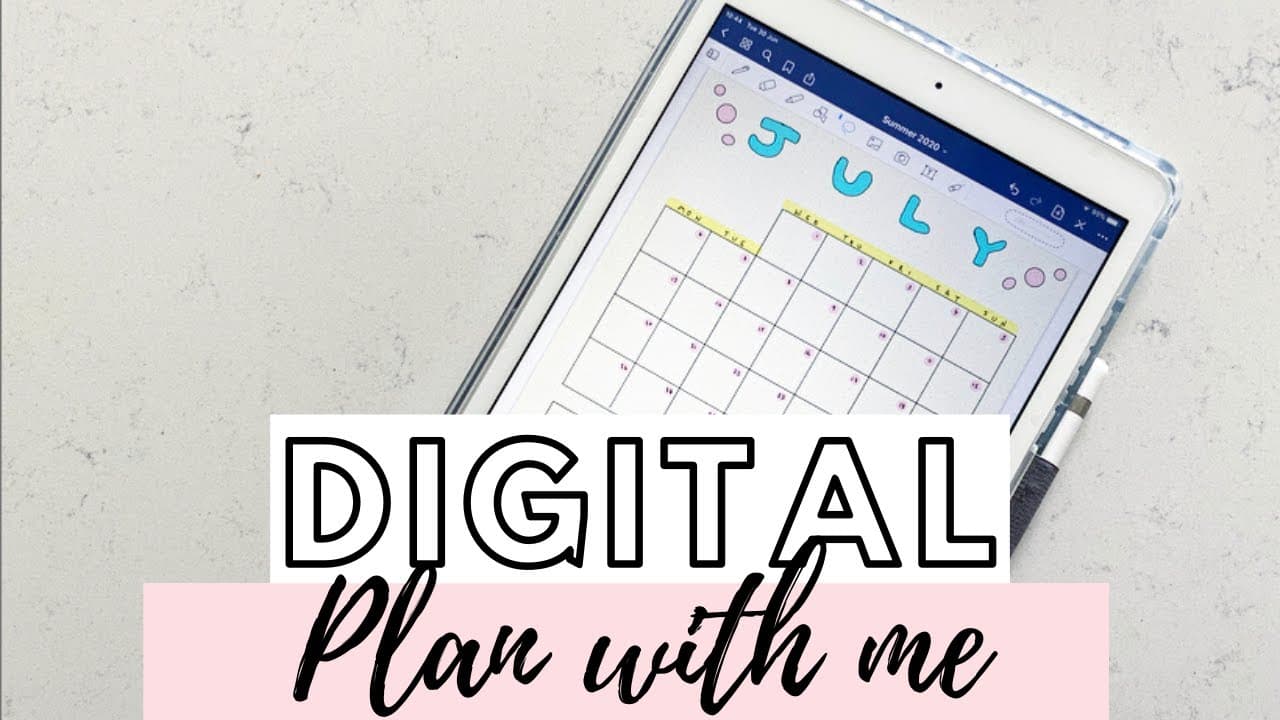
PhD Student Digital Plan With Me July 2020 iPad GoodNotes5
TL;DR
The video showcases the setup of a monthly calendar, weekly overview, and weekly spread using the GoodNotes 5 app on an iPad.
Transcript
hey everyone and welcome back to my channel today I'm sharing with you guys my July 20 2014 no setup although this time things are a bit different because we are going with my iPad instead of my a four bullet journal so if you see incident or there planning videos before you'll know that I usually use a thing that's a four bullet journal but today ... Read More
Key Insights
- 😀 The GoodNotes 5 app on an iPad offers convenient and flexible digital planning features, making it a valuable tool for bullet journaling.
- 📔 The ability to easily correct mistakes, change colors and sizes, and add decorative elements enhances the overall planning experience.
- 🌱 Time blocking is an effective method for organizing and planning daily tasks and activities.
- 🥅 Including goal spreads and trackers in monthly and weekly layouts helps in setting and tracking progress towards personal and professional goals.
- 👻 The highlight function in GoodNotes 5 allows for neat and customizable highlighting of text and information.
- 🏪 Digital planning saves time and offers convenience compared to traditional paper-based planning methods.
- 📔 The color scheme and decorative elements in the spreads add a visual appeal to the overall planning process.
Install to Summarize YouTube Videos and Get Transcripts
Explore YouTube Video Summarizer or Get YouTube Transcript Extractor
Questions & Answers
Q: Why did the content creator switch from using a traditional bullet journal to using the GoodNotes 5 app on an iPad?
The content creator switched to using the GoodNotes 5 app on an iPad for the convenience, flexibility, and ease of use it offers compared to traditional methods. The digital planning features, such as automatic corrections, zooming in, and easy undoing, make it a time-saving and efficient option.
Q: How long did it take to set up the 12-week goals spread?
The content creator mentioned that setting up the 12-week goals spread using the GoodNotes 5 app took approximately 30 minutes.
Q: What is the advantage of using the highlight function in GoodNotes 5?
When using the highlight function in GoodNotes 5, the color goes underneath the black line, making it convenient to color in text without it being noticeable if it goes slightly outside the line. This feature allows for more flexibility and ease of highlighting important information.
Q: Why did the content creator include a time blocking system in the weekly spread?
The content creator finds time blocking to be the most effective way to plan their day. By dividing the day into different time intervals and assigning specific tasks and activities to each interval, it helps in managing time and maximizing productivity.
Summary & Key Takeaways
-
The video demonstrates how to set up a 12-week goals spread using the GoodNotes 5 app on an iPad.
-
The content showcases the creation of a monthly calendar layout with a color scheme and customizable features.
-
The video also shows the creation of a weekly overview spread with time blocking and a weekly spread with a task tracker.
Read in Other Languages (beta)
Share This Summary 📚
Summarize YouTube Videos and Get Video Transcripts with 1-Click
Try YouTube Summary with ChatGPT & Claude or YouTube Transcript Generator
Explore More Summaries from PhD and Productivity 📚
Summarize YouTube Videos and Get Video Transcripts with 1-Click
Try YouTube Summary with ChatGPT & Claude or YouTube Transcript Generator