Products
Features
YouTube Video Summarizer
Summarize YouTube videos
Web & PDF Highlighter
Highlight web pages & PDFs
Chat with PDF
Ask any PDF questions with AI
Ask AI Clone
Chat with your highlights & memories
Audio Transcriber
Transcribe audio files to text
Glasp Reader
Read and highlight articles
Kindle Highlight Export
Export your Kindle highlights
Idea Hatch
Hatch ideas from your highlights
Integrations
Obsidian Plugin
Notion Integration
Pocket Integration
Instapaper Integration
Medium Integration
Readwise Integration
Snipd Integration
Hypothesis Integration
Apps & Extensions
Chrome Extension
Safari Extension
Edge Add-ons
Firefox Add-ons
iOS App
Android App
Discover
Discover
Ideas
Discover new ideas and insights
Articles
Curated articles and insights
Books
Book recommendations by great minds
Posts
Essays and notes from readers
Quotes
Inspiring quotes collection
Videos
Curated videos and summaries
Explore Glasp
Glasp Newsletter
Weekly insights and updates
Glasp Talk
Interview series with great minds
Glasp Blog
Latest news and articles
Glasp Use Cases
Learn how others use Glasp
Build & Support
Glasp API
Access Glasp's API for developers
MCP Connector
Connect Glasp to Claude & ChatGPT
Community
Glasp Reddit Community
Students
Student discount and benefits
FAQs
Frequently Asked Questions
AboutPricing
DashboardLog inSign up

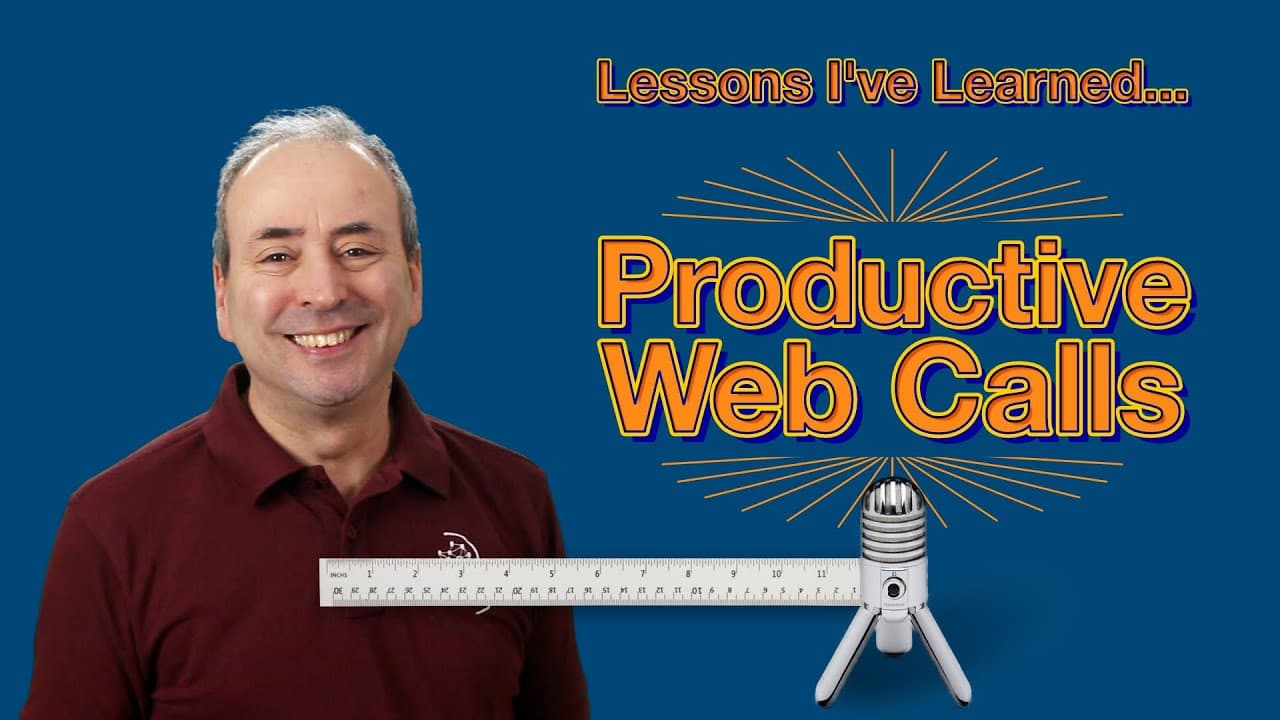
Lessons I've Learned about Productive Web Calls: Zoom, Teams, Webex, Blue Jeans...
December 30, 2021
by
Online PM Courses - Mike Clayton
YouTube video player
Lessons I've Learned about Productive Web Calls: Zoom, Teams, Webex, Blue Jeans...

TL;DR

Learn how to effectively use video conferencing technology for presentations and meetings, from preparation to presentation skills.

Transcript

if you are anything like me the last couple of years i've seen face-to-face meetings presentations training courses seminars and even conferences replaced by calls on teams on zoom on webex on blue jeans and on a dozen other platforms so in this video i want to share with you what i have learned about effectively using video cast technology if you'... Read More

Key Insights

  • ❓ Preparation, including rehearsing presentations and understanding the technology, is essential for successful virtual meetings.
  • 🎙️ Pay attention to camera setup, lighting, and microphone quality for a better visual and audio experience.
  • 📱 Consider the readability of content, especially for small mobile phone screens.
  • 🤵 Dress appropriately and groom yourself to create a positive impression.
  • 💦 Arrive early to ensure technology works and to meet and greet other attendees.
  • 😫 Minimize distractions by setting applications to full screen and turning off notifications.
  • 👏 Use engaging techniques to maintain audience attention, such as frequent check-ins and deliberate question-asking.

Install to Summarize YouTube Videos and Get Transcripts

Explore YouTube Video Summarizer or Get YouTube Transcript Extractor

Questions & Answers

Q: How important is it to prepare for a video conference?

Preparation is crucial for a successful video conference. Rehearse presentations, understand the technology, and coordinate with meeting organizers for a smooth experience.

Q: What are some important factors to consider for camera setup?

Camera height and angle are important, as is having good lighting. Look straight at the camera lens for better engagement. Adjust microphone settings for clear audio.

Q: How should one dress for a video conference?

Dress appropriately for the event, as it influences others' impressions of you. Dressing well boosts confidence and affects behavior and demeanor. Proper grooming is important as well.

Q: How can one maintain audience engagement during a virtual presentation?

Keep energy levels up by sitting upright and taking regular sips of water. Maintain eye contact by placing the images of attendees close to the camera on your screen. Frequently check in with the audience to ensure understanding and comfort.

Summary & Key Takeaways

  • Preparation is key in using video conferencing technology; rehearse presentations in advance and familiarize yourself with the technology to maximize its potential.

  • Pay attention to your environment and camera settings, ensuring adequate lighting, camera angle, and microphone quality for optimal audio and visual experience.

  • Present your content with bold and easily readable text, considering the smaller screen sizes of mobile phone viewers.


Read in Other Languages (beta)

English

Share This Summary 📚

Summarize YouTube Videos and Get Video Transcripts with 1-Click

Download browser extensions on:

Try YouTube Summary with ChatGPT & Claude or YouTube Transcript Generator

Explore More Summaries from Online PM Courses - Mike Clayton 📚
Chaos is a Ladder thumbnail
Chaos is a Ladder
Online PM Courses - Mike Clayton
Top 15 Management Skills that Project Managers Need to Master thumbnail
Top 15 Management Skills that Project Managers Need to Master
Online PM Courses - Mike Clayton
Agony Angels: So many Stakeholders - Stakeholder Engagement discussion with Dawn Mahan thumbnail
Agony Angels: So many Stakeholders - Stakeholder Engagement discussion with Dawn Mahan
Online PM Courses - Mike Clayton
What is a Work Package?  Project Management in Under 5 thumbnail
What is a Work Package? Project Management in Under 5
Online PM Courses - Mike Clayton
Project Management Lessons from Star Trek thumbnail
Project Management Lessons from Star Trek
Online PM Courses - Mike Clayton
Adriana Girdler's Best Project Management Advice: Get Strategic thumbnail
Adriana Girdler's Best Project Management Advice: Get Strategic
Online PM Courses - Mike Clayton

Summarize YouTube Videos and Get Video Transcripts with 1-Click

Download browser extensions on:

Try YouTube Summary with ChatGPT & Claude or YouTube Transcript Generator

Apps & Extensions

  • Chrome Extension
  • Safari Extension
  • Edge Add-ons
  • Firefox Add-ons
  • iOS App
  • Android App

Key Features

  • YouTube Video Summarizer
  • Web & PDF Summarizer
  • Web & PDF Highlighter
  • Chat with PDF
  • Ask AI Clone
  • Audio Transcriber
  • Glasp Reader
  • Kindle Highlight Export
  • Idea Hatch

Integrations

  • Obsidian Plugin
  • Notion Integration
  • Pocket Integration
  • Instapaper Integration
  • Medium Integration
  • Readwise Integration
  • Snipd Integration
  • Hypothesis Integration

More Features

  • APIs
  • MCP Connector
  • Blog & Post
  • Embed Links
  • Image Highlight
  • Personality Test
  • Quote Shots

Company

  • About us
  • Blog
  • Community
  • FAQs
  • Job Board
  • Newsletter
  • Pricing
Terms

•

Privacy

•

Guidelines

© 2026 Glasp Inc. All rights reserved.