Live Coding a Next.js Heart Failure Symptoms Tracker App | Part 2
TL;DR
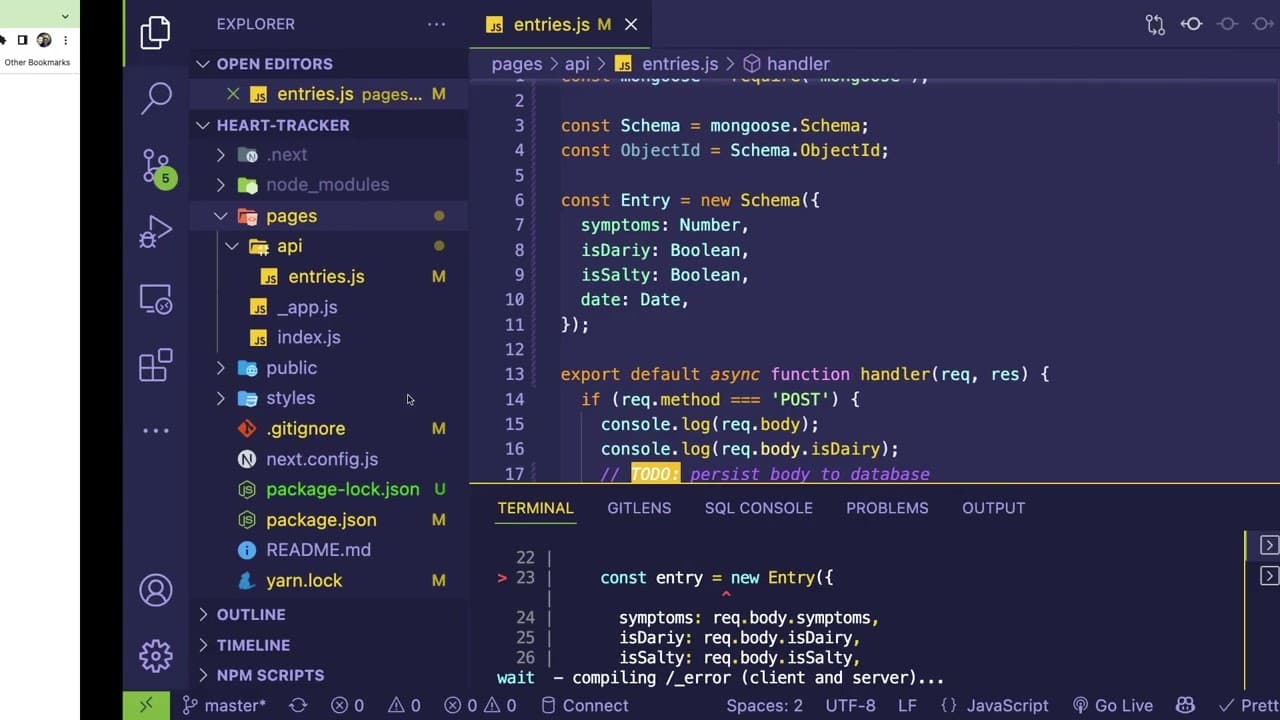
The video demonstrates integrating a front-end application with a MongoDB back-end, focusing on data persistence.
Transcript
all right how's it going everyone welcome back to a part two of this live coding series so i don't even remember where i left off on this video but we're gonna try to implement some more stuff i think it'd be good to basically persist the things that we are doing here to the actual back-end we haven't done that yet we haven't actually integrated wi... Read More
Key Insights
- ❤️🩹 Integrating front-end applications with back-end services involves systematic data handling to ensure accurate data persistence.
- 📚 Using libraries like Mongoose facilitates structured interaction with MongoDB, providing schema validation and data modeling features.
- 😅 Hot module reloading in Next.js can lead to complications with database connections, highlighting the need for careful connection management strategies.
- 👋 Code organization is crucial for maintainability; establishing clear file structures and following best practices helps streamline development processes.
- ❤️🩹 Handling different data types correctly is vital when passing information between front-end and back-end components, impacting overall application reliability.
- 👨💻 The iterative process of debugging is natural in coding, and understanding error messages is essential for effective problem-solving.
- 👋 Leveraging community resources, such as GitHub repositories and documentation, can significantly aid in troubleshooting and learning best practices.
Install to Summarize YouTube Videos and Get Transcripts
Explore YouTube Video Summarizer or Get YouTube Transcript Extractor
Questions & Answers
Q: What is the primary goal of this coding session?
The primary goal of the session is to implement a function that saves user inputs from the front end to a MongoDB database via a back-end API. This involves data persistence and improving the application's functionality by integrating user interactions with the database.
Q: What challenges did the coder face while integrating MongoDB with Next.js?
The coder faced several challenges, such as managing Mongoose schema definitions, understanding how Next.js handles hot module reloading, and ensuring that valid data types are sent from the front end. They expressed difficulties with connection persistence and managing data updates without unnecessary re-establishment of connections.
Q: Why does the presenter prefer using Mongoose for MongoDB interactions?
The presenter mentioned Mongoose as a helpful library for building data models and handling interactions with MongoDB. It provides structured schemas, which help in validating and formatting data, making the integration process more manageable and organized.
Q: How does the presenter suggest managing database connections in Next.js?
The presenter explores using a singleton pattern to maintain a single connection instance to the database across API requests in a Next.js application. This approach helps mitigate issues caused by hot reloading, reducing the risk of multiple connection instances being created unintentionally.
Q: What error messages did the coder encounter, and how did they resolve them?
The coder encountered various error messages, including those related to schema definitions and model connections. They systematically addressed these issues through experimentation and by checking documentation, demonstrating troubleshooting strategies essential for software development.
Q: What best practices does the presenter suggest for structuring the application?
The presenter suggests organizing the application by creating a structured directory for API endpoints, models, and database connections. They emphasize the importance of extracting functionality into dedicated modules for improved readability and maintainability of the codebase.
Summary & Key Takeaways
-
The session covers the process of saving user inputs to a back-end API and persisting them in a MongoDB database using Mongoose.
-
The presenter outlines challenges faced during implementation, including ensuring data integrity and managing object types when sending data between front-end and back-end.
-
Best practices for structuring the application and using third-party libraries are discussed, with a focus on code cleanliness and efficiency in operations.
Read in Other Languages (beta)
Share This Summary 📚
Summarize YouTube Videos and Get Video Transcripts with 1-Click
Try YouTube Summary with ChatGPT & Claude or YouTube Transcript Generator
Explore More Summaries from Web Dev Cody 📚





Summarize YouTube Videos and Get Video Transcripts with 1-Click
Try YouTube Summary with ChatGPT & Claude or YouTube Transcript Generator