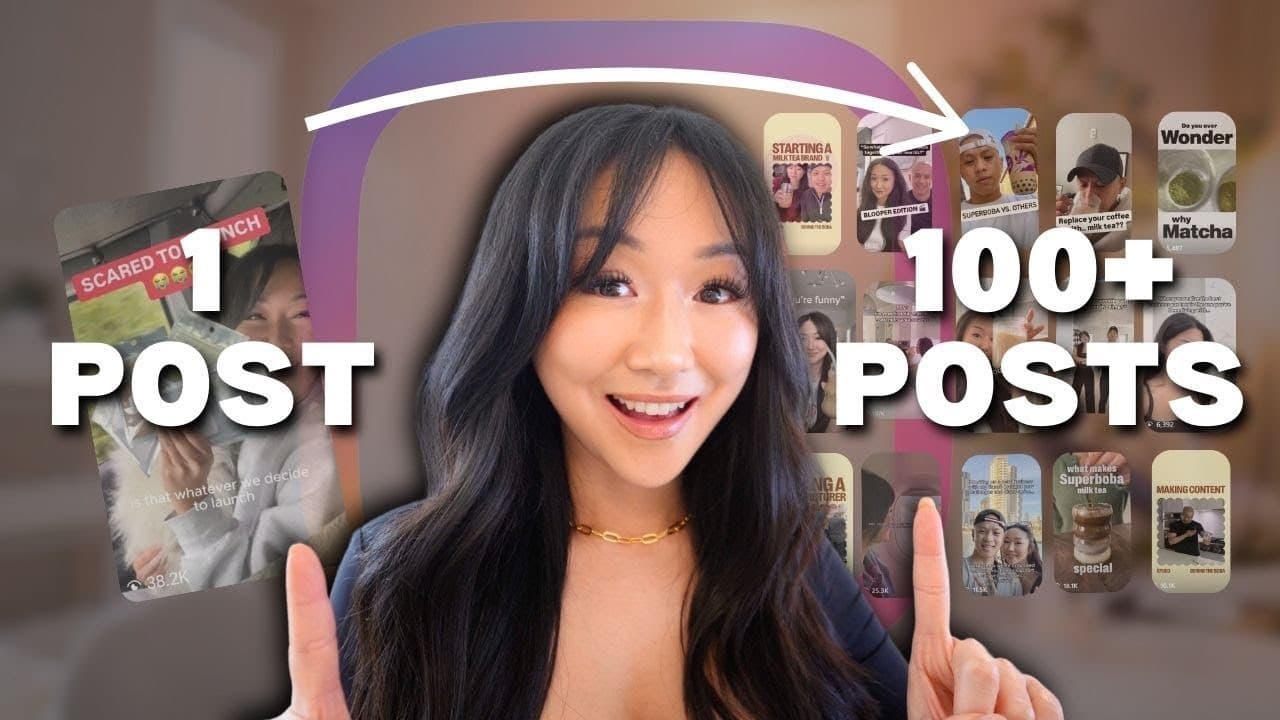
How to Create Consistent Content on Social Media (100 posts in 10 minutes - NO ChatGPT)
TL;DR
Learn to create 100 social media posts in 10 minutes.
Transcript
in this video I'm going to show you how I went from struggling to come up with Instagram reels to suddenly having over a 100 pieces of content in less than 10 minutes for my milky business and nope I am not using cha GPT or Claud AI I am using something that's even better faster and more accurate with way less revision so if you are someone who's s... Read More
Key Insights
- Using separate social media accounts for personal and business helps maintain a niche-focused algorithm, enhancing content idea generation.
- Notion AI is a powerful tool for content creation, offering personalized suggestions based on your previous inputs and brand voice.
- The customer journey funnel is crucial for crafting content that guides potential customers from unawareness to making a purchase decision.
- Content should address various stages of customer awareness, from identifying problems to providing solutions and showcasing unique brand advantages.
- Behind-the-scenes content and founder stories can differentiate your brand and build a deeper connection with your audience.
- Notion AI can integrate with tools like Google Drive and Slack, making project management and content creation more efficient.
- A well-organized content database in Notion can streamline the process from ideation to scheduling, ensuring a balanced content strategy.
- AI-generated scripts can include detailed shooting notes and editing tips, enhancing the quality and consistency of social media videos.
Install to Summarize YouTube Videos and Get Transcripts
Explore YouTube Video Summarizer or Get YouTube Transcript Extractor
Questions & Answers
Q: How does the creator generate content ideas efficiently?
The creator uses Notion AI to generate content ideas efficiently. By feeding Notion AI with a detailed prompt based on the customer journey funnel, the AI provides tailored content ideas for each stage of customer awareness. This method allows the creator to quickly generate a large number of relevant content ideas, streamlining the content creation process.
Q: What is the customer journey funnel and how is it applied?
The customer journey funnel is a framework that outlines the stages of awareness a customer goes through before making a purchase. It includes phases like unawareness, awareness, consideration, and decision. The creator applies this funnel to content creation by crafting content that addresses each stage, guiding potential customers from recognizing a problem to choosing their product as the solution.
Q: Why is it important to separate personal and business social media accounts?
Separating personal and business social media accounts is important to maintain a niche-focused algorithm. By using a dedicated business account, the creator ensures that the content suggestions and interactions are aligned with their brand, leading to more relevant content ideas and a cleaner, more targeted explore feed. This separation helps in maintaining a consistent brand voice and strategy.
Q: How does Notion AI enhance the content creation process?
Notion AI enhances the content creation process by providing personalized content ideas and scripts based on the user's previous inputs and brand requirements. It integrates with existing databases to offer contextually relevant suggestions, includes shooting notes and editing tips, and even suggests music, making it a comprehensive tool for streamlining content creation and ensuring consistency.
Q: What types of content are suggested for the consideration stage?
For the consideration stage, content should focus on showcasing the unique advantages of the product or brand. This includes highlighting unique flavors, ingredients, or processes, sharing behind-the-scenes content and founder stories, and comparing the brand favorably against competitors. Such content helps potential customers in deciding why they should choose one brand over another.
Q: How does the creator use Notion to organize content ideas?
The creator uses Notion to organize content ideas by maintaining a comprehensive database with sections for ideas, scripting, filming, editing, and posting. Each section is filtered based on the content's status, making it easy to manage and track progress. The calendar feature is used to schedule content, ensuring a balanced mix of content types and consistent posting.
Q: What role do behind-the-scenes content and founder stories play in content strategy?
Behind-the-scenes content and founder stories play a critical role in content strategy by humanizing the brand and building a deeper connection with the audience. They showcase the brand's journey, values, and the people behind it, which can differentiate the brand from competitors and foster customer loyalty. Such content can be particularly compelling during the consideration stage of the customer journey.
Q: How does the creator ensure a balanced content strategy?
The creator ensures a balanced content strategy by categorizing content into types such as promotional, educational, entertainment, and behind-the-scenes. By using a calendar view in Notion, they can visually assess the mix of content types scheduled for posting. This approach helps maintain variety and relevance, catering to different audience interests and stages of the customer journey.
Summary & Key Takeaways
-
The video demonstrates how to efficiently generate over 100 pieces of content using Notion AI, without relying on ChatGPT. The focus is on leveraging AI to streamline content creation and planning.
-
The creator shares a detailed content strategy based on the customer journey funnel, emphasizing the importance of addressing different stages of customer awareness to drive sales.
-
Notion AI is highlighted as a versatile tool that not only helps in content ideation but also provides detailed scripts and shooting notes, making it an essential part of the creator's workflow.
Read in Other Languages (beta)
Share This Summary 📚
Summarize YouTube Videos and Get Video Transcripts with 1-Click
Try YouTube Summary with ChatGPT & Claude or YouTube Transcript Generator
Explore More Summaries from Vanessa Lau 📚


Summarize YouTube Videos and Get Video Transcripts with 1-Click
Try YouTube Summary with ChatGPT & Claude or YouTube Transcript Generator