How to Collect URL Parameters in JavaScript
TL;DR
To collect URL parameters in JavaScript, use functions like url.get() to retrieve values from the URL and url.hash() to determine if a hash value exists. The Spark Framework simplifies GET requests and enables efficient analysis of various URL components, such as host names and ports, making it easier to manage data in web applications.
Transcript
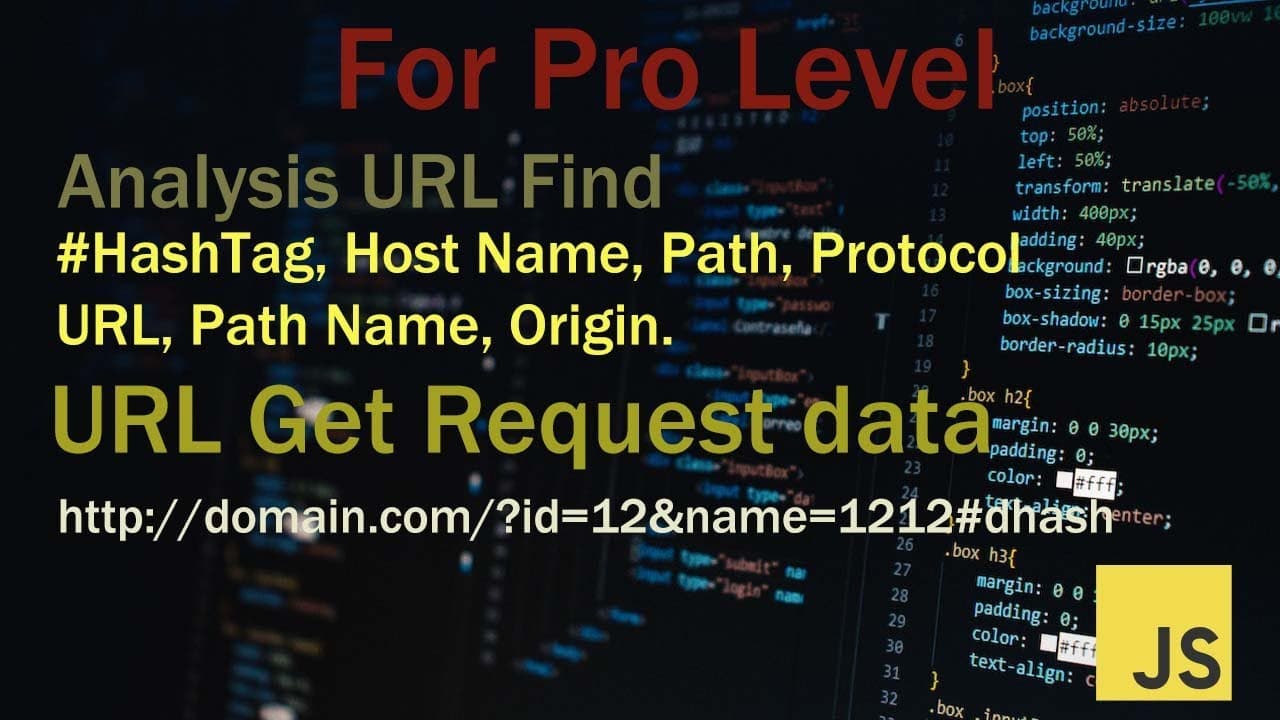
In these topics I will discuss URL. how to collect URL information. Their main topics are URL get request data collection and hashtag data collect. and also, discuss how to collect host name, port name, URL location, URL path etc. I created two files. one index.html that that is our html template. second main.js, all JavaScript's write in th... Read More
Key Insights
- 👻 Collecting data related to URLs involves analyzing components such as host names, ports, and paths with JavaScript.
- 🕸️ The Spark Framework serves as a powerful tool for developers to enhance their web applications through effective data request management.
- 👻 Testing functionalities in the browser console allows developers to verify the accuracy and response of JavaScript functions related to URL handling.
- 🦻 Utilizing functions like url.get() aids in gathering specific request parameters, which is essential for data-driven web applications.
- 🕸️ Understanding how to check hash values with url.hash contributes to enhancing navigation and state management in web contexts.
- 👨🦱 The urlDefine function provides a comprehensive breakdown of URL elements, essential for thorough URL analysis and manipulation.
- 💦 Frameworks like Spark not only improve code efficiency but also facilitate complex programming tasks for developers working on web technologies.
Install to Summarize YouTube Videos and Get Transcripts
Explore YouTube Video Summarizer or Get YouTube Transcript Extractor
Questions & Answers
Q: What is the main purpose of the content?
The main purpose of the content is to provide a guide on how to collect and analyze URL information using JavaScript. It explores various functions and techniques that can be used to retrieve data such as host names, ports, and specific parameters from URLs, specifically using the Spark Framework.
Q: What steps are necessary to set up the project described?
To set up the project, you need to create two files: an index.html file for the HTML template and a main.js file for JavaScript coding. Additionally, you must download the Spark Framework and place it in the JS folder. Import stdio.js to utilize the stdio class, and ensure the main.js file is connected to the HTML for successful operation.
Q: How can you test if the stdio class is working correctly?
You can test if the stdio class is functioning by invoking the test function: std.test(). To perform this, open the browser’s console by pressing F12, navigate to the console tab, and check for any outputs indicating that the stdio class link is operational. Any errors or outputs will inform you of the class's functionality.
Q: What does the url.get() function accomplish?
The url.get() function is designed to collect and retrieve each request associated with a specific URL. By inputting a request name, such as 'id', you can access its value by refreshing the console view in your browser, demonstrating how to interact with HTTP GET requests effectively.
Q: How does the url.hash function work?
The url.hash function checks if a specific hash value exists within the GET request. It returns a boolean value—true if the hash is present and false otherwise. This function helps in determining the presence of specific fragments in the URL, which can be crucial for URL-based navigation or state representation.
Q: What can be achieved with the url.key function?
The url.key function retrieves all the parameters of the GET request associated with a URL. This function lists the names of every request parameter, enabling advanced manipulation and use of these parameters in the application. It is useful for understanding all variables present in the requested URL.
Q: What output does the urlDefine function generate?
The urlDefine function processes a given URL and returns an array with various components of that URL. This includes the URL name, host, port, hash, and additional relevant information. By using this function, users can gain an in-depth understanding of the structure and details of the URL.
Q: Why is it important to use a framework like Spark?
Using a framework like Spark simplifies the process of handling HTTP requests and managing data collection in web applications. It provides built-in functionalities for making GET requests, organizing code structure, and enhancing interactivity, ultimately streamlining the development process and improving efficiency when working with URLs.
Summary & Key Takeaways
-
The content discusses methods for collecting various URL information, including hosts, ports, and paths, using JavaScript files.
-
It details the use of Spark Framework to facilitate GET requests and how to test the functionality with a console in a web browser.
-
It explains specific functions for analyzing URLs, such as url.get(), url.hash(), and url.key(), allowing users to retrieve and manipulate URL data effectively.
Read in Other Languages (beta)
Share This Summary 📚
Summarize YouTube Videos and Get Video Transcripts with 1-Click
Try YouTube Summary with ChatGPT & Claude or YouTube Transcript Generator
Explore More Summaries from script spark 📚




Summarize YouTube Videos and Get Video Transcripts with 1-Click
Try YouTube Summary with ChatGPT & Claude or YouTube Transcript Generator