Work From Home Setup | Dining Room Table Home Office | Portable Workspace
TL;DR
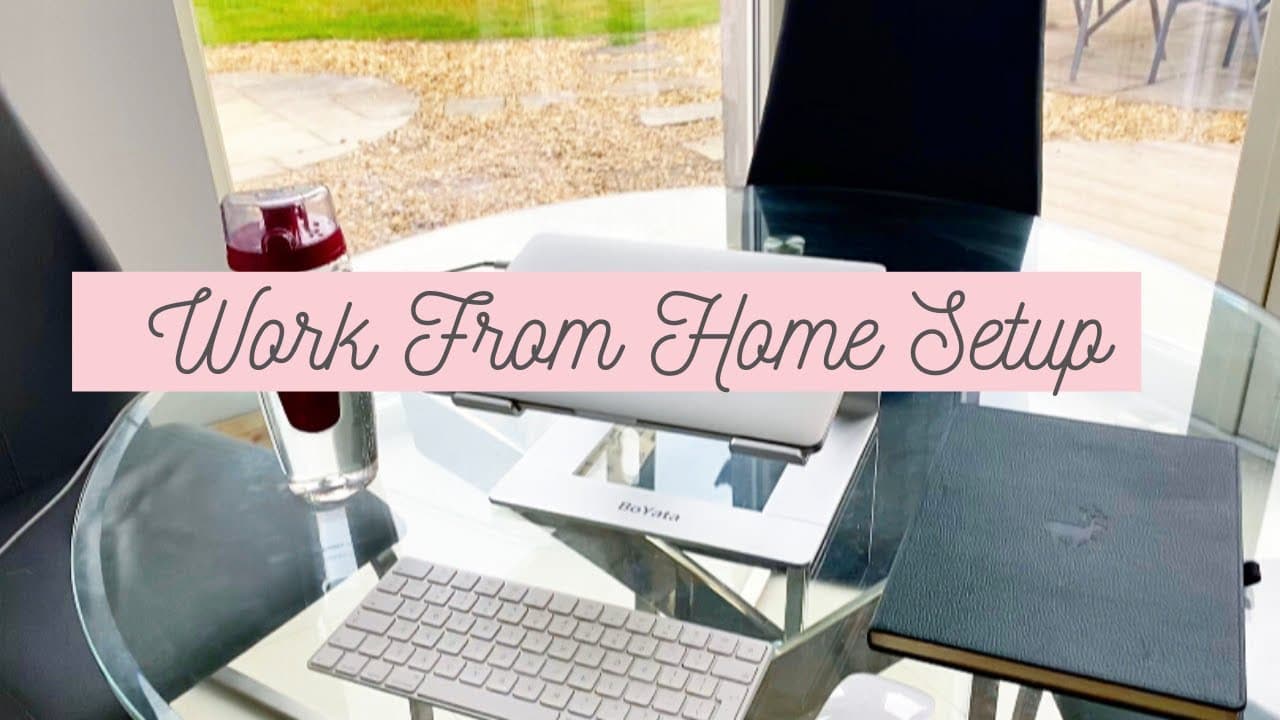
Learn how to create an ergonomic and portable home office setup using a laptop stand, keyboard, mouse, and comfortable accessories.
Transcript
hello everyone and welcome back to my channel yes welcome back welcome back everyone so today we have Lola here who is you know just showing how it could be working from home sometimes you have little puppies in your arms today I'm going to show you guys my working from home setup which may or may not include Lola it just depends on the day depends... Read More
Key Insights
- 🦾 The home office setup should prioritize ergonomics, with a laptop stand, keyboard, and mouse that ensure proper angles for the arms and neck.
- 👻 Portability is an important consideration, allowing flexibility to work in different areas of the house.
- 🫵 A pleasant view or a plant can contribute to a relaxing and enjoyable workspace.
- 🏃 Staying hydrated and incorporating exercises can improve focus, productivity, and overall well-being.
- 🛜 Wireless accessories and lightweight options make the setup easily transportable.
- 🎧 The chosen headphones should provide adequate noise cancellation and comfort.
- 🦻 A research diary or planner can aid in organization and task management.
Install to Summarize YouTube Videos and Get Transcripts
Explore YouTube Video Summarizer or Get YouTube Transcript Extractor
Questions & Answers
Q: What are the essential components of a comfortable and portable home office setup?
A laptop stand, a keyboard, and a mouse are the essential components. The laptop stand elevates the screen to eye level, while the keyboard and mouse ensure a 90-degree angle for comfortable typing and minimal strain on the arms.
Q: Why choose a wireless keyboard and mouse?
Wireless accessories, such as the Magic Keyboard and Magic Mouse, provide a sleek and compact setup that is easy to transport and use in different areas of the house. They also offer the advantage of customization to match Apple devices.
Q: What are the recommended headphones for a home office setup?
The Bose wireless headphones provide a good level of noise cancellation and are comfortable to wear for extended periods. The Jabra earphones are a more affordable option with a secure fit and good sound quality.
Q: What additional accessories are recommended for a home office setup?
It is suggested to have a large water bottle nearby for staying hydrated. Keeping a research diary for organization and staying on track is also helpful. Accessories such as a resistance band or Pilates circle can be used for stretching and releasing tension from sitting at a desk all day.
Summary & Key Takeaways
-
The content showcases a home office setup that is portable and can be easily moved around the house for convenience.
-
The ergonomic setup includes a laptop stand, a keyboard, and a mouse to ensure a comfortable working position.
-
The video also discusses the importance of having a pleasant and relaxing view, staying hydrated, and incorporating exercises to stay active.
Read in Other Languages (beta)
Share This Summary 📚
Summarize YouTube Videos and Get Video Transcripts with 1-Click
Try YouTube Summary with ChatGPT & Claude or YouTube Transcript Generator
Explore More Summaries from PhD and Productivity 📚





Summarize YouTube Videos and Get Video Transcripts with 1-Click
Try YouTube Summary with ChatGPT & Claude or YouTube Transcript Generator