Why social media cards are important in your web applications
TL;DR
Learn how to set up social media cards for better engagement.
Transcript
so if you ever shared a URL on X or Facebook or Instagram you might have noticed that some of these URLs generate really nice looking images where people can click on these images and get redirected directly to the web application that the URL is pointing to so these are called social media cards and they're a great way to Market your own products ... Read More
Key Insights
- 👤 Social media cards improve user engagement significantly by providing attractive visuals and direct links to products or services.
- 👻 Dynamic content generation through Next.js is enhanced with the aid of Cloudinary, allowing for real-time updates on metadata and images.
- 🎴 Effective utilization of Cloudinary features like overlays, effects, and image resizing can elevate the aesthetic appeal of social media cards.
- 💝 Caching mechanisms of social media platforms necessitate dynamic URL generation practices to ensure the latest data is shared.
- 🤩 The tutorial emphasizes the importance of easily shareable content as a key to successful marketing strategies for web applications.
- 🧡 Cloudinary offers a wide range of image effects that can be applied dynamically, enriching the visual representation of shared products.
- 🎴 Incorporating tools like Chrome extensions can assist developers in quickly prototyping and previewing how their social media cards will appear when shared online.
Install to Summarize YouTube Videos and Get Transcripts
Explore YouTube Video Summarizer or Get YouTube Transcript Extractor
Questions & Answers
Q: What are social media cards and why are they important?
Social media cards are visually appealing representations of web content, including images and information shown when a URL is shared on platforms like X, Facebook, or Instagram. They significantly improve user engagement and sharing rates by attracting users' attention through stylish graphics, making it easier for people to learn about and visit the linked product or application.
Q: How does Cloudinary integrate with Next.js for creating social media cards?
Cloudinary provides a seamless integration with Next.js through a dedicated library, Next Cloudinary. This library allows users to easily upload media assets and manage images within Next.js applications, enabling dynamic generation of social media cards that can incorporate user-specific or product-specific data for real-time updates on shared URLs.
Q: What steps are involved in setting up social media cards using Cloudinary?
To set up social media cards, users must first create a Cloudinary account and obtain the cloud name. Then, they can integrate Next Cloudinary into their Next.js application, specify image metadata for dynamic products, and utilize Cloudinary's features to add overlays and apply effects to the images on the cards for a personalized touch.
Q: How can sharing buttons be implemented for social media platforms?
Sharing buttons for platforms like Twitter can be implemented by utilizing a React share library, which enables the creation of share buttons that link to the product's URL. By dynamically appending elements like current bid prices to the share URL, the latest data is ensured to be displayed when shared, avoiding caching issues on social media platforms.
Summary & Key Takeaways
-
Social media cards enhance the presentation of shared URLs, encouraging clicks and user engagement through visually appealing images and information.
-
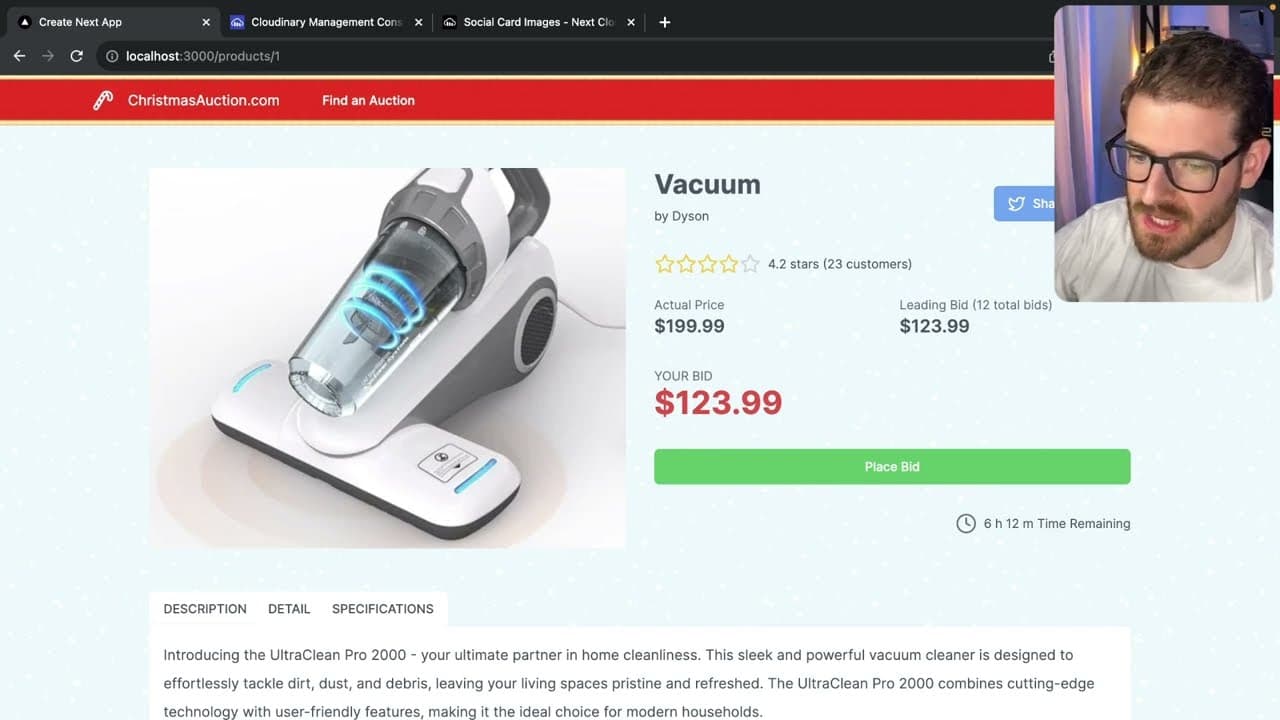
The tutorial demonstrates using Next.js with Cloudinary to create dynamic social media cards that showcase auction items, including images, current bid prices, and product names.
-
Additionally, viewers are shown how to incorporate sharing functionalities, optimize SEO metadata, and apply visual effects for more compelling card designs.
Read in Other Languages (beta)
Share This Summary 📚
Summarize YouTube Videos and Get Video Transcripts with 1-Click
Try YouTube Summary with ChatGPT & Claude or YouTube Transcript Generator
Explore More Summaries from Web Dev Cody 📚





Summarize YouTube Videos and Get Video Transcripts with 1-Click
Try YouTube Summary with ChatGPT & Claude or YouTube Transcript Generator