How to Clean Up API Requests in React's useEffect
TL;DR
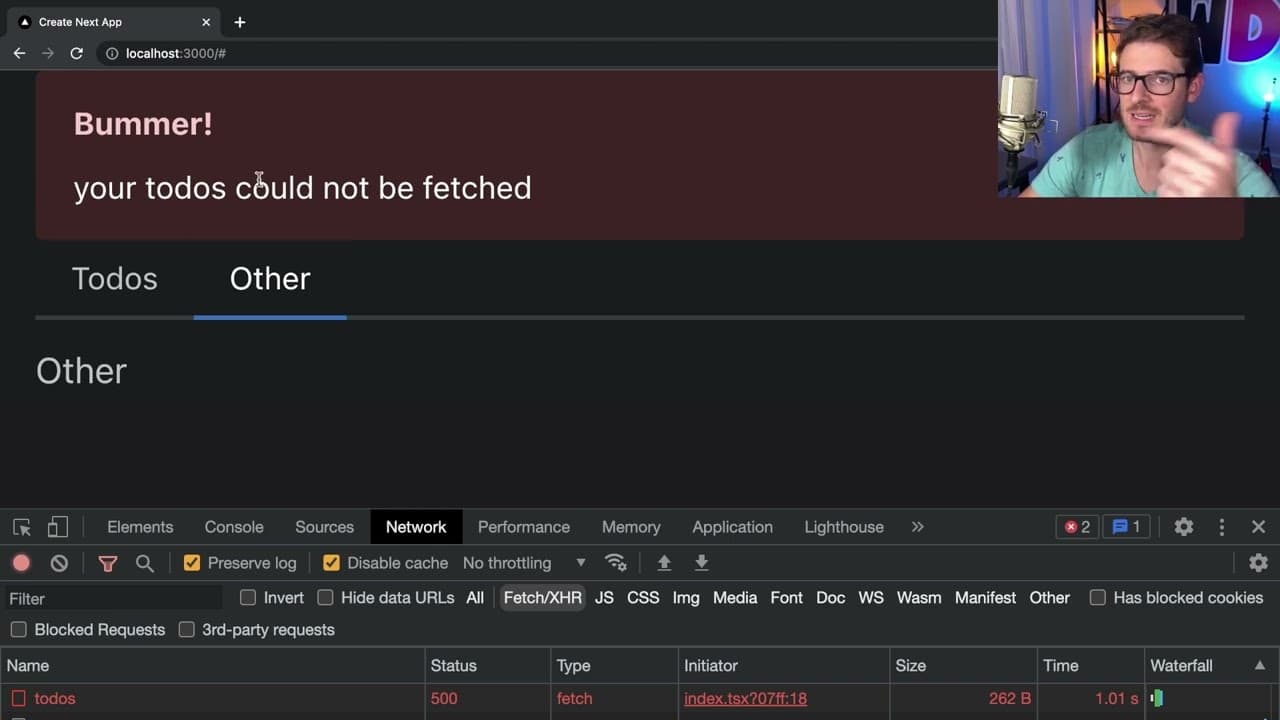
To prevent memory leaks and stale responses in React, always clean up API requests in useEffect using an AbortController to cancel any ongoing requests when a component unmounts. This approach improves the user experience by eliminating misleading error alerts from previous components, ensuring that error messages are accurately linked to the current context.
Transcript
how's it going everyone so I want to kind of walk you through how you should properly clean up a use effect if you are doing some type of network request inside of that use effect or when the component mounts you need to make sure that you always return a cleanup function and if you're using something like fetch typically you what I've seen is a lo... Read More
Key Insights
- 🔠 Properly cleaning up API requests within useEffect is critical to avoid memory leaks and stale responses.
- 👻 An AbortController is a recommended tool that allows for immediate cancellation of fetch requests.
- 👤 Cleverly managing component lifecycles can greatly enhance user experience by minimizing confusion from outdated error messages.
- 🚵 Tracking mounting status with a variable provides an alternative approach to handle cleanup but is less clean than using AbortController.
- 🥺 Fast navigation between components without cleanup can lead to misleading UI errors and alerts.
- 🧑🦽 Reactive state management libraries can alleviate some of the manual management required for network requests.
- 👤 Clear attribution of error messages to specific components helps maintain user understanding of application status.
Install to Summarize YouTube Videos and Get Transcripts
Explore YouTube Video Summarizer or Get YouTube Transcript Extractor
Questions & Answers
Q: Why is it necessary to clean up API requests in useEffect?
Cleaning up API requests in useEffect is crucial because it prevents unresolved promises from executing after a component has been unmounted. If not cleaned up, these promises can lead to memory leaks, inconsistent states, and unexpected behavior, which may cause errors to be shown to users even when they're not relevant, degrading the overall user experience.
Q: What is an AbortController and how does it work in this context?
An AbortController is a built-in browser feature that allows you to cancel ongoing fetch requests. When an AbortController is instantiated, it generates a signal that can be passed to fetch calls. If the component unmounts or if the cleanup function is called, the abort method can be triggered, cancelling the fetch request and preventing the execution of callbacks that would otherwise run and potentially alert the user to errors that are no longer relevant.
Q: How can a lack of cleanup affect the user experience?
Without proper cleanup of API requests, users may encounter unexpected behavior such as error messages appearing after they switch tabs or navigate away from a component. This leads to confusion, as users may not understand why a specific error appears when it relates to an earlier request in a component they are no longer viewing, detracting from the overall clarity and fluidity of the application.
Q: What alternative methods are suggested for handling cleanup in useEffect?
Besides using an AbortController, one alternative method discussed is utilizing a boolean flag to track whether the component is mounted. By setting a variable like isMounted to false in the cleanup function, you can conditionally determine whether to update state or handle responses based on the mounting status, although this approach is considered less clean than using an AbortController.
Q: What happens if a user quickly navigates between tabs with unresolved API requests?
If a user quickly navigates between tabs with unresolved API requests, the pending promises from the previous requests can complete unexpectedly. This can lead to alerts or state updates occurring for components that are no longer active, which may confuse the user and complicate the understanding of app state.
Q: Why might using a library like React Query reduce the need for manual cleanup?
Libraries like React Query manage asynchronous requests and their states automatically, meaning they often handle things like request cancellation upon component unmounting out of the box. This abstraction simplifies state management and reduces the chances of running into issues related to unresolved promises, allowing developers to focus more on the application’s core functionality.
Q: How can developers ensure that API errors are correctly attributed to the right components?
Developers can ensure that API errors are correctly attributed to specific components by implementing cleanup functions like the AbortController method. This allows errors to only trigger alerts that correspond to the most current requests, providing clarity and ensuring that users are only shown relevant information related to their current actions within the application.
Summary & Key Takeaways
-
The video explains the importance of cleaning up API requests within React's useEffect to prevent unresolved promises from running in the background when components unmount.
-
An AbortController is suggested as a way to abort requests that are no longer needed, reducing potential confusion caused by showing error alerts from previous components.
-
Different methods to handle cleanup are explored, emphasizing best practices in managing component lifecycle and error handling to improve user experience.
Read in Other Languages (beta)
Share This Summary 📚
Summarize YouTube Videos and Get Video Transcripts with 1-Click
Try YouTube Summary with ChatGPT & Claude or YouTube Transcript Generator
Explore More Summaries from Web Dev Cody 📚





Summarize YouTube Videos and Get Video Transcripts with 1-Click
Try YouTube Summary with ChatGPT & Claude or YouTube Transcript Generator