15 Amazing Shortcuts You Aren't Using
TL;DR
Learn essential hotkeys to navigate your computer like a pro and increase productivity.
Transcript
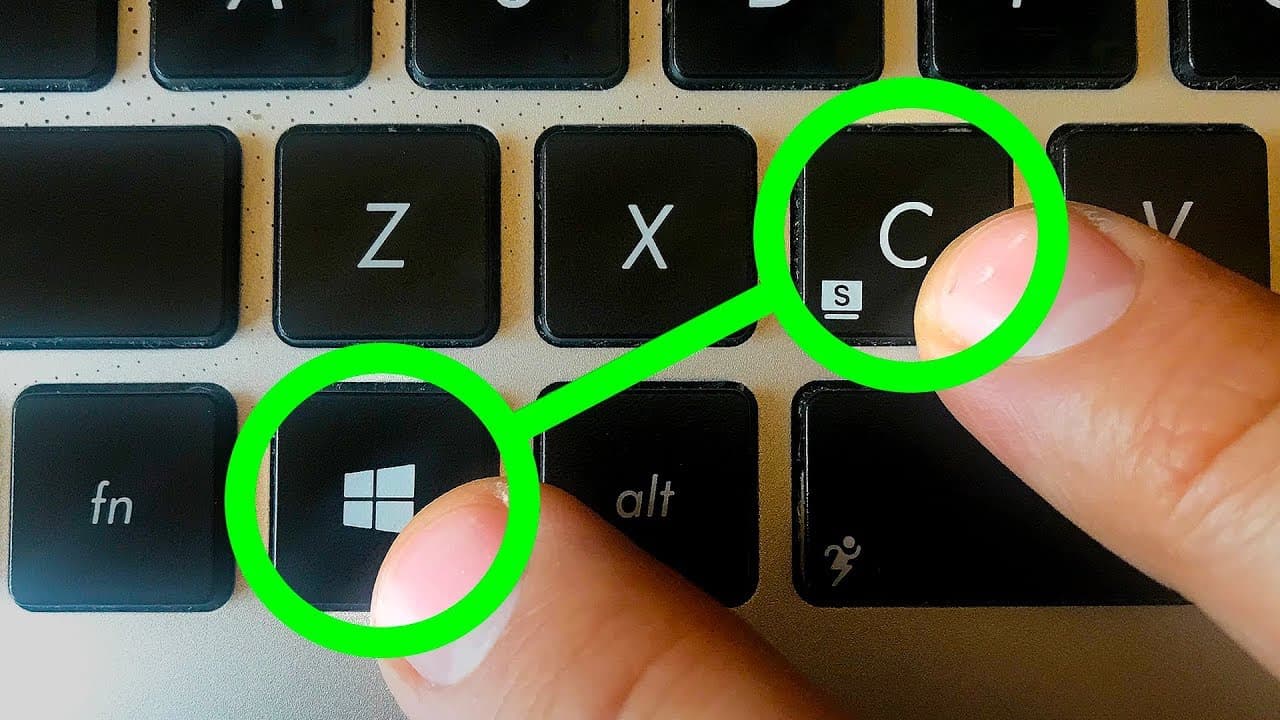
[Applause] you know we all have that one friend or co-worker whose computer skills make us feel like a neanderthal they barely touch the mouse their screen lights up with all kinds of tasks and boxes and their fingers go lightning fast on that keyboard they even have time to casually chat with siri or cortana and stream games afterwards but this is... Read More
Key Insights
- 💻 Virtual desktops can improve organization and productivity by separating tasks.
- 😀 Minimizing all open apps at once saves time and allows for quick access to the desktop.
- 😀 Hotkeys can be used to open apps from the taskbar, streamlining workflow and reducing manual navigation.
- 😀 Hotkeys are available for program management and troubleshooting, including force quitting malfunctioning apps.
- ♿ File Explorer and settings can be quickly accessed using dedicated hotkeys.
- 😀 Hotkeys can be used to zoom in and out of the screen using the Magnifier app.
- ⌛ Screenshots can be easily captured using hotkeys, saving time and effort.
- 🏪 Personal assistant features like Cortana and Siri can be accessed using hotkeys for convenience.
- 🎮 The Windows Game Bar enables easy recording and streaming of gameplay footage.
Install to Summarize YouTube Videos and Get Transcripts
Explore YouTube Video Summarizer or Get YouTube Transcript Extractor
Questions & Answers
Q: How do you create a virtual desktop?
Press the Windows key + Control + D (or Control + Up on a Mac) to create a new virtual desktop, separating tasks and improving workflow.
Q: How can you switch between virtual desktops?
Use the Windows key + Control (or Control key on a Mac) and the arrow keys to switch between virtual desktops.
Q: How can you minimize all open apps at once?
Press the Windows key + M to minimize all open apps on a PC, or use the Windows key + Comma (or Command + F3 on a Mac) to quickly view the desktop.
Q: How can you open an app from the taskbar using hotkeys?
Press the Windows key + a number key (1-9) to open the corresponding app on the taskbar from left to right.
Key Insights:
- Virtual desktops can improve organization and productivity by separating tasks.
- Minimizing all open apps at once saves time and allows for quick access to the desktop.
- Hotkeys can be used to open apps from the taskbar, streamlining workflow and reducing manual navigation.
- Hotkeys are available for program management and troubleshooting, including force quitting malfunctioning apps.
- File Explorer and settings can be quickly accessed using dedicated hotkeys.
- Hotkeys can be used to zoom in and out of the screen using the Magnifier app.
- Screenshots can be easily captured using hotkeys, saving time and effort.
- Personal assistant features like Cortana and Siri can be accessed using hotkeys for convenience.
- The Windows Game Bar enables easy recording and streaming of gameplay footage.
- Hotkeys can be used to lock user profiles, ensuring privacy and security when stepping away from the computer.
Summary & Key Takeaways
-
Use hotkeys to create and switch between virtual desktops, allowing for better organization and workflow.
-
Minimize all open apps at once with a single hotkey, or take a quick peek at your desktop while working.
-
Quickly access frequently used apps on the taskbar using dedicated hotkey combinations.
Read in Other Languages (beta)
Share This Summary 📚
Summarize YouTube Videos and Get Video Transcripts with 1-Click
Try YouTube Summary with ChatGPT & Claude or YouTube Transcript Generator
Explore More Summaries from BRIGHT SIDE 📚





Summarize YouTube Videos and Get Video Transcripts with 1-Click
Try YouTube Summary with ChatGPT & Claude or YouTube Transcript Generator