Create Your Own AI Animated Avatar: A Step-by-Step Guide
TL;DR
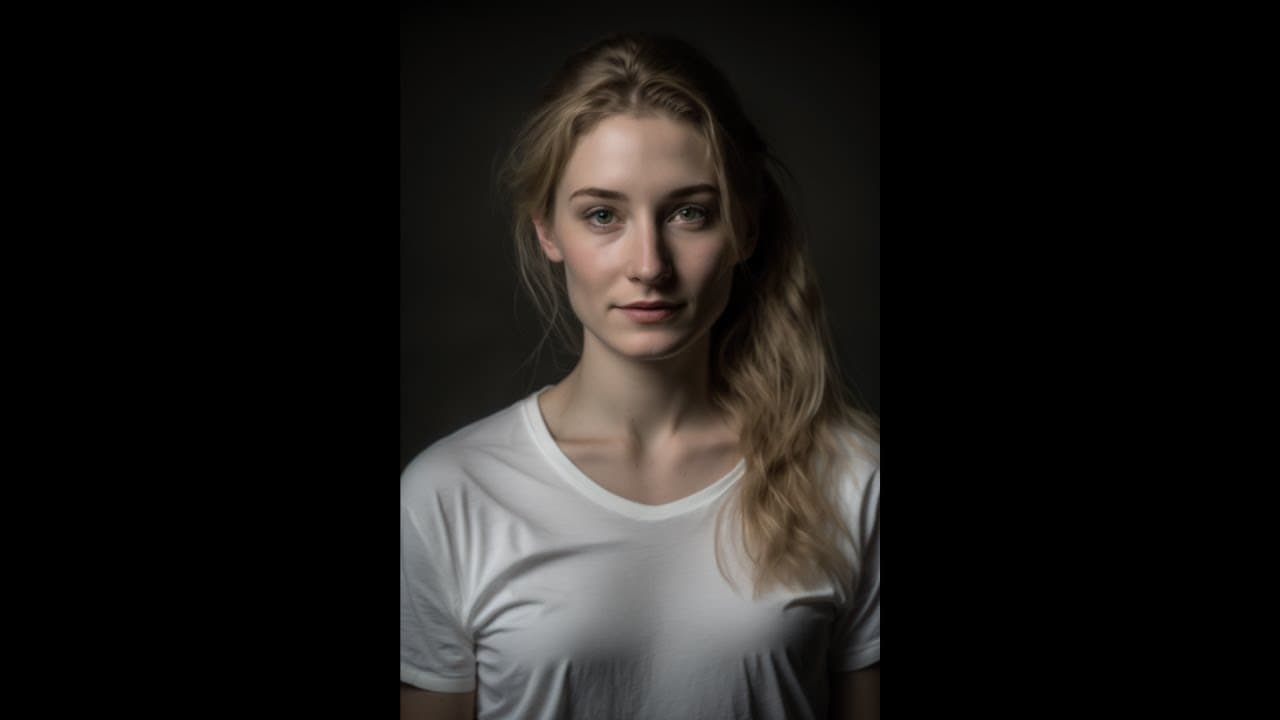
Learn how to create your own AI avatar using cutting-edge AI tools and techniques, including image generation, script writing, and video creation.
Transcript
hi everyone welcome to the prompt engineering Channel my name is Rachel and I'm here to tell you all about how you can create your own AI Avatar like me as you can see I was created using a combination of Cutting Edge AI tools and techniques I may not be a real human but I can still communicate and engage with you just like one this scrip... Read More
Key Insights
- 🖕 AI tools like mid Journey, chat GPT, 11 Labs, and did offer a comprehensive solution for creating AI avatars.
- 🖕 The mid Journey Discord server provides the means to generate image prompts for avatars.
- 👊 Chat GPT is an AI language model that can generate scripts for avatar videos.
- 🤭 11 Labs specializes in creating high-quality AI voice-overs for avatars.
- 🎮 The did AI video platform allows users to create dynamic and engaging videos with ease.
- 🎮 Each step of the process, from image generation to video creation, requires specific tools and platforms.
- 🥶 The generated avatar videos may still have some robotic qualities, but they offer a good starting point for free.
Install to Summarize YouTube Videos and Get Transcripts
Explore YouTube Video Summarizer or Get YouTube Transcript Extractor
Questions & Answers
Q: What is the first step in creating your own AI avatar?
The first step is to join the mid Journey Discord server and use the special syntax "/imagine" to generate an image prompt for your avatar. Provide details about the shot, camera type, lighting conditions, and aspect ratio to create a specific image.
Q: How can you create a script for your AI avatar?
You can use chat GPT, an AI language model created by OpenAI, to generate a script for your avatar. Simply provide the prompt and chat GPT will generate natural language text for your script. Copy the script and move on to the next step.
Q: How can you create a natural and engaging voice-over for your AI avatar?
Use 11 Labs to create the voice-over for your avatar. Sign up for an account if you need longer audio, then paste your script into 11 Labs. Select the voice settings, such as choosing the voice and keeping the defaults, and click generate to get the audio.
Q: What is the final step in creating your own AI avatar?
The final step is to use the did AI video platform to create your avatar video. Upload the image of your avatar, choose a voice style, and upload the audio generated by 11 Labs. Then, generate the video and download it for use.
Summary & Key Takeaways
-
Use the mid Journey Discord server to generate an image prompt for your AI avatar.
-
Generate a script for your avatar using the chat GPT AI language model.
-
Use 11 Labs to create a natural and engaging AI voice-over for your avatar.
-
Create your AI avatar video using the did AI video platform.
Read in Other Languages (beta)
Share This Summary 📚
Summarize YouTube Videos and Get Video Transcripts with 1-Click
Try YouTube Summary with ChatGPT & Claude or YouTube Transcript Generator
Explore More Summaries from Prompt Engineering 📚
Summarize YouTube Videos and Get Video Transcripts with 1-Click
Try YouTube Summary with ChatGPT & Claude or YouTube Transcript Generator