Langchain: PDF Chat App (GUI) | ChatGPT for Your PDF FILES | Step-by-Step Tutorial
TL;DR
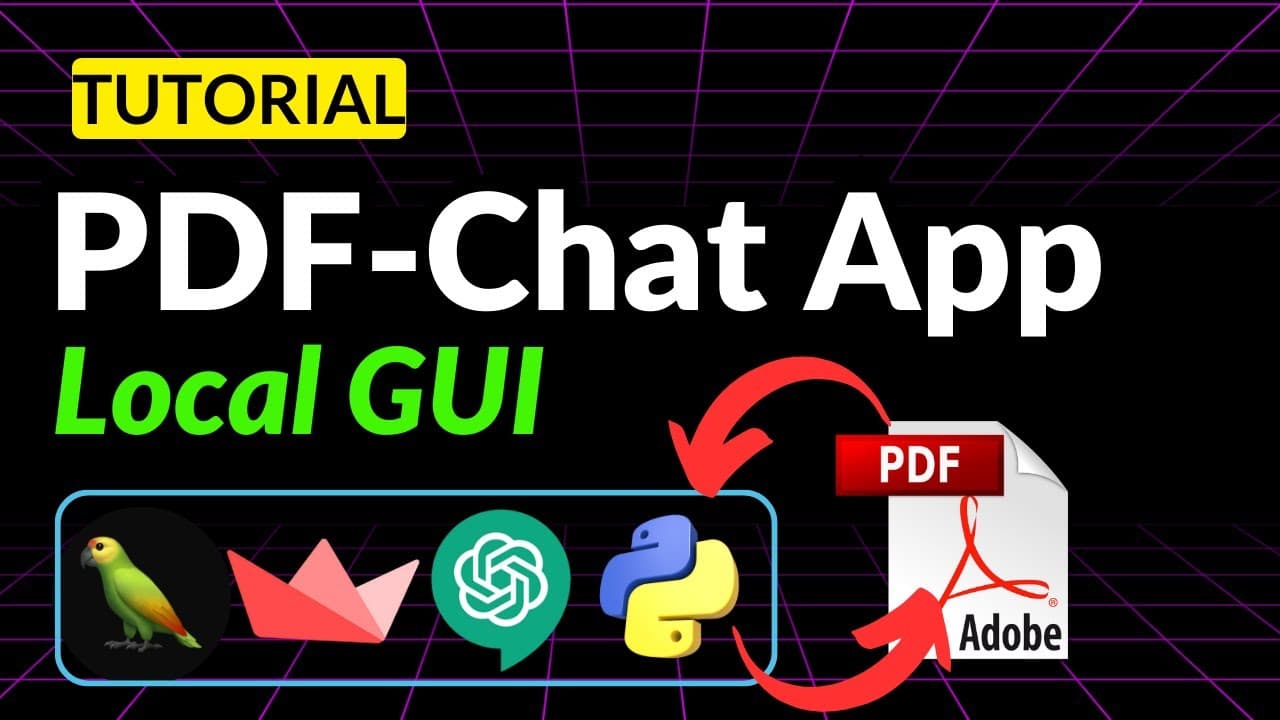
Learn how to create your own PDF chat app using Python, allowing users to upload PDF files and ask questions directly from them.
Transcript
you probably have seen these websites where you can upload your PDF files and then you can chat with these documents that you uploaded now in today's video we are going to be doing exactly the same but we'll be creating our own user interface so here is how our app is going to look like you will be able to Simply drag a PDF file or it can be any ot... Read More
Key Insights
- 😀 The PDF chat app allows users to upload PDF files and ask questions directly from the uploaded documents.
- 👏 The app uses Streamlit for the front-end and OpenAI API for language processing.
- 👨🔬 The uploaded PDF files are divided into chunks and processed to compute embeddings, which are used for semantic search and generating responses.
- 🈸 The app provides an interface similar to popular PDF chat applications like ChatGPT.
- 👻 Splitting large PDF files into smaller chunks allows for efficient processing and retrieval of relevant information.
- 👏 The app can be customized to use open-source models instead of the OpenAI API.
- 👨💻 Streamlit makes it easy to create graphical user interfaces within Python code.
Install to Summarize YouTube Videos and Get Transcripts
Explore YouTube Video Summarizer or Get YouTube Transcript Extractor
Questions & Answers
Q: How does the PDF chat app work?
The app allows users to upload PDF files, which are then divided into chunks. These chunks are processed to compute embeddings, which are numerical representations of the text. Users can ask questions, and the app searches for similar chunks in the knowledge base. The app then uses an OpenAI language model to generate responses based on the query and the context provided by the relevant chunks.
Q: What are embeddings?
Embeddings are numerical representations of text that capture the semantic meaning of words or chunks of text. In the PDF chat app, embeddings are computed for each chunk of the uploaded PDF files. These embeddings are used for semantic search and generating responses to user queries.
Q: Can the PDF chat app handle large PDF files?
Yes, the app can handle large PDF files by splitting them into smaller chunks. This ensures that the chunks fit within the context window of the language model and allows for efficient processing and retrieval of relevant information.
Q: What technology is used for the front-end of the PDF chat app?
The front-end of the app is built using Streamlit, a Python package for creating beautiful graphical user interfaces. Streamlit makes it easy to create interactive elements and display results in a user-friendly manner.
Q: Can the PDF chat app be customized to use open-source models instead of the OpenAI API?
Yes, the app can be customized to use open-source models instead of the OpenAI API. The tutorial provides the flexibility to replace the OpenAI API with other models, allowing users to explore and choose the best-suited model for their needs.
Key Insights:
- The PDF chat app allows users to upload PDF files and ask questions directly from the uploaded documents.
- The app uses Streamlit for the front-end and OpenAI API for language processing.
- The uploaded PDF files are divided into chunks and processed to compute embeddings, which are used for semantic search and generating responses.
- The app provides an interface similar to popular PDF chat applications like ChatGPT.
- Splitting large PDF files into smaller chunks allows for efficient processing and retrieval of relevant information.
- The app can be customized to use open-source models instead of the OpenAI API.
- Streamlit makes it easy to create graphical user interfaces within Python code.
- The PDF chat app is a useful tool for interacting with and extracting information from PDF files.
Summary & Key Takeaways
-
This video tutorial demonstrates how to create a PDF chat app where users can upload PDF files and interact with them through a chat interface.
-
The tutorial covers both the front-end and back-end development of the app, providing a step-by-step process and live coding examples.
-
The app uses Streamlit for the graphical user interface, OpenAI API for language processing, and pdf2 package for reading PDF files.
Read in Other Languages (beta)
Share This Summary 📚
Summarize YouTube Videos and Get Video Transcripts with 1-Click
Try YouTube Summary with ChatGPT & Claude or YouTube Transcript Generator
Explore More Summaries from Prompt Engineering 📚

Summarize YouTube Videos and Get Video Transcripts with 1-Click
Try YouTube Summary with ChatGPT & Claude or YouTube Transcript Generator