Introduction to SynthMaster 3 User Interface
TL;DR
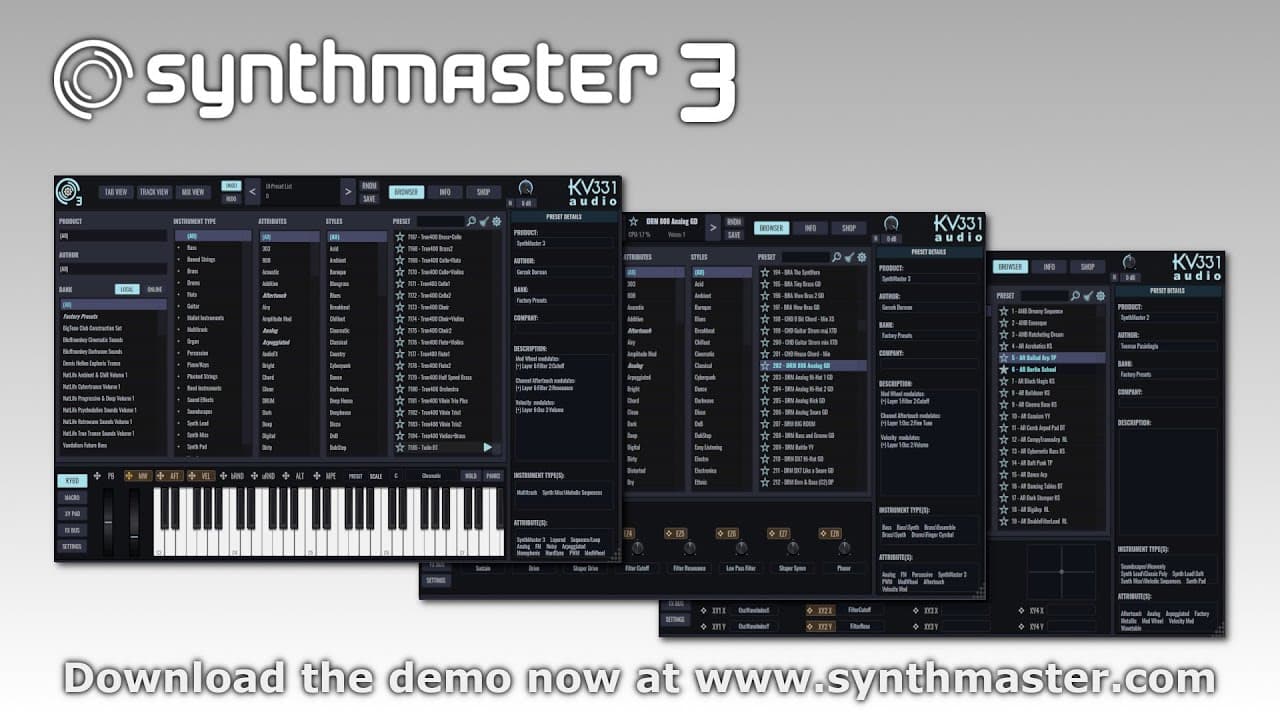
A detailed guide on SynthMaster 3's user interface and features.
Transcript
hi guys in this video I'm going to give an overview of the synm 3 user interface let's start off with loading our default preset by clicking on this preset name uh a a menu pop pops up here and we can uh either choose the init preset we can load the default preset that that's what I'm doing or we can also load a rand... Read More
Key Insights
- SynthMaster 3 allows users to load default, random, or specific presets, enhancing the flexibility of sound design.
- The user interface features a tab view for easy navigation between layers, oscillators, modulators, and other sound generation sources.
- Track view provides a comprehensive overview of all layers, enabling quick edits of parameters like voice and sequencer settings.
- Mix view displays layers as vertical lists, showing insert effects and allowing control over global effects and send amounts.
- The preset browser includes a product filter for compatibility with SynthMaster 1 and 2, and a preview feature for presets.
- Users can enable a built-in keyboard for playing presets and adjust settings like popup windows and mouse scroll behavior.
- Modulation sources can be easily created and edited using drag-and-drop functionality and a detailed modulation matrix.
- Preset metadata, including author and category information, can be edited and saved for organization and ease of access.
Install to Summarize YouTube Videos and Get Transcripts
Explore YouTube Video Summarizer or Get YouTube Transcript Extractor
Questions & Answers
Q: How do you load different presets in SynthMaster 3?
In SynthMaster 3, presets can be loaded by clicking on the preset name, which brings up a menu with options to select an init preset, default preset, or a random preset. This flexibility allows users to quickly switch between different sound settings, enhancing creativity and workflow efficiency.
Q: What is the purpose of the tab view in SynthMaster 3?
The tab view in SynthMaster 3 serves to organize and display all layers of a preset horizontally, allowing users to switch between different sound generation sources such as oscillators and modulators. This structured layout facilitates easy navigation and editing of various sound parameters, streamlining the sound design process.
Q: How does the track view enhance workflow in SynthMaster 3?
The track view in SynthMaster 3 provides a horizontal list of all layers, enabling users to edit parameters across multiple layers simultaneously. Features like solo, mute, and quick access to sequencer settings make it easier to manage complex sound designs, thereby improving workflow and efficiency in music production.
Q: What functionalities does the mix view offer in SynthMaster 3?
Mix view in SynthMaster 3 displays layers as vertical lists, showing all insert effects and send amounts. It allows users to control global parallel effects like equalizer, delay, and reverb. This view enhances the ability to fine-tune effects and achieve desired sound textures, making it a crucial tool for detailed sound engineering.
Q: How can users preview presets in SynthMaster 3?
In SynthMaster 3, users can preview presets by hovering over the play button next to each preset in the browser. This feature, which was added to support native control standard compatibility, allows users to hear a preset's sound instantly without loading it, facilitating quicker decision-making in sound selection.
Q: What are the benefits of enabling the built-in keyboard in SynthMaster 3?
Enabling the built-in keyboard in SynthMaster 3 allows users to play presets directly using their PC or Mac keyboard. This feature is beneficial for users without a MIDI controller, providing an alternative way to experiment with sounds and make real-time adjustments, thereby enhancing the accessibility and usability of the software.
Q: How can modulation sources be managed in SynthMaster 3?
In SynthMaster 3, modulation sources can be managed through drag-and-drop functionality, allowing users to create and edit modulations easily. The modulation matrix displays modulation amounts and curves, enabling precise control over modulation effects. This intuitive management system supports complex sound design and enhances creative possibilities.
Q: What options are available for editing preset metadata in SynthMaster 3?
SynthMaster 3 allows users to edit preset metadata, including author, categories, attributes, and styles. This can be done through the info button, which provides access to the preset's metadata fields. Users can categorize presets according to native control standard types, ensuring organized and efficient management of sound libraries.
Summary & Key Takeaways
-
The video provides a comprehensive overview of SynthMaster 3's user interface, detailing various views such as tab view, track view, and mix view. It explains how to load presets, navigate between layers, and utilize modulation sources effectively.
-
SynthMaster 3's preset browser is highlighted, showcasing its compatibility with previous versions and a convenient preview feature. The interface allows for detailed editing of modulation sources and preset metadata, enhancing sound design capabilities.
-
Users can enable additional features like a built-in keyboard and adjust interface settings for a personalized experience. The video emphasizes the flexibility and user-friendly nature of SynthMaster 3's interface, making it suitable for both beginners and advanced users.
Read in Other Languages (beta)
Share This Summary 📚
Summarize YouTube Videos and Get Video Transcripts with 1-Click
Try YouTube Summary with ChatGPT & Claude or YouTube Transcript Generator
Explore More Summaries from kv331audio 📚
Summarize YouTube Videos and Get Video Transcripts with 1-Click
Try YouTube Summary with ChatGPT & Claude or YouTube Transcript Generator