Products
Features
YouTube Video Summarizer
Summarize YouTube videos
Web & PDF Highlighter
Highlight web pages & PDFs
Chat with PDF
Ask any PDF questions with AI
Ask AI Clone
Chat with your highlights & memories
Audio Transcriber
Transcribe audio files to text
Glasp Reader
Read and highlight articles
Kindle Highlight Export
Export your Kindle highlights
Idea Hatch
Hatch ideas from your highlights
Integrations
Obsidian Plugin
Notion Integration
Pocket Integration
Instapaper Integration
Medium Integration
Readwise Integration
Snipd Integration
Hypothesis Integration
Apps & Extensions
Chrome Extension
Safari Extension
Edge Add-ons
Firefox Add-ons
iOS App
Android App
Discover
Discover
Ideas
Discover new ideas and insights
Articles
Curated articles and insights
Books
Book recommendations by great minds
Posts
Essays and notes from readers
Quotes
Inspiring quotes collection
Videos
Curated videos and summaries
Explore Glasp
Glasp Newsletter
Weekly insights and updates
Glasp Talk
Interview series with great minds
Glasp Blog
Latest news and articles
Glasp Use Cases
Learn how others use Glasp
Build & Support
Glasp API
Access Glasp's API for developers
MCP Connector
Connect Glasp to Claude & ChatGPT
Community
Glasp Reddit Community
Students
Student discount and benefits
FAQs
Frequently Asked Questions
AboutPricing
DashboardLog inSign up

QUICK Tips to Making DRONE Footage CINEMATIC
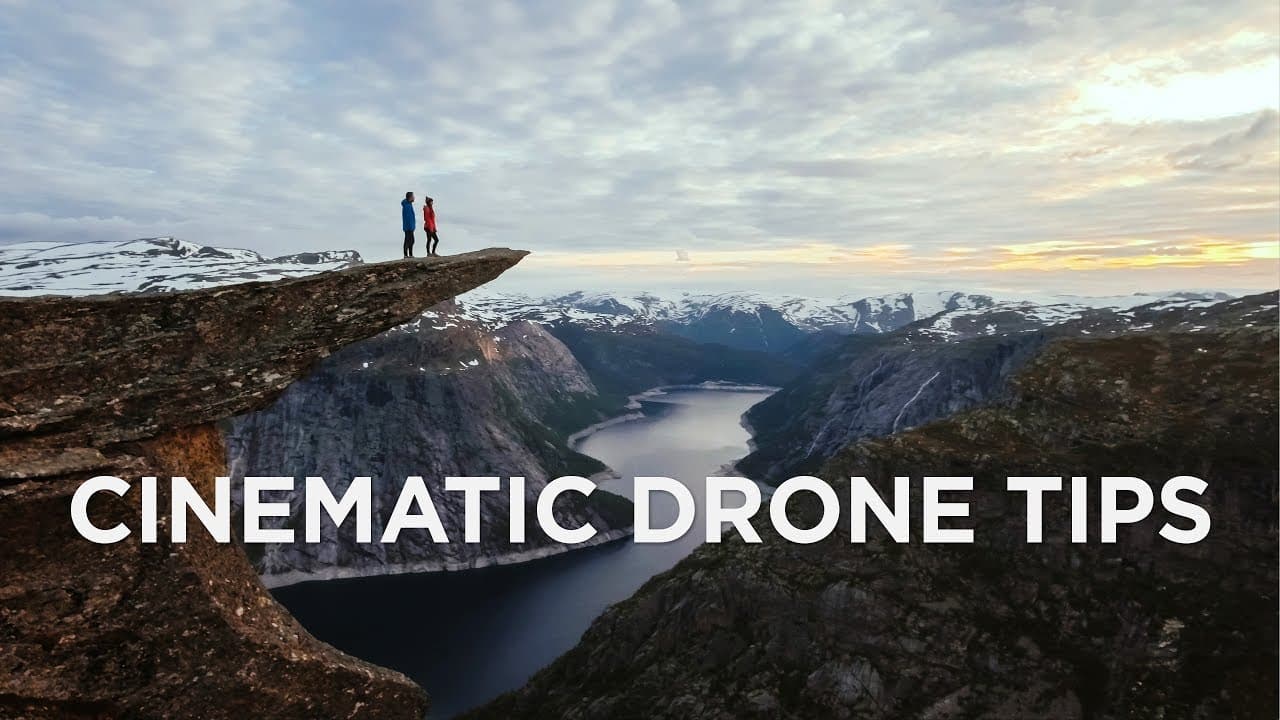
355.7K views
•
June 21, 2017
by
Matti Haapoja
YouTube video player
QUICK Tips to Making DRONE Footage CINEMATIC

TL;DR

Tips for making drone footage cinematic: film at sunrise/sunset, use ND filter, slow movements, color match, add zoom, include cinema crop bars.

Transcript

  • Hey guys, welcome to Travel Feels. Today we're gonna talk about how to make your drone footage look more cinematic. (inspiring music) Alright, so we're gonna go through six easy things that you can do to make your drone footage look more cinematic. Both while you're shooting and in post. Number one, film at the right time of day. Because of the f... Read More

Key Insights

  • 🌇 Filming at sunrise or sunset provides the best lighting for cinematic drone footage.
  • 😒 Use an ND filter to maintain cinematic motion blur and reduce unwanted vibrations.
  • 😚 Slow, smooth movements add a cinematic quality to drone shots, especially for close subjects.
  • 🧘 Color grading and matching footage enhances visual consistency in the edit.
  • 🫵 Adding a zoom can create cinematic drama and draw viewers in slowly.
  • 🤢 Including cinema crop bars or black bars adds a cinematic touch to drone footage.
  • 🧘 Matching footage from different cameras is essential for a cohesive edit.

Install to Summarize YouTube Videos and Get Transcripts

Explore YouTube Video Summarizer or Get YouTube Transcript Extractor

Questions & Answers

Q: Why is filming drone footage at sunrise or sunset recommended?

Filming at these times provides the best lighting and shadows, enhancing the overall cinematic appeal of the footage. The golden hour light adds depth and beauty to the shots.

Q: How does using an ND filter improve drone footage?

An ND filter allows for the maintenance of cinematic motion blur by keeping the shutter speed at double the frame rate. This results in smoother, more visually appealing footage without micro-jitter.

Q: Why is it important to match the color of drone footage with other camera footage?

Matching the color of footage from different cameras ensures a cohesive look in the final edit. Using scopes for exposure and color helps achieve consistency across all shots, enhancing the overall cinematic feel.

Q: What impact does adding a zoom have on drone footage?

Adding a zoom can create cinematic drama in a shot, drawing viewers in slowly. Techniques like the dolly zoom effect add an interesting visual element and enhance the overall storytelling aspect of the footage.

Summary & Key Takeaways

  • Film drone footage at sunrise or sunset for the best lighting and shadows.

  • Use an ND filter to maintain cinematic motion blur and remove micro-jitter.

  • Implement slow, smooth movements, color match footage, add zoom, and include cinematic crop bars for a more cinematic look.


Read in Other Languages (beta)

English

Share This Summary 📚

Summarize YouTube Videos and Get Video Transcripts with 1-Click

Download browser extensions on:

Try YouTube Summary with ChatGPT & Claude or YouTube Transcript Generator

Explore More Summaries from Matti Haapoja 📚
When to put the camera down thumbnail
When to put the camera down
Matti Haapoja
Make FAKE Sets With This AI Tool For VIDEO thumbnail
Make FAKE Sets With This AI Tool For VIDEO
Matti Haapoja
TESLA HYPE - Real or Fake? thumbnail
TESLA HYPE - Real or Fake?
Matti Haapoja
GoPro Hero 10 Review // Huge Camera Update With Insane Slow Motion thumbnail
GoPro Hero 10 Review // Huge Camera Update With Insane Slow Motion
Matti Haapoja
How To Light Your Videos (without expensive lights) thumbnail
How To Light Your Videos (without expensive lights)
Matti Haapoja
I ruined his career with 3 words thumbnail
I ruined his career with 3 words
Matti Haapoja

Summarize YouTube Videos and Get Video Transcripts with 1-Click

Download browser extensions on:

Try YouTube Summary with ChatGPT & Claude or YouTube Transcript Generator

Apps & Extensions

  • Chrome Extension
  • Safari Extension
  • Edge Add-ons
  • Firefox Add-ons
  • iOS App
  • Android App

Key Features

  • YouTube Video Summarizer
  • Web & PDF Summarizer
  • Web & PDF Highlighter
  • Chat with PDF
  • Ask AI Clone
  • Audio Transcriber
  • Glasp Reader
  • Kindle Highlight Export
  • Idea Hatch

Integrations

  • Obsidian Plugin
  • Notion Integration
  • Pocket Integration
  • Instapaper Integration
  • Medium Integration
  • Readwise Integration
  • Snipd Integration
  • Hypothesis Integration

More Features

  • APIs
  • MCP Connector
  • Blog & Post
  • Embed Links
  • Image Highlight
  • Personality Test
  • Quote Shots

Company

  • About us
  • Blog
  • Community
  • FAQs
  • Job Board
  • Newsletter
  • Pricing
Terms

•

Privacy

•

Guidelines

© 2026 Glasp Inc. All rights reserved.