UI Animation basics - Timelines - InVision Studio
TL;DR
Explore animation basics using Envision Studio to create dynamic and engaging animations.
Transcript
hey what's up Mike here and I want to return to some animation basics using envision studio but first let's go back a few years I'm a huge fan of animation in ey and it all started about 15 years ago I was working at an agency in Warsaw as a flash animator / designer and there that meant doing banner ads as well but more often than not I was also w... Read More
Key Insights
- ❓ Understanding the potential for movement in UI layers is essential for creating engaging animations.
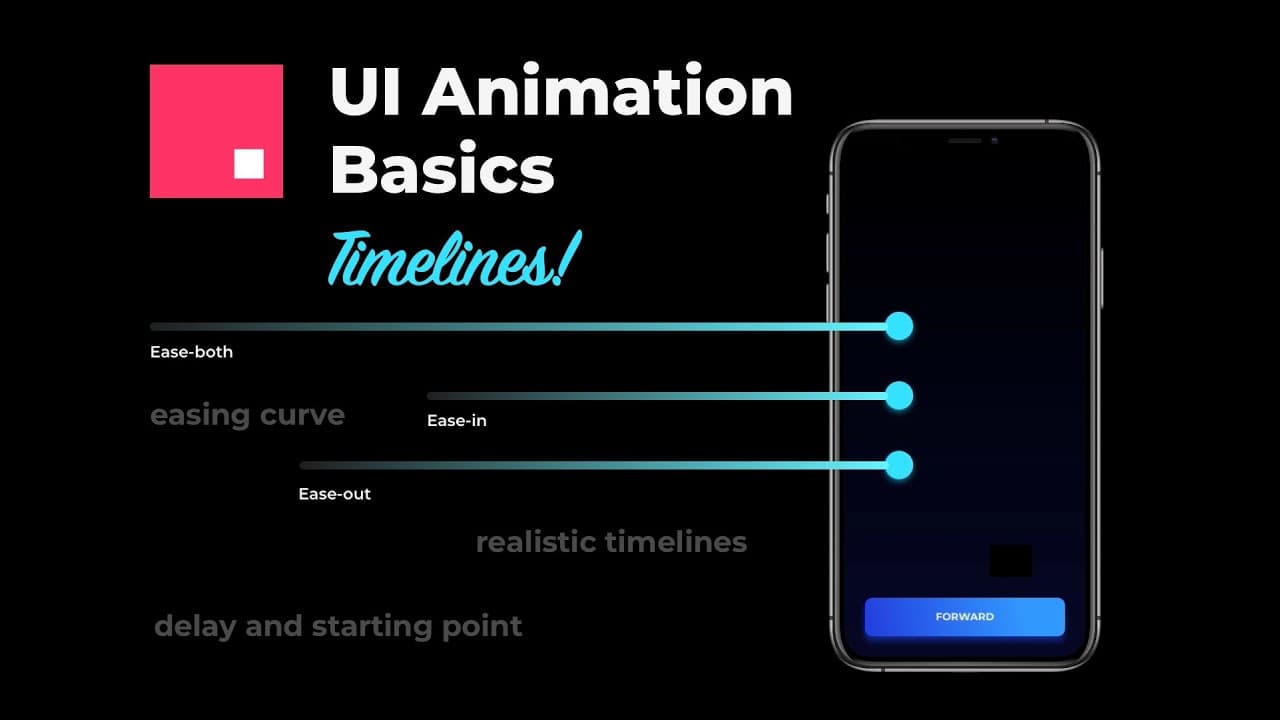
- 😄 Envision Studio offers tools for modifying timelines and easing curves to enhance animation effects.
- 🥺 Customizing animations through different speeds and starting points can lead to more dynamic and realistic results.
- 😄 Experimenting with easing methods like 'ease in,' 'ease out,' and custom curves can add flair and interest to animations.
- ❓ Creating natural and organic animations involves avoiding linear progressions and exploring different values and techniques for varied movement styles.
- 🔰 The tutorial showcases step-by-step processes for beginners to create simple but compelling animations in Envision Studio.
- 🔄 Attention to detail in creating shadows, gradients, transitions, and button interactions elevates the quality of animations.
Install to Summarize YouTube Videos and Get Transcripts
Explore YouTube Video Summarizer or Get YouTube Transcript Extractor
Questions & Answers
Q: What was the speaker's background in animation before using Envision Studio?
The speaker previously worked as a Flash animator and designer at an agency, focusing on banner ads, landing pages, and mini-games, which shaped their understanding of UI layers for animation potential.
Q: How does the tutorial in Envision Studio start, and what elements are initially created?
The tutorial begins by creating an artboard with a phone-sized black rectangle, a button, and circles with gradients and shadows to set the stage for the animation.
Q: What techniques are used to enhance the animation created in the tutorial?
Techniques such as modifying timelines for different speeds, adjusting easing curves for natural movement, and customizing animations are employed to make the animation more engaging and realistic.
Q: What is the main takeaway from the content regarding creating animations?
The key takeaway is to avoid linear progressions and monotonous movements in animations by experimenting with values, starting points, and animation lengths for a more natural and interesting look.
Summary & Key Takeaways
-
The speaker shares their background in Flash animation and design, emphasizing the importance of understanding UI layers for movement potential.
-
A step-by-step tutorial is provided on creating a simple animation in Envision Studio involving buttons, circles, and transitions.
-
Techniques such as modifying timelines, adjusting easing curves, and creating custom animations are highlighted for more realistic and engaging effects.
Read in Other Languages (beta)
Share This Summary 📚
Summarize YouTube Videos and Get Video Transcripts with 1-Click
Try YouTube Summary with ChatGPT & Claude or YouTube Transcript Generator
Explore More Summaries from Malewicz 📚

Summarize YouTube Videos and Get Video Transcripts with 1-Click
Try YouTube Summary with ChatGPT & Claude or YouTube Transcript Generator