How to design a mobile app tutorial - a step by step guide
TL;DR
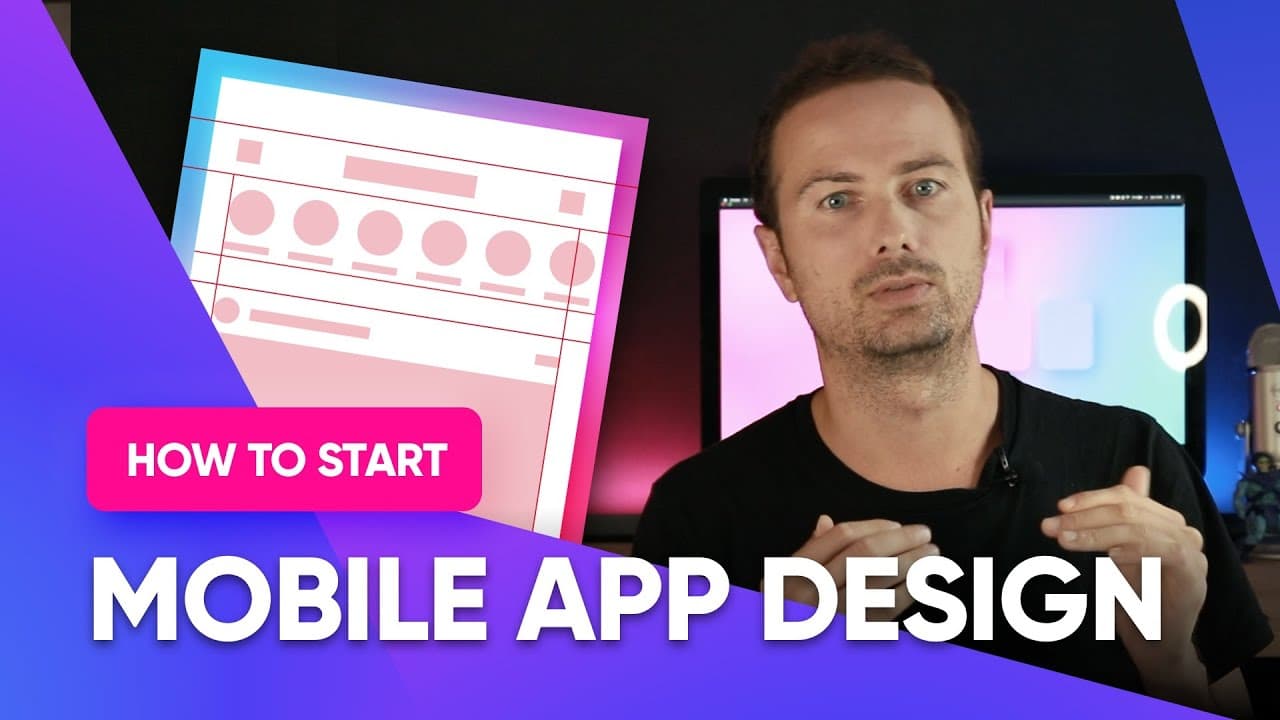
To start building your portfolio, begin with designing an app as it is easier and provides a smaller canvas. Use a standard iPhone as a template, set up boundaries, plan a grid, and create block frames for easy alignment.
Transcript
hey so one of the most common questions that i get from people who want to build out their portfolio is how do i start like how do i make my first ui project my first app well it's pretty simple and if you're just starting to build your portfolio it's really good to start with an app because the canvas is a little bit smaller than a website or a la... Read More
Key Insights
- 😀 Starting with an app design for portfolio projects offers a smaller canvas and makes it easier to create and showcase your work.
- 🎨 Choosing a standard iPhone model as a template provides references for accurate design and widens the availability of mockups for presentation.
- 😀 Setting up boundaries for status and navigation bars helps maintain visual clarity and consistency in app design.
- 😥 Planning a grid with consistent margins and spacing using the 8-point grid system improves organization and readability.
- 😀 Using block frames as placeholders for content allows for easy alignment and provides a visual representation of the app's structure before adding actual content.
- 🖼️ Aligning content within block frames ensures consistency, hierarchy, and readability in the design.
- 🎨 Creating templates with standard elements and grid systems can streamline the design process and enhance alignment.
Install to Summarize YouTube Videos and Get Transcripts
Explore YouTube Video Summarizer or Get YouTube Transcript Extractor
Questions & Answers
Q: Why is it recommended to start building a portfolio with app design?
Designing an app provides a smaller canvas, making it easier to create and design. It allows you to learn by doing and remember the positioning of elements more effectively.
Q: Which iPhone model is suggested for designing portfolio apps?
It is best to choose a standard iPhone model, such as the iPhone 11 or iPhone 12 Pro, as they have widely available mockups and references for accurate design.
Q: How can I set up boundaries for the app design?
Use guidelines or guides to define the boundaries of the status and navigation bars. Ensure that the status bar is kept clear and the navigation bar follows the recommended height guidelines.
Q: What is the purpose of planning a grid for app design?
Planning a grid helps establish consistent spacing and alignment between elements, making the design more organized, readable, and visually appealing.
Q: How can block frames be beneficial in app design?
Using block frames, such as rectangles and circles, as placeholders for future content allows for easy alignment and spacing. It also provides a visual representation of the app's structure before adding actual content.
Q: Why is it important to keep content within the boundaries of block frames?
Keeping content within block frames ensures consistency and alignment. It helps maintain a clear hierarchy and readability, resulting in a more cohesive and user-friendly design.
Q: Can templates be used to streamline the app design process?
Yes, creating templates with standard elements and grid systems can help speed up the design process and ensure consistent alignment. However, as you gain experience, the design process will become more automatic.
Q: What are some key tips for creating an effective portfolio through app design?
Starting with app design, using standard iPhone models, setting up boundaries, planning a grid, and using block frames can all contribute to creating a cohesive and visually appealing portfolio.
Summary & Key Takeaways
-
Starting with an app for your portfolio is beneficial as it allows for easier and quicker design with a smaller canvas.
-
Begin by choosing a standard iPhone as a template and setting up boundaries, including the status and navigation bars.
-
Plan a grid with consistent margins and spacing, using the 8-point grid system.
-
Create block frames to outline the structure of the app, making it easier to align elements and visualize the final design.
Read in Other Languages (beta)
Share This Summary 📚
Summarize YouTube Videos and Get Video Transcripts with 1-Click
Try YouTube Summary with ChatGPT & Claude or YouTube Transcript Generator
Explore More Summaries from Malewicz 📚


Summarize YouTube Videos and Get Video Transcripts with 1-Click
Try YouTube Summary with ChatGPT & Claude or YouTube Transcript Generator