Unlocking Secrets: How To Read Values From Edittext Like A Pro!
TL;DR
Learn how to retrieve user input from an EditText and display it in a TextView using Android Studio.
Transcript
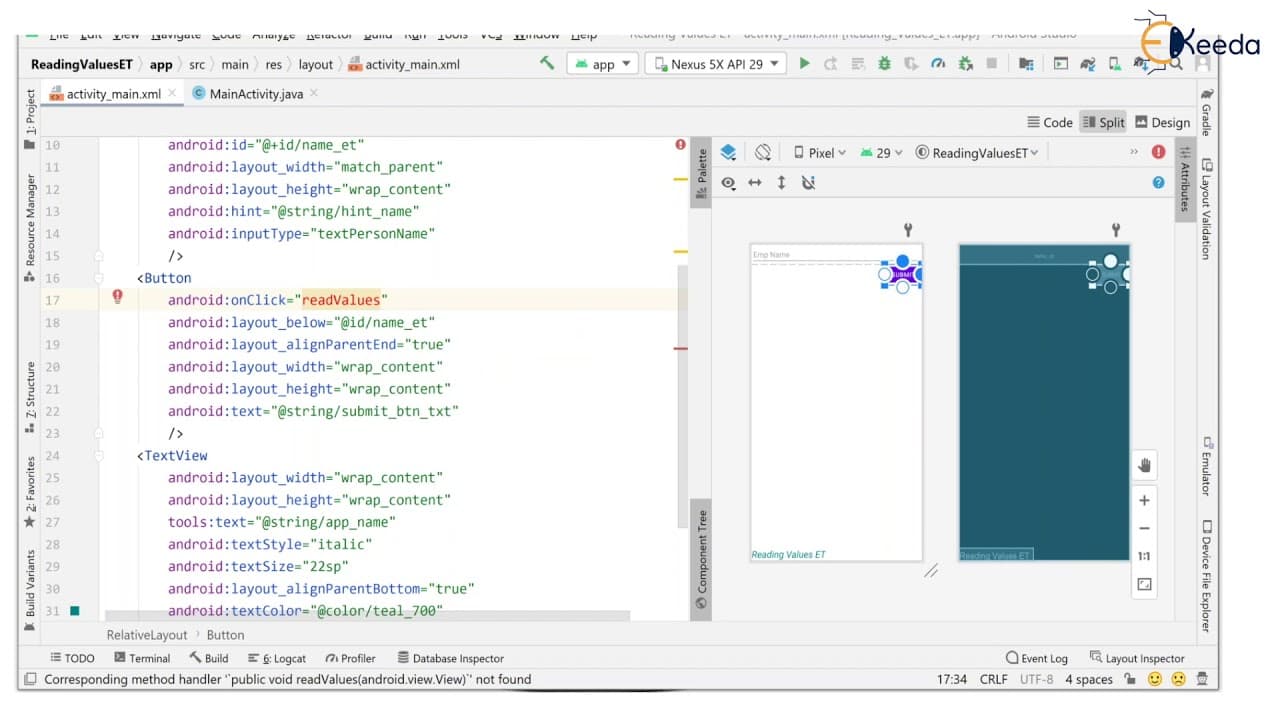
hello viewers welcome back in this session we are going to see how to read the values from edit text and passing it to a text view so here i am going to create a simple layout where an edit text to enter an employee name when the user click on the submit button it is going to send the value whatever you entered in this edit text is going to be set ... Read More
Key Insights
- 🫵 Relative layout is preferred when the alignment of views is not one below the other.
- 👨💻 Proper naming conventions and use of underscores make it easier to navigate between XML code and Java code.
- 👻 The tools attribute in Android Studio allows for the addition of dummy text for designing purposes.
- 👤 The getText() method is used to retrieve user input from the EditText.
- 👤 String variables are used to store and manipulate user input.
- ❓ The setText() method is used to display values in the TextView.
- 🔄 The onClick attribute of the Button is used to call a method when the button is clicked.
Install to Summarize YouTube Videos and Get Transcripts
Explore YouTube Video Summarizer or Get YouTube Transcript Extractor
Questions & Answers
Q: How can I create a layout with an EditText, Button, and TextView in Android Studio?
To create the layout, you need to use the RelativeLayout in Android Studio and add the desired views specifying their attributes such as width, height, and alignment.
Q: How can I capture user input from the EditText when the submit button is clicked?
You can use the onClick attribute on the Button to trigger a method in which you retrieve the value from the EditText using the getText() method and store it in a variable.
Q: How can I display the user input in the TextView?
After retrieving the value from the EditText, you can use the setText() method on the TextView to display the value.
Q: How can I clear the EditText after submitting the value?
To clear the EditText, you can use the setText() method on the EditText and pass an empty string as the argument.
Summary & Key Takeaways
-
This tutorial demonstrates how to design a layout with an EditText, Button, and TextView in Android Studio.
-
User input is captured from the EditText when the submit button is clicked and displayed in the TextView.
-
The tutorial covers the step-by-step process of creating the layout, adding attributes to the views, and handling button clicks.
Read in Other Languages (beta)
Share This Summary 📚
Summarize YouTube Videos and Get Video Transcripts with 1-Click
Try YouTube Summary with ChatGPT & Claude or YouTube Transcript Generator
Explore More Summaries from Ekeeda 📚






Summarize YouTube Videos and Get Video Transcripts with 1-Click
Try YouTube Summary with ChatGPT & Claude or YouTube Transcript Generator