How to Batch Instagram Reels Without Watermark
TL;DR
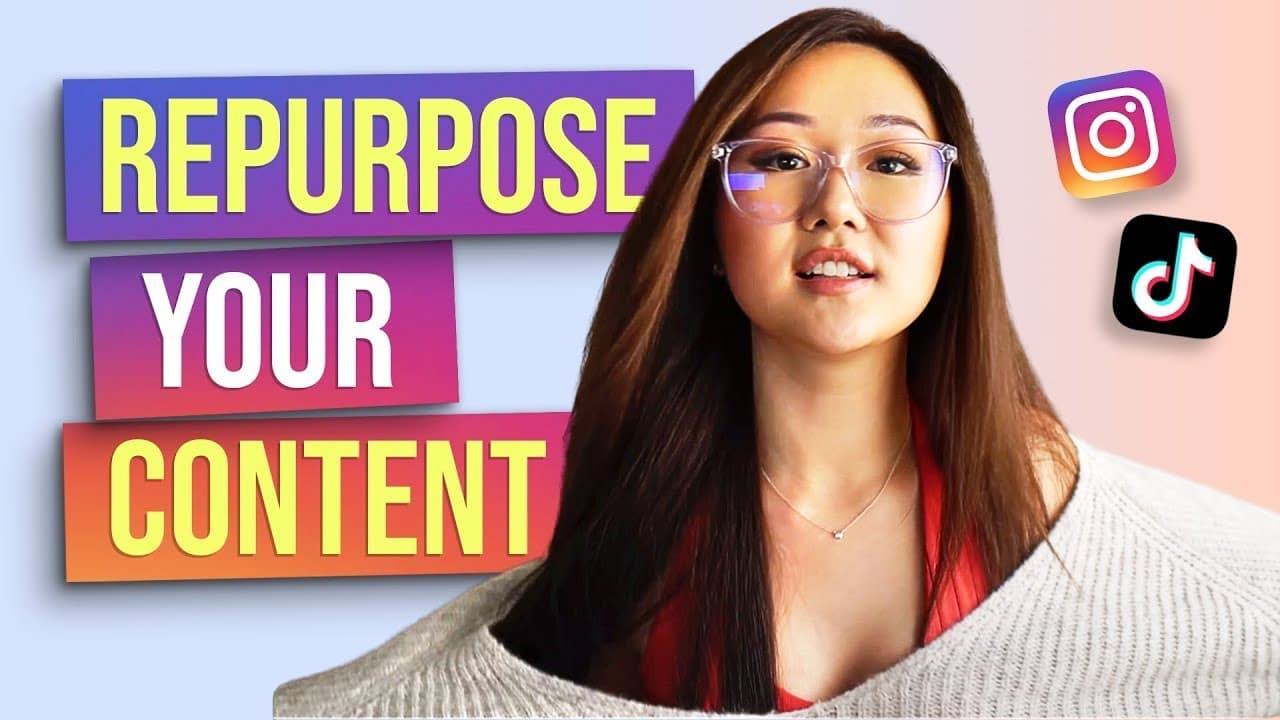
To batch Instagram Reels without the TikTok watermark, use TikTok for creativity and screen record drafts before watermarking. This method allows repurposing content across platforms efficiently. Stay mindful of Instagram's different viewing dimensions to ensure content isn't cropped when viewed in the feed.
Transcript
We're going to batch a bunch of Instagram reels content. I remember, I remember, I remember, I remember this is my hack on how I upload it to Instagram reels and how I removed the Tech-Talk logo. Here are some tips that I have for you. [inaudible] What's up guys. Welcome back to my channel. It has been a very long time since I last blog, but this v... Read More
Key Insights
- Batching content for Instagram Reels can save time and streamline your social media strategy.
- Repurposing TikTok content for Instagram Reels is effective due to TikTok's creative features and sound library.
- TikTok drafts can be screen recorded to avoid the watermark before uploading to Instagram Reels.
- Instagram Reels have two viewing dimensions: full-screen (9:16) and feed view (4:5), which can affect text visibility.
- Using TikTok's draft feature allows creators to batch content and edit later without the pressure of immediate posting.
- Screen recording from TikTok drafts before watermarking is a hack to keep videos clean for Instagram.
- The Instagram Reels algorithm is currently favorable, offering potential for increased reach and engagement.
- Experimenting with different video styles and sounds on TikTok can inspire diverse content ideas for Reels.
Install to Summarize YouTube Videos and Get Transcripts
Explore YouTube Video Summarizer or Get YouTube Transcript Extractor
Questions & Answers
Q: How to batch content for Instagram Reels?
Batching content for Instagram Reels involves planning and filming multiple videos in one session. Use TikTok to find creative ideas and sounds, then film the actions without worrying about text or context initially. Save drafts to edit later, allowing you to focus on filming efficiently.
Q: How to remove TikTok watermark from videos?
To remove the TikTok watermark, screen record your video directly from the TikTok drafts before it's published. This method captures the video without the watermark, allowing you to upload a clean version to Instagram Reels or other platforms.
Q: Why use TikTok for Instagram Reels content?
TikTok offers a rich library of sounds and creative features that can inspire engaging content for Instagram Reels. By leveraging TikTok's creative tools, you can develop diverse and dynamic videos that can be repurposed for Instagram, expanding your reach and engagement.
Q: What are Instagram Reels' viewing dimensions?
Instagram Reels have two main viewing dimensions: the full-screen vertical view (9:16), similar to IG Stories, and the feed view (4:5), which is more common as users scroll through their feed. It's important to ensure your content fits both dimensions to avoid cropping important elements.
Q: How to ensure text isn't cropped in Instagram Reels?
To ensure text isn't cropped, use Instagram's feed preview function. Before posting, expand the video in the feed view to check if any text or important elements are outside the 4:5 dimensions. Adjust the text placement accordingly to fit within these boundaries.
Q: What is the advantage of using TikTok drafts?
TikTok drafts allow you to batch film content without the pressure of immediate posting. This feature enables you to save multiple takes, review them later, and edit at your convenience, enhancing your productivity and allowing for more thoughtful content creation.
Q: How does Instagram's algorithm favor Reels?
Instagram's algorithm currently favors Reels, offering increased visibility and reach compared to other post types. This is because Instagram is promoting Reels heavily to compete with TikTok, providing an opportunity for creators to expand their audience and engagement.
Q: How to find content ideas for Instagram Reels?
Explore TikTok for trending sounds and creative video formats. Save videos that inspire you, and consider how you can adapt them to your niche or audience. This practice not only sparks creativity but also keeps your content aligned with current trends and audience interests.
Summary & Key Takeaways
-
Batching Instagram Reels content can streamline your workflow. Use TikTok for creative inspiration and screen record drafts to avoid watermarks before uploading to Instagram. This method allows you to repurpose content effectively across platforms.
-
Be aware of Instagram's two viewing dimensions: full-screen (9:16) and feed view (4:5). Ensure your content fits both dimensions to avoid cropping issues. This awareness can help maintain the integrity of your videos when viewed on different screens.
-
Utilize TikTok's draft feature to batch content and edit later. This approach reduces the pressure of immediate posting and allows for thoughtful editing and content planning, maximizing your productivity and creativity.
Read in Other Languages (beta)
Share This Summary 📚
Summarize YouTube Videos and Get Video Transcripts with 1-Click
Try YouTube Summary with ChatGPT & Claude or YouTube Transcript Generator
Explore More Summaries from Vanessa Lau 📚




Summarize YouTube Videos and Get Video Transcripts with 1-Click
Try YouTube Summary with ChatGPT & Claude or YouTube Transcript Generator