Coding a modal using Javascript, HTML, and CSS
TL;DR
A tutorial on building a responsive modal using JavaScript, HTML, and CSS.
Transcript
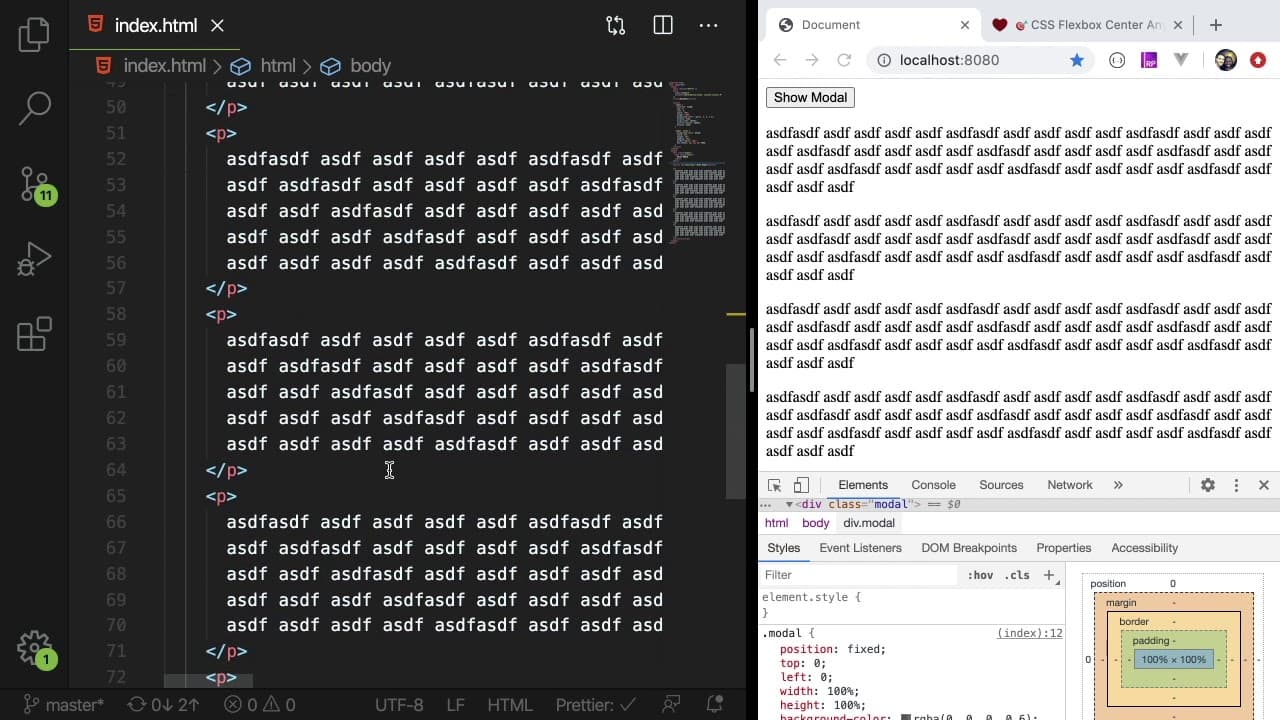
all right so let's just go ahead get started with this if I scaffold out a new index file and I put some text here and just show you that it's hosted over here on the right what we want to do is I'm going to put a script tag so we can write some JavaScript and that will be used for like hiding and showing the modal dynamically and then we also want... Read More
Key Insights
- 👤 Modals are essential components in modern web design for gathering user input and providing notifications.
- 🧘 Correctly positioning modals can significantly improve their usability; using properties like position fixed can help with consistent placement.
- 😚 JavaScript is vital for adding interactivity to modals, enabling behaviors such as open/close functionality seamlessly.
- 👻 Transparency in modal backgrounds can enhance the visual hierarchy of content, allowing users to remain aware of their context.
- 🚥 Flexbox is an effective CSS method for achieving both vertical and horizontal centering of elements within a modal.
- 👤 Implementing transitions or animations can add flare to modal presentation, making user interactions more attractive.
- 👨💻 Modular coding practices, such as reusing functions and variables, help keep code organized and efficient for similar UI elements.
Install to Summarize YouTube Videos and Get Transcripts
Explore YouTube Video Summarizer or Get YouTube Transcript Extractor
Questions & Answers
Q: What is a modal, and why is it useful in web design?
A modal is a dialog box that appears on top of the main content to capture user input or deliver important prompts. It's useful in guiding user actions without navigating away from the current page. Modals can enhance user experience by providing contextual connectivity, especially for forms, alerts, or options that require focused attention.
Q: How do you center a modal on the page using CSS?
To center a modal on the page, you can use CSS properties such as setting the display to "flex" on the modal's container. By applying "align-items: center" and "justify-content: center," the modal will perfectly center itself within the viewport. Additionally, using "margin: auto" on the modal's inner element can help with centering if using block display instead.
Q: What techniques can be used to improve the modal's visual appeal?
Techniques to improve a modal's visual appeal include applying rounded corners with "border-radius," adding a box shadow for depth with "box-shadow," and using opacity to create a slightly transparent background. These enhancements make the modal more visually engaging and help it stand out while maintaining readability.
Q: How can you dynamically show or hide a modal in JavaScript?
To dynamically show or hide a modal, you can use event listeners on buttons. The 'show' button can remove a class that hides the modal (e.g., display: none), while the 'close' button can add this class back. Using methods like "classList.add()" and "classList.remove()" facilitates toggling the modal's visibility, allowing for responsive user interaction.
Q: Can modal sizes be made responsive, and how?
Yes, modal sizes can be made responsive by using percentage widths and heights rather than fixed pixel values. For example, setting a modal's width to 70% and height to 50% allows it to adjust based on the viewport's dimensions, ensuring usability on various screen sizes.
Q: What common mistakes should developers avoid when creating modals?
Common mistakes include overusing modals, making them difficult to close, or neglecting accessibility aspects like keyboard navigation. Developers should also avoid hardcoding sizes, as this can lead to poor user experiences on different devices. Ensuring that modals are lightweight in terms of content and minimize disruption keeps the interface user-friendly.
Summary & Key Takeaways
-
The tutorial demonstrates how to create a modal overlay using HTML, CSS, and vanilla JavaScript, focusing on structural setup and styling.
-
It covers implementing the modal's behavior, including showing and hiding functionality triggered by buttons, enhancing user interactivity on web pages.
-
Key design aspects like positioning, sizing, transparency, and responsive behaviors are highlighted to ensure a visually appealing and functional modal.
Read in Other Languages (beta)
Share This Summary 📚
Summarize YouTube Videos and Get Video Transcripts with 1-Click
Try YouTube Summary with ChatGPT & Claude or YouTube Transcript Generator
Explore More Summaries from Web Dev Cody 📚





Summarize YouTube Videos and Get Video Transcripts with 1-Click
Try YouTube Summary with ChatGPT & Claude or YouTube Transcript Generator