Index and Match Functions With Drop Down Lists | Excel
TL;DR
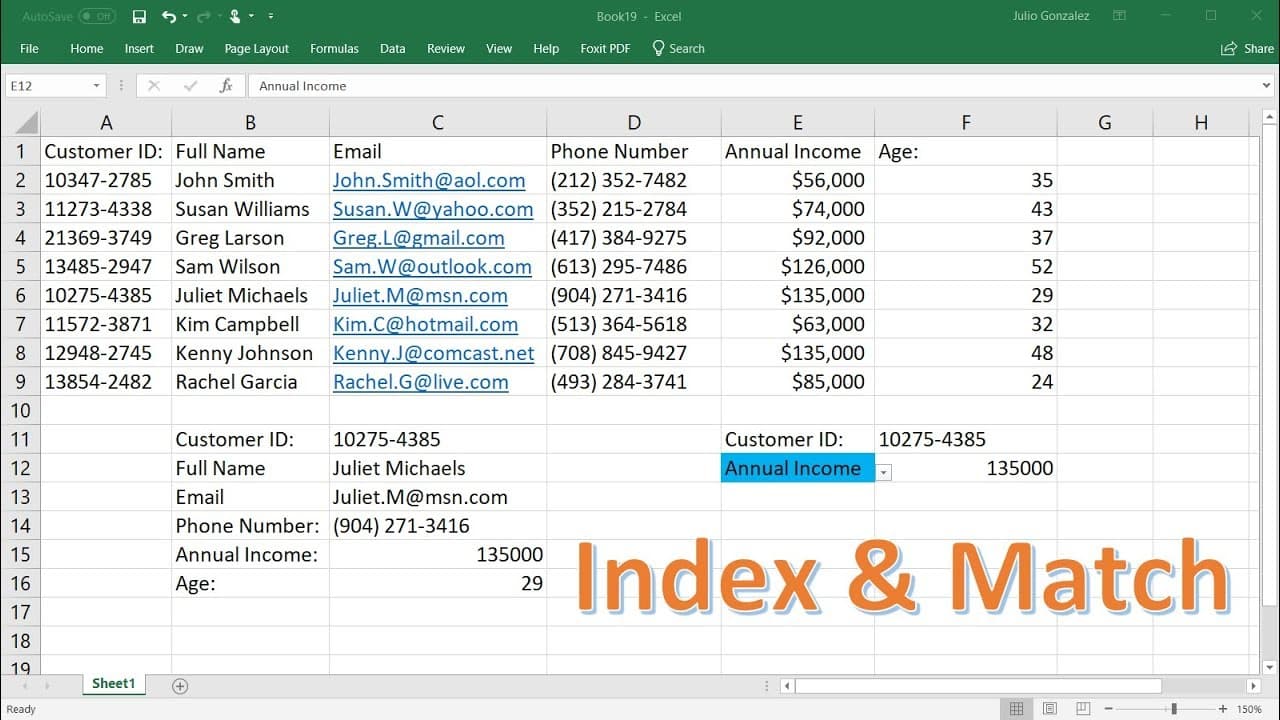
Learn how to use Excel's Index and Match functions to lookup information and create drop-down menus.
Transcript
in this tutorial we're going to talk about how to use the index and the match function to look up information we're also going to talk about how to create a drop down menu with those two functions as well so let's talk about the index function so if you type in equal index parenthesis and let's select this entire array comma and then we have the ro... Read More
Key Insights
- ⚾ The Index function is like a GPS system for Excel, helping to identify the contents of a cell based on its location in an array.
- 🤨 When working with arrays containing multiple columns, both the row and column number need to be specified for accurate data retrieval using the Index function.
- 🤨 The Match function is useful for finding the position of a cell in a row or column, allowing for precise data lookup and retrieval.
- 💁 By combining the Index and Match functions, Excel users can create powerful lookup formulas to retrieve specific information based on criteria.
- 💦 Drop-down menus can be created in Excel using data validation and a list of options, providing a user-friendly way to select data.
- 💦 The Index and Match functions can be used with drop-down menus to dynamically retrieve information based on the selected option.
- 💦 Customizing the appearance of drop-down cells, such as changing the background color, can help visually distinguish them from other cells.
Install to Summarize YouTube Videos and Get Transcripts
Explore YouTube Video Summarizer or Get YouTube Transcript Extractor
Questions & Answers
Q: What is the purpose of the Index function in Excel?
The Index function is used to retrieve the contents of a cell in an array by specifying the row and column of that cell.
Q: How does the Match function work in Excel?
The Match function is used to determine the position of a cell in a row or column based on a specified lookup value.
Q: Can the Index function work with arrays having multiple columns?
Yes, when selecting an array with multiple columns, both the row and column number need to be specified for the Index function to locate a specific cell.
Q: How can the Index and Match functions be used together for data lookup?
By using the Match function to find the row or column containing the desired value, the Index function can then retrieve information from that specific cell.
Summary & Key Takeaways
-
The Index function helps identify the contents of a cell by specifying the row and column of the cell in an array.
-
The Match function indicates the position of a cell in a row or column, allowing for precise data lookup.
-
By combining the Index and Match functions, you can easily retrieve information based on a specific criteria, like customer ID, and create dynamic drop-down menus.
Read in Other Languages (beta)
Share This Summary 📚
Summarize YouTube Videos and Get Video Transcripts with 1-Click
Try YouTube Summary with ChatGPT & Claude or YouTube Transcript Generator
Explore More Summaries from The Organic Chemistry Tutor 📚


Summarize YouTube Videos and Get Video Transcripts with 1-Click
Try YouTube Summary with ChatGPT & Claude or YouTube Transcript Generator