Contextual Material Editing in Iray for 3ds Max
TL;DR
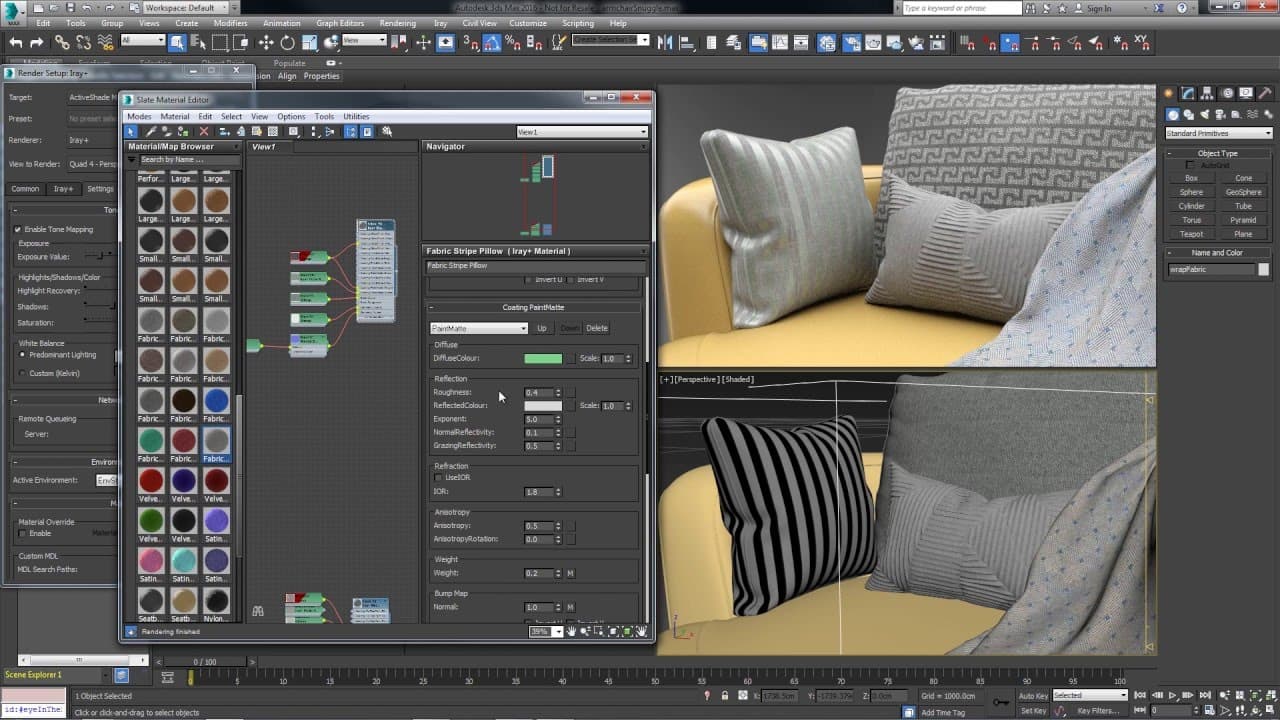
Learn how to use material override in Irey for 3ds Max to browse and review materials in the context of a furniture model, and enhance them with material layering.
Transcript
let's take a look at how to use material override in Irey for 3ds max we'll use this technique to quickly browse through a catalogue of materials and review them in the context of a furniture model then we can build upon these base materials with additional material layering for an interactive design review and the render setup go to a material ove... Read More
Key Insights
- 👻 Material override in Irey allows for efficient browsing and reviewing of materials in the context of specific models.
- ⚾ Material layering in Irey enables designers to enhance and customize base materials for an interactive design review.
- ❓ Adjusting material parameters, such as reflective qualities and colors, can be easily done in Irey for achieving desired visual effects.
- 🫥 Making the bitmap visible in the viewport helps in ensuring the correct assignment of materials to specific geometries.
- ❓ Different lighting setups can be used to review materials and visualize their effects in various scenarios.
- ♿ Irey offers a fabric catalog and advanced rendering forum for accessing additional materials.
- ⌛ Using material override and layering saves time and effort in the material selection and design review processes.
Install to Summarize YouTube Videos and Get Transcripts
Explore YouTube Video Summarizer or Get YouTube Transcript Extractor
Questions & Answers
Q: What is the purpose of material override in Irey for 3ds Max?
The purpose of material override is to quickly assign and review materials in the context of a furniture model, allowing for an efficient design review process.
Q: How can I review the properties of a material in Irey?
To review the properties of a material in Irey, simply double-click on the material in the slate editor, and a window will open showing its properties, such as base properties and material layers.
Q: Can I adjust the parameters of materials for an interactive design review?
Yes, material layering in Irey allows for adjusting parameters of materials to achieve the desired visual effects during an interactive design review, such as adding reflective qualities or changing colors.
Q: How can I ensure that I assign the right material to the correct piece of geometry?
By making the bitmap visible in the viewport, you can ensure that you have assigned the right material to the selection, providing visual assurance in the context of the rest of the scene.
Summary & Key Takeaways
-
Material override in Irey allows for quick browsing and reviewing of materials in the context of a furniture model.
-
Additional material layering can be used to enhance the base materials for an interactive design review.
-
The video demonstrates how to assign materials, review their properties, and adjust parameters for an interactive design review.
Read in Other Languages (beta)
Share This Summary 📚
Summarize YouTube Videos and Get Video Transcripts with 1-Click
Try YouTube Summary with ChatGPT & Claude or YouTube Transcript Generator
Explore More Summaries from NVIDIA 📚




Summarize YouTube Videos and Get Video Transcripts with 1-Click
Try YouTube Summary with ChatGPT & Claude or YouTube Transcript Generator