How to Write Cleaner React Code Through Refactoring
TL;DR
To write cleaner React code, refactor components by abstracting data-fetching logic and improving code readability. Use methodologies like BEM for CSS, employ TypeScript for better type safety, and implement error handling techniques. Avoid inline styles and excessive nesting to maintain clean, manageable code.
Transcript
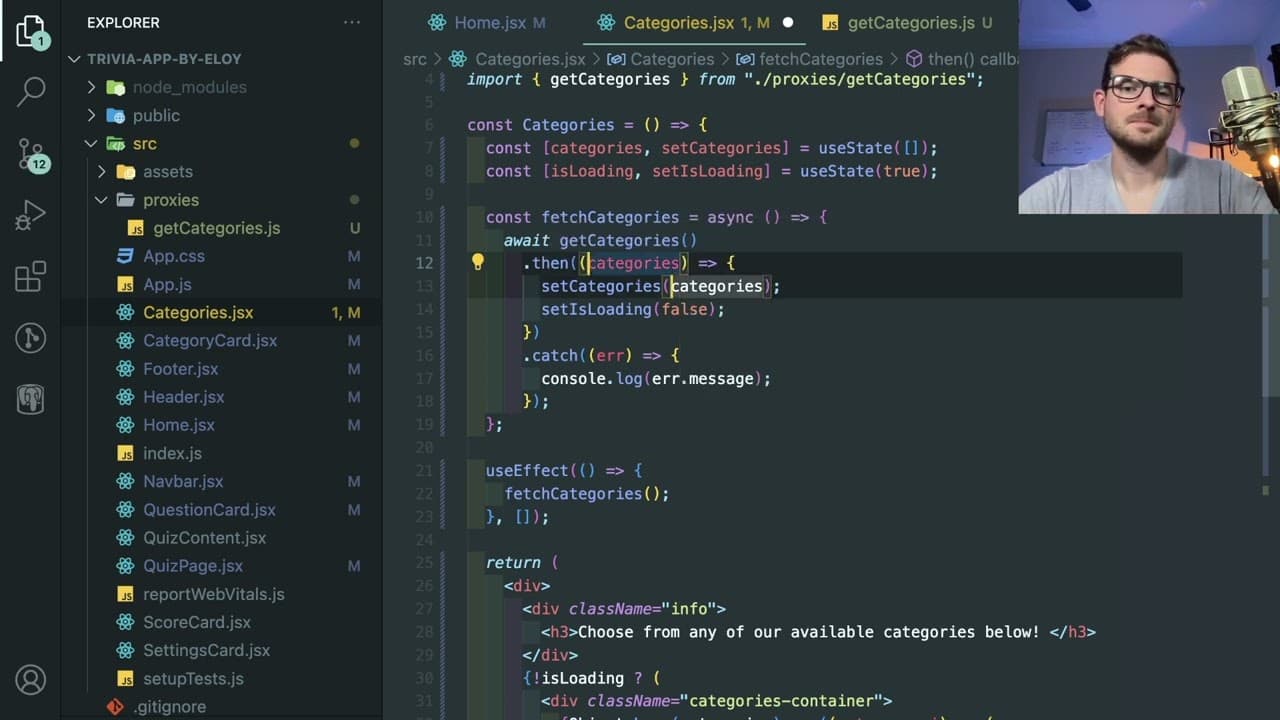
all right how's it going everyone i'm going to be doing another live refactoring um someone sent me this trivia app i think it's using react and he's using i think create react app if i go ahead and look at the package json this is react scripts so nothing too too complex or complicated and but hopefully we can kind of look through the code and see... Read More
Key Insights
- 💦 Refactoring helps enhance the clarity and maintainability of React applications, making them easier for developers to work with.
- 👋 Implementing best practices such as error handling and proper state management is crucial for building robust applications that provide a good user experience.
- 👨💻 Custom hooks abstract data-fetching logic, simplifying components and enabling more modular code practices.
- 📽️ Utilizing TypeScript can greatly benefit projects by preventing type-related errors and providing better tooling support during development.
- 😤 Organizing CSS using methodologies like BEM improves styling consistency and understanding among team members.
- 👨💻 Avoiding inline styles and excessive nesting ensures cleaner, more readable code that is easier to manage over time.
- 🤩 Proper key management in React components, particularly in lists, is critical for optimal performance and accurate component updates.
Install to Summarize YouTube Videos and Get Transcripts
Explore YouTube Video Summarizer or Get YouTube Transcript Extractor
Questions & Answers
Q: What is the primary technology stack used in the trivia app?
The trivia app is built using React, specifically utilizing the Create React App framework. The package.json confirms the use of React Scripts, indicating a standard setup for React applications. This foundation allows for a streamlined development process, utilizing React's component-based architecture.
Q: Why is the presenter advocating for using TypeScript in this project?
The presenter highlights that TypeScript aids in providing type safety, which minimizes runtime errors. It also allows developers to have better IntelliSense support, reducing mistakes related to misnaming variables or using incorrect types. This is especially beneficial for beginners as it adds an additional layer of protection and clarity to the coding process.
Q: What best practices does the presenter suggest for styling in React components?
The presenter advises against using inline styles and recommends using CSS classes for better maintainability. He suggests implementing BEM (Block Element Modifier) naming conventions for class names to ensure consistency and readability, making it easier to understand the styles associated with each component.
Q: How does the presenter suggest handling errors in the trivia app?
The presenter mentions the importance of managing errors effectively during data fetching. He suggests setting up error states in the component that can be displayed to the user, advising developers to plan for error handling as part of their logic. This ensures a better user experience by proactively addressing potential issues during API calls.
Q: What refactoring technique does the presenter highlight regarding Axios calls?
The presenter emphasizes extracting Axios calls into separate functions or helper files, which keeps component logic clean and focused on rendering UI. By creating dedicated functions for data fetching, the components can be less coupled with the underlying API logic, leading to easier testing and modifications later.
Q: Why does the presenter recommend avoiding index keys in map functions?
The presenter warns against using array indexes as keys in React's map functions because this can lead to inefficient re-renders and bugs. If the list changes (e.g., items added, removed, or sorted), using the index can cause mismatches in how React identifies components, resulting in unpredictable UI behavior.
Q: What benefits does the presenter find in creating custom hooks for data fetching?
Creating custom hooks encapsulates the logic related to data fetching, making components simpler and more focused on presentation rather than data management. This approach allows for easier reuse, better organization of code, and improved separation of concerns, leading to cleaner and more manageable codebases.
Q: What advice does the presenter give concerning the organization of components within the trivia app?
The presenter suggests maintaining a flat component structure by reorganizing components to ensure one layer of nesting wherever possible. He argues that overly nested components complicate the readability and maintenance of the code, urging developers to prioritize clarity and simplicity without unnecessary abstraction.
Summary & Key Takeaways
-
The presenter reviews a trivia app built with React, specifically looking at its structure, code quality, and opportunities for improvement.
-
Key modifications include abstracting data-fetching logic from components, enhancing code readability, and employing best practices such as using camel case for CSS classes and avoiding inline styles.
-
The tutorial emphasizes using TypeScript for better type safety, error handling techniques, and the significance of maintaining clean code through component simplification.
Read in Other Languages (beta)
Share This Summary 📚
Summarize YouTube Videos and Get Video Transcripts with 1-Click
Try YouTube Summary with ChatGPT & Claude or YouTube Transcript Generator
Explore More Summaries from Web Dev Cody 📚





Summarize YouTube Videos and Get Video Transcripts with 1-Click
Try YouTube Summary with ChatGPT & Claude or YouTube Transcript Generator