How to Use Least Squares Method for Linear Regression
TL;DR
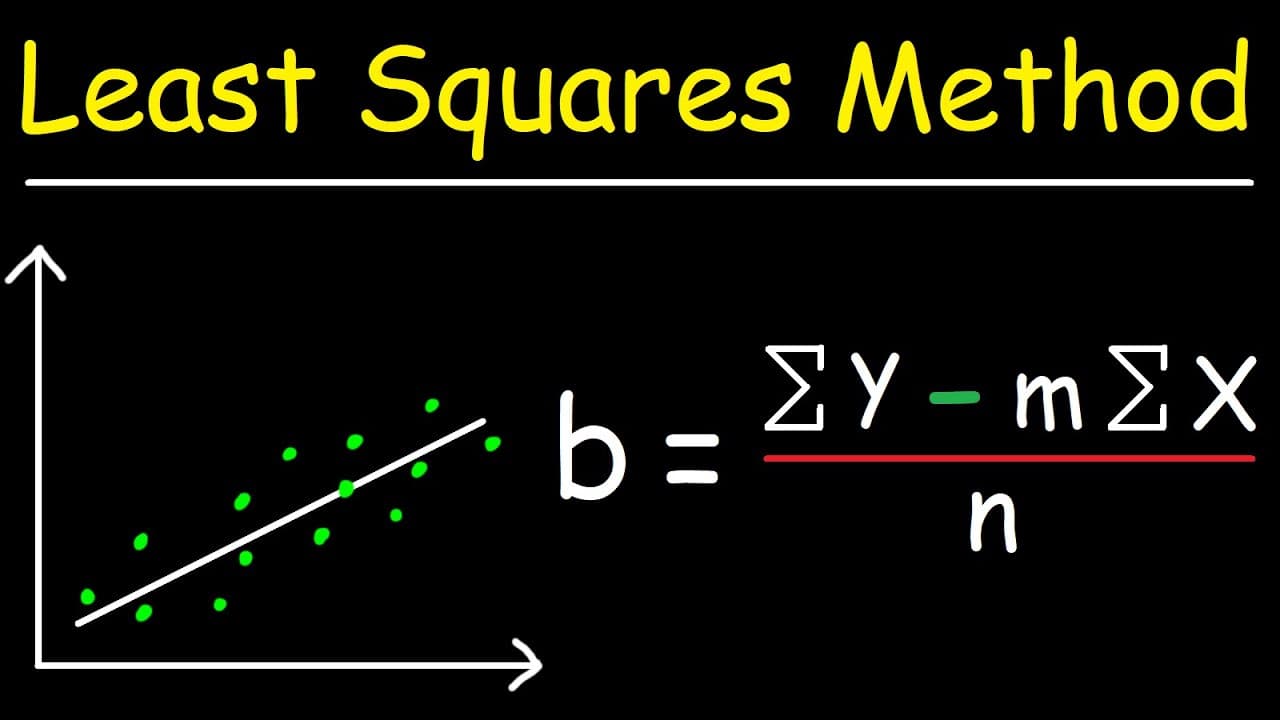
To use the least squares method for linear regression, create a table of x and y values, calculate sums for x, y, xy, and x², and then apply the formulas to find the slope (m) and y-intercept (b). This method helps derive a linear equation that best fits your data points, and using Excel can simplify calculations significantly.
Transcript
in this video we're going to focus on linear regression using the least squares method and this approach will help us to write a linear equation that best fits the data in the table shown below so let me give you a visual illustration so let's say we have these data points which i'm going to highlight in blue now these data points don't all fall on... Read More
Key Insights
- 😥 Linear regression using the least squares method helps find the best-fitting linear equation for a set of data points.
- ❣️ The process involves creating a table with x, y, x*y, and x squared values, and calculating the sums.
- ❓ Accuracy in calculations can be improved by using unrounded values throughout the process.
- 😀 Excel can be a useful tool for quickly calculating the slope and y-intercept.
- 💱 The slope represents the change in y for every unit change in x.
- 😀 The y-intercept represents the starting point of the linear equation on the y-axis.
- ❣️ The linear equation can be used to make predictions for y values based on given x values.
Install to Summarize YouTube Videos and Get Transcripts
Explore YouTube Video Summarizer or Get YouTube Transcript Extractor
Questions & Answers
Q: What is the least squares method used for in linear regression?
The least squares method is used to find a linear equation that closely fits a set of data points by minimizing the sum of the squared differences between the actual y values and the predicted y values.
Q: How is the slope calculated using the least squares method?
The slope is calculated by dividing the difference between the sum of the x*y values and the product of the sum of the x values and the sum of the y values by the difference between the sum of the x squared values and the squared sum of the x values.
Q: What does the y-intercept represent in a linear equation?
The y-intercept represents the value of y when x is equal to zero. In other words, it is the starting point of the line on the y-axis.
Q: How can Excel be used to calculate the slope and y-intercept?
In Excel, the SLOPE() function is used to calculate the slope and the INTERCEPT() function is used to calculate the y-intercept. By inputting the x and y values, Excel can quickly provide these values.
Summary & Key Takeaways
-
The video teaches how to calculate the slope and y-intercept of a linear equation using the least squares method.
-
The process involves creating a table with columns for x, y, x*y, and x squared values, and then calculating the sums.
-
Excel can be used to quickly calculate the slope and y-intercept, saving time and effort.
Read in Other Languages (beta)
Share This Summary 📚
Summarize YouTube Videos and Get Video Transcripts with 1-Click
Try YouTube Summary with ChatGPT & Claude or YouTube Transcript Generator
Explore More Summaries from The Organic Chemistry Tutor 📚


Summarize YouTube Videos and Get Video Transcripts with 1-Click
Try YouTube Summary with ChatGPT & Claude or YouTube Transcript Generator