Products
Features
YouTube Video Summarizer
Summarize YouTube videos
Web & PDF Highlighter
Highlight web pages & PDFs
Chat with PDF
Ask any PDF questions with AI
Ask AI Clone
Chat with your highlights & memories
Audio Transcriber
Transcribe audio files to text
Glasp Reader
Read and highlight articles
Kindle Highlight Export
Export your Kindle highlights
Idea Hatch
Hatch ideas from your highlights
Integrations
Obsidian Plugin
Notion Integration
Pocket Integration
Instapaper Integration
Medium Integration
Readwise Integration
Snipd Integration
Hypothesis Integration
Apps & Extensions
Chrome Extension
Safari Extension
Edge Add-ons
Firefox Add-ons
iOS App
Android App
Discover
Discover
Ideas
Discover new ideas and insights
Articles
Curated articles and insights
Books
Book recommendations by great minds
Posts
Essays and notes from readers
Quotes
Inspiring quotes collection
Videos
Curated videos and summaries
Explore Glasp
Glasp Newsletter
Weekly insights and updates
Glasp Talk
Interview series with great minds
Glasp Blog
Latest news and articles
Glasp Use Cases
Learn how others use Glasp
Build & Support
Glasp API
Access Glasp's API for developers
MCP Connector
Connect Glasp to Claude & ChatGPT
Community
Glasp Reddit Community
Students
Student discount and benefits
FAQs
Frequently Asked Questions
AboutPricing
DashboardLog inSign up

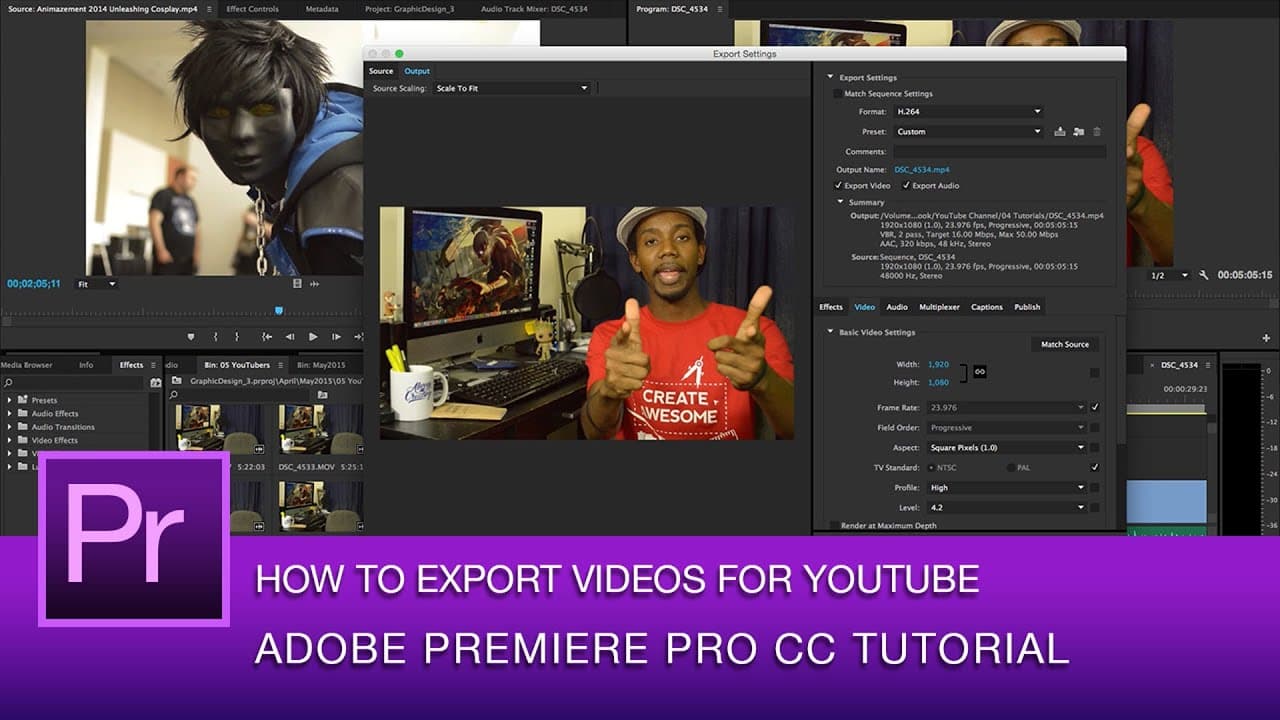
Premiere Pro Tutorial: Best Video Export Settings for YouTube | Premiere Pro
243.9K views
•
July 4, 2015
by
Roberto Blake
YouTube video player
Premiere Pro Tutorial: Best Video Export Settings for YouTube | Premiere Pro

TL;DR

Learn how to export HD videos for YouTube using Adobe Premiere Pro.

Transcript

  • [Voiceover] Hey everybody. This is is Roberto Blake of RobertoBlake.com helping you create something awesome today. So today, we're gonna do an Adobe Premiere Pro tutorial, and we're gonna learn how to export HD video for YouTube using Adobe Premiere Pro. Now, I'm gonna be using Adobe Premiere CC 2014, I do have CC 2015 on my other machine, but t... Read More

Key Insights

  • 😒 Use H264 format for YouTube videos to ensure compatibility.
  • ❓ Adjust bitrate settings for quality optimization.
  • ❓ Utilize Adobe Media Encoder for background processing during exports.
  • 🎮 Consistency in source and output settings is crucial for video quality.
  • ✋ High-quality settings may increase rendering time based on computer resources.
  • 😫 Setting a specific output name and location helps in organization.
  • ❓ Adobe Premiere Pro offers preset settings for YouTube export.

Install to Summarize YouTube Videos and Get Transcripts

Explore YouTube Video Summarizer or Get YouTube Transcript Extractor

Questions & Answers

Q: What is the recommended encoding format for YouTube videos?

H264 is the preferred format for YouTube videos, ensuring compatibility and quality.

Q: How can users optimize bitrate settings for better quality?

Adjust the target bitrate to 16 and the maximum bitrate to 50 for higher quality outputs.

Q: What are the benefits of using Adobe Media Encoder over exporting directly from Premiere Pro?

Adobe Media Encoder allows background processing, freeing up resources for other tasks while exporting videos.

Q: Why is it important to match source and output settings during video export?

Matching source and output settings ensures consistency and maintains the video's quality throughout the export process.

Summary & Key Takeaways

  • Adobe Premiere Pro tutorial on exporting HD videos for YouTube.

  • Explanation on selecting the right format and settings for export.

  • Advice on optimizing quality and rendering time for the video.


Read in Other Languages (beta)

English

Share This Summary 📚

Summarize YouTube Videos and Get Video Transcripts with 1-Click

Download browser extensions on:

Try YouTube Summary with ChatGPT & Claude or YouTube Transcript Generator

Explore More Summaries from Roberto Blake 📚

Best Entry Level Nikon DSLR Cameras 2014 thumbnail
Best Entry Level Nikon DSLR Cameras 2014
Roberto Blake
Using the iMac For Graphic Design Work thumbnail
Using the iMac For Graphic Design Work
Roberto Blake
HOW SMALL YOUTUBERS CAN GET MORE VIEWS ON YOUTUBE (WITH PROOF!) thumbnail
HOW SMALL YOUTUBERS CAN GET MORE VIEWS ON YOUTUBE (WITH PROOF!)
Roberto Blake
Photoshop Refine Edge Masking Tutorial | Photoshop CC thumbnail
Photoshop Refine Edge Masking Tutorial | Photoshop CC
Roberto Blake
How Can Small YouTubers Overcome the YouTube Algorithm? thumbnail
How Can Small YouTubers Overcome the YouTube Algorithm?
The Creator Economy Insider - Hosted By Roberto Blake
Why Coding is Not Web Design! thumbnail
Why Coding is Not Web Design!
Roberto Blake

Summarize YouTube Videos and Get Video Transcripts with 1-Click

Download browser extensions on:

Try YouTube Summary with ChatGPT & Claude or YouTube Transcript Generator

Apps & Extensions

  • Chrome Extension
  • Safari Extension
  • Edge Add-ons
  • Firefox Add-ons
  • iOS App
  • Android App

Key Features

  • YouTube Video Summarizer
  • Web & PDF Summarizer
  • Web & PDF Highlighter
  • Chat with PDF
  • Ask AI Clone
  • Audio Transcriber
  • Glasp Reader
  • Kindle Highlight Export
  • Idea Hatch

Integrations

  • Obsidian Plugin
  • Notion Integration
  • Pocket Integration
  • Instapaper Integration
  • Medium Integration
  • Readwise Integration
  • Snipd Integration
  • Hypothesis Integration

More Features

  • APIs
  • MCP Connector
  • Blog & Post
  • Embed Links
  • Image Highlight
  • Personality Test
  • Quote Shots

Company

  • About us
  • Blog
  • Community
  • FAQs
  • Job Board
  • Newsletter
  • Pricing
Terms

•

Privacy

•

Guidelines

© 2026 Glasp Inc. All rights reserved.




