Cracking The Code: Understanding The Life Cycle Of Activities
TL;DR
This content explains the concept of activities and their lifecycle in Android development.
Transcript
hello viewers welcome back in our previous session we have discussed about anatomy of android project in this session we are going to discuss about activities and activity life cycle topics to be covered are activity states and the life cycle callbacks method of an activity and what are the different phases of activity life cycle now let us see how... Read More
Key Insights
- 💯 Activities are the core components of Android applications and are responsible for displaying data to the users.
- 🈸 An application can have multiple activities, but one must be specified as the main activity.
- 🪜 Activities in Android follow a last-in, first-out (LIFO) mechanism, where activities are added and removed from a stack.
- ✋ Activities can be in different states such as running, paused, and stopped, depending on their visibility to the user.
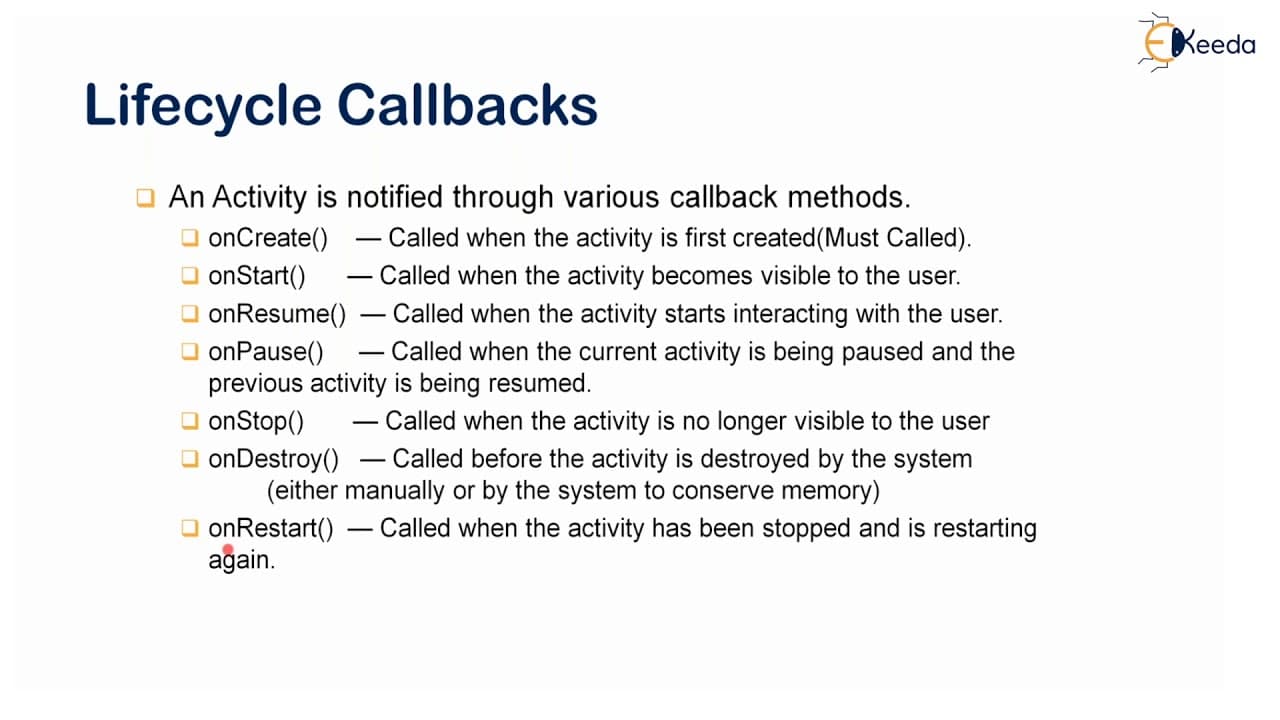
- 🍵 Various callback methods like onCreate, onStart, onResume, onPause, onStop, onDestroy, and onRestart are used to handle the activity lifecycle.
- ❓ The lifecycle of an activity consists of the entire lifetime, visibility lifetime, and foreground lifetime.
- 🤙 The oncreate method is a must and should be called for every activity when it is created.
- ❓ The visibility lifetime of an activity is between the onStart and onStop methods.
Install to Summarize YouTube Videos and Get Transcripts
Explore YouTube Video Summarizer or Get YouTube Transcript Extractor
Questions & Answers
Q: What is the role of activities in an Android application?
Activities are responsible for showing data to the users in an Android application. Without activities, it would not be possible to interact with the app.
Q: Can an application have multiple activities?
Yes, an application can have multiple activities. However, at least one activity must be specified as the main or launcher activity that gets launched when the user starts the app.
Q: How do activities work in Android?
Activities in Android follow a last-in, first-out (LIFO) mechanism. When a user clicks on an activity icon or performs an action, the corresponding activity is added to the stack. The most recently added activity is the one visible to the user.
Q: What are the different states of an activity?
An activity in Android can be in three states: running or resumed state, paused state, and stopped state. The running state is when the activity is in the foreground and the user can interact with it. The paused state is when the activity is partially visible. The stopped state is when the activity is no longer visible to the user.
Summary & Key Takeaways
-
Activities are crucial components in every Android application, responsible for displaying data to the users.
-
An application can have multiple activities, but at least one activity must be specified as the main or launcher activity.
-
Activities in Android follow a last-in, first-out (LIFO) mechanism, where activities are added and removed from a stack.
Read in Other Languages (beta)
Share This Summary 📚
Summarize YouTube Videos and Get Video Transcripts with 1-Click
Try YouTube Summary with ChatGPT & Claude or YouTube Transcript Generator
Explore More Summaries from Ekeeda 📚






Summarize YouTube Videos and Get Video Transcripts with 1-Click
Try YouTube Summary with ChatGPT & Claude or YouTube Transcript Generator