How to Use Read and Write Streams in Node.js for Large CSV Files
TL;DR
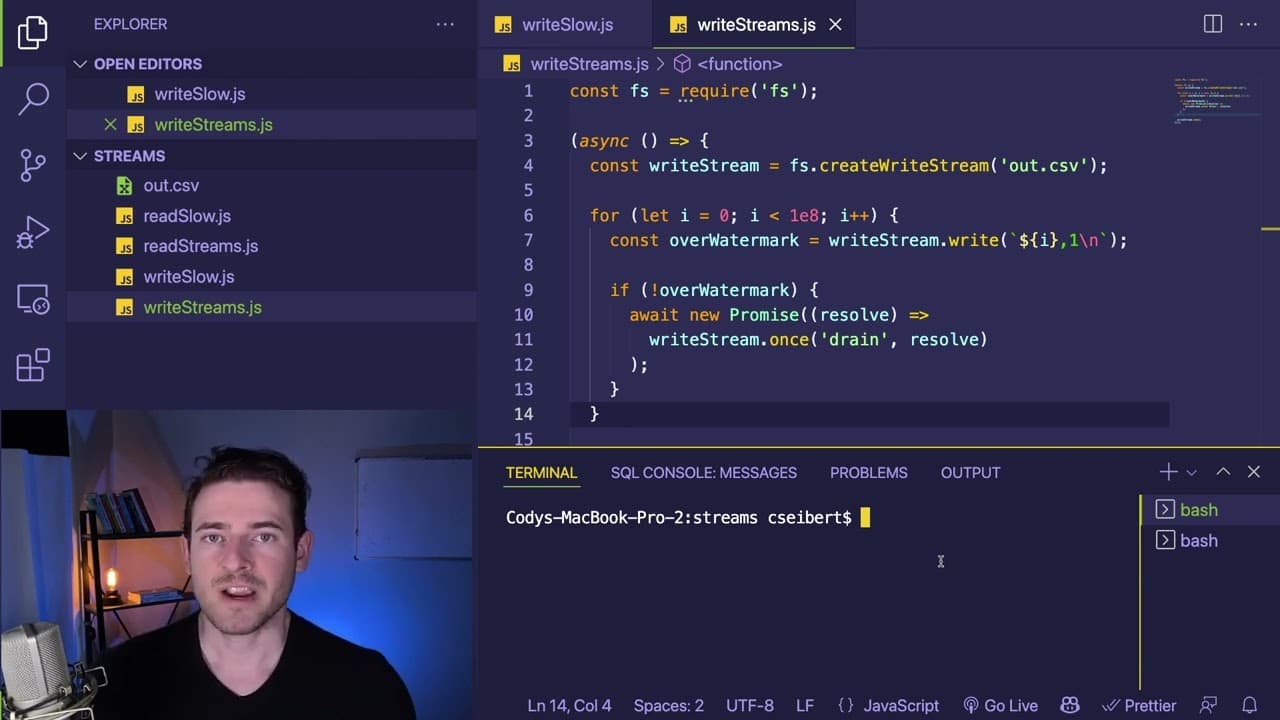
To effectively handle large CSV files in Node.js without crashing due to memory issues, utilize read and write streams. These streams allow you to process data in chunks instead of loading the entire file into memory, which is crucial for files exceeding 512 megabytes. Implementing streams optimizes performance by managing buffer flow and preventing application crashes.
Transcript
how is it going everyone welcome back to another web dev junkie video so i want to give you a quick overview about how do you deal with nodes stream and buffer objects and let me give you some background information i've been using node for a while i work now to build out my rest apis and i haven't really ran into a use case for using streams or bu... Read More
Key Insights
- 🍵 Streams and buffers are essential in Node.js for efficiently handling large files and reducing memory overhead.
- 🫠 Writing and reading in streams allows for processing data in chunks, safeguarding against application crashes due to memory issues.
- ❓ The high water mark is a vital concept that regulates memory use by determining when to flush data to disk.
- 🎴 Event emitters, such as the "drain" event, play a critical role in managing buffer flow and maintaining application performance.
- 🫠 Developers must be prepared to handle complexities when processing fragmented input from read streams.
- 💯 Utilizing streams can significantly optimize network requests in web development, making them a core tool for developers.
- 🎏 Learning about streams can enhance a developer's ability to create scalable applications capable of managing significant data loads efficiently.
Install to Summarize YouTube Videos and Get Transcripts
Explore YouTube Video Summarizer or Get YouTube Transcript Extractor
Questions & Answers
Q: What challenges do large files pose in Node.js applications?
Large files can cause Node.js applications to crash due to excessive memory usage if read or written in entirety at once. For files larger than 512 megabytes, using synchronous operations like fs.readFileSync can lead to errors indicating that the memory limit has been reached, necessitating the use of streams for efficient handling.
Q: How do write streams prevent memory overflow?
Write streams manage memory by writing data in chunks instead of handling the entire dataset at once. They utilize a buffer with a "high water mark" that determines when to write the accumulated data to disk. This allows the Node.js runtime to process large data volumes without overwhelming the system's memory resources.
Q: What is the significance of the "drain" event in Node.js streams?
The "drain" event is crucial for flow control within write streams. It signals that the internal buffer has cleared enough room to allow additional data writes. This feedback mechanism informs the application when it is safe to resume data construction after the previous batch has been successfully flushed to storage, preventing memory overflow.
Q: What complexities arise when using read streams?
When utilizing read streams, one must navigate the potential for receiving fragmented data. This can lead to incomplete records being captured in a single chunk. Therefore, additional logic is needed to detect new line characters and ensure that each row of data from the CSV is processed correctly before summing or analyzing the results.
Q: Why is processing files as streams more efficient than synchronous reads?
Stream processing minimizes the amount of data kept in memory at any one time by allowing the application to read and write in manageable chunks. This significantly improves performance, particularly with large files, as it bypasses the limitations of synchronous file operations that could lead to memory errors and application crashes.
Q: How can understanding streams benefit web developers?
A solid grasp of streams can empower web developers to handle large datasets more gracefully, enabling them to build robust applications that can efficiently process files or network requests. Mastery of streams is particularly relevant for developing custom Express libraries or any software that relies on heavy data transmission, ensuring optimal performance.
Q: What can lead to confusion when implementing read streams in Node.js?
The asynchronous nature of read streams can complicate logic, as data can arrive in non-contiguous segments. Developers must ensure that they account for partial records and implement additional buffering mechanisms to concatenate these segments, making the code more complex than straightforward synchronous processing.
Q: How does Node.js handle the conversion of buffers in streams?
Node.js automatically manages buffer conversions in streams, taking care of the underlying data transformation from binary to string formats as data is read from files. This process, however, requires developers to code care for instances where concatenated or incomplete data may exist, ensuring that all records remain intact during data manipulation.
Summary & Key Takeaways
-
This content explains the concept of streams and buffers in Node.js, specifically how they help manage large files efficiently without crashing the application due to memory issues.
-
A practical example showcases the creation of a CSV file with a substantial amount of data, highlighting the limitations of using synchronous file reading and writing methods.
-
The video further describes the implementation of read and write streams, demonstrating how to handle data chunking and processing for performance optimization in Node.js applications.
Read in Other Languages (beta)
Share This Summary 📚
Summarize YouTube Videos and Get Video Transcripts with 1-Click
Try YouTube Summary with ChatGPT & Claude or YouTube Transcript Generator
Explore More Summaries from Web Dev Cody 📚





Summarize YouTube Videos and Get Video Transcripts with 1-Click
Try YouTube Summary with ChatGPT & Claude or YouTube Transcript Generator