The Beginner's Guide to Mem: A Note-Taking App
TL;DR
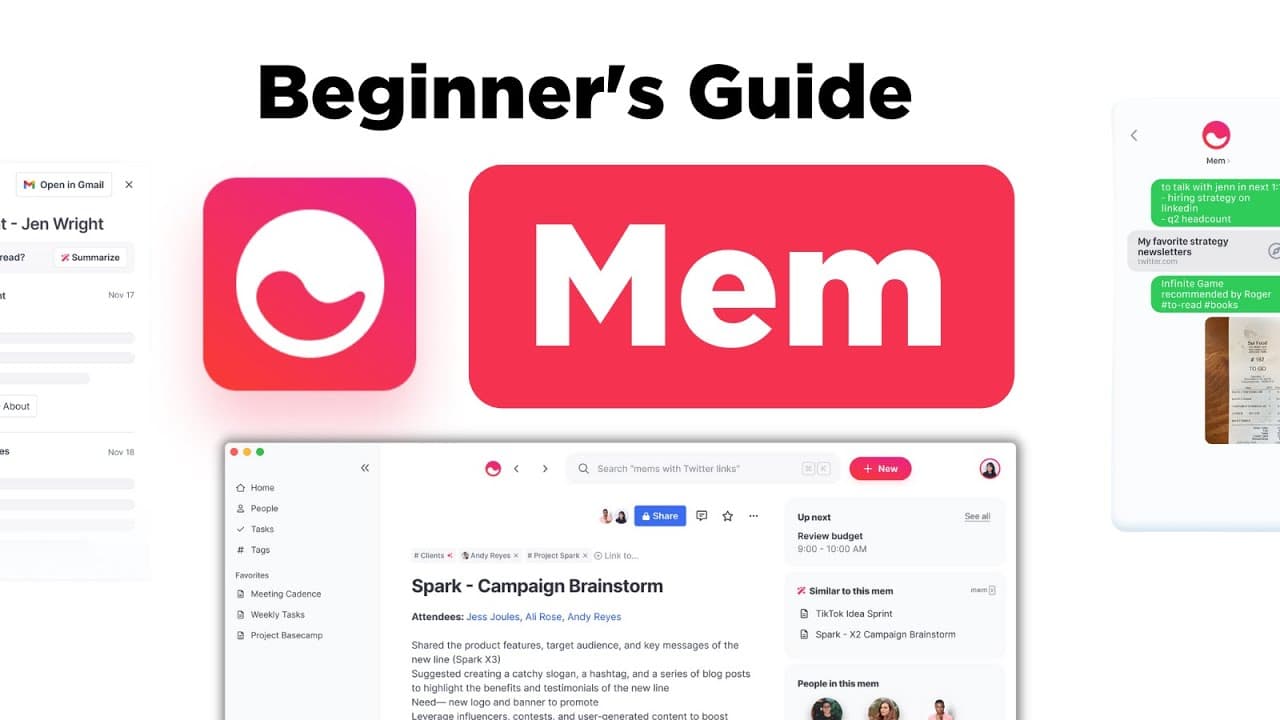
Mem is a versatile note-taking application with features like creating notes, tasks, calendar events, and connecting people.
Transcript
So today we're doing a getting started guide to mem we're going to explore how it works as a note taker giving you the basic tool around this application to see whether it's right for you before we begin I am an investor in mem so you can find a little bit more detail about how that affects some of the videos here on keep productive and y... Read More
Key Insights
- 🛀 Mem combines note-taking, task management, calendar integration, and people connections in one application.
- 💵 The ability to connect related notes and receive contextually relevant suggestions is a valuable feature.
- 📧 Mem's inbox feature allows easy capture of content from various sources, such as Twitter, websites, and emails.
- 🎨 Templates in Mem help save time by providing pre-designed note formats.
- 🚄 It is a suitable option for users who prioritize speed in capturing information and utilize Twitter and email frequently.
- 💵 Mem offers a middle ground between complex note-taking applications like Obsidian and simpler ones like Evernote.
- 💗 The application is still evolving and growing, with potential for future improvements and features.
Install to Summarize YouTube Videos and Get Transcripts
Explore YouTube Video Summarizer or Get YouTube Transcript Extractor
Questions & Answers
Q: What makes Mem different from other note-taking applications?
Mem stands out by offering a combination of note-taking, task management, calendar integration, and the ability to connect people. It provides a versatile experience for users.
Q: Can Mem help with organizing meeting notes?
Yes, Mem allows users to create meeting notes using templates and connect them to their Google Calendar events. This feature helps keep important information organized and easily accessible.
Q: How does the inbox feature in Mem work?
The Mem inbox is a central place where you can capture any content you want, such as tweets, website text, or forwarded emails. It provides a convenient way to gather diverse information in one location.
Q: Is Mem suitable for users who prefer simplicity in note-taking applications?
Mem offers a balance between complexity and simplicity. It allows you to create relationships between notes, events, and people, but it is not as advanced as some other applications like Obsidian or Roam Research.
Key Insights:
- Mem combines note-taking, task management, calendar integration, and people connections in one application.
- The ability to connect related notes and receive contextually relevant suggestions is a valuable feature.
- Mem's inbox feature allows easy capture of content from various sources, such as Twitter, websites, and emails.
- Templates in Mem help save time by providing pre-designed note formats.
- It is a suitable option for users who prioritize speed in capturing information and utilize Twitter and email frequently.
- Mem offers a middle ground between complex note-taking applications like Obsidian and simpler ones like Evernote.
- The application is still evolving and growing, with potential for future improvements and features.
- The Mem Made Simple course is available for users who want to dive deeper into the application's functionalities.
Summary & Key Takeaways
-
Mem is a note-taking application that combines various experiences, including creating notes, adding tasks, and calendar notes.
-
One of its unique features is the ability to connect notes and suggestions based on contextually relevant mems.
-
Mem also offers an inbox for capturing various types of content, templates for saving time, and the option to connect people and their related notes.
Read in Other Languages (beta)
Share This Summary 📚
Summarize YouTube Videos and Get Video Transcripts with 1-Click
Try YouTube Summary with ChatGPT & Claude or YouTube Transcript Generator
Explore More Summaries from Keep Productive 📚

Summarize YouTube Videos and Get Video Transcripts with 1-Click
Try YouTube Summary with ChatGPT & Claude or YouTube Transcript Generator