Ultimate RemNote Review: Best Student Note-Taking App?
TL;DR
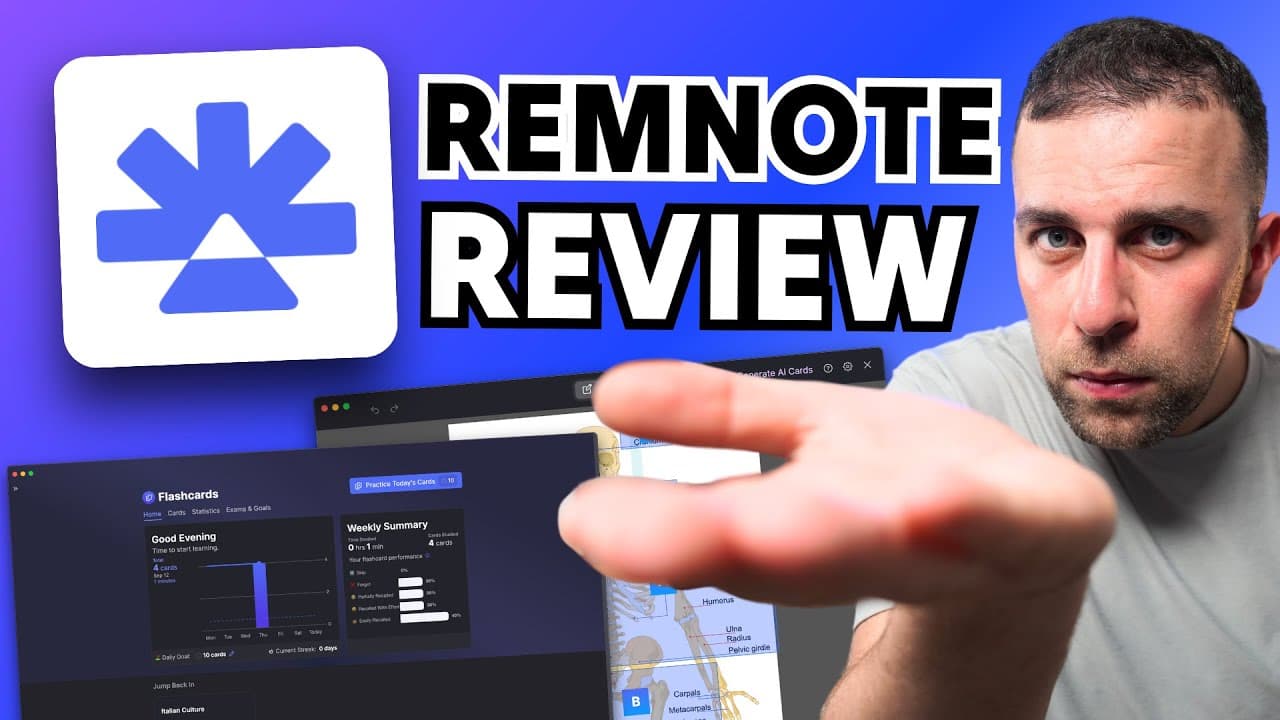
RemNote is a powerful note-taking app with flashcards and space repetition.
Transcript
so this right here is remote and it's a notetaking application that uses space repetition for Knowledge Management for students that basically means it's a note- taken app for students and it's quite helpful because it has some generous abilities and today we're going to review it and give you some insight ... Read More
Key Insights
- RemNote is designed primarily for students, offering features like unlimited notes and flashcards in its free plan, with premium features available for a fee.
- The app integrates space repetition for effective learning, making it ideal for students who need to retain information over time.
- RemNote supports PDF annotation, allowing users to highlight and make notes directly on documents, enhancing the study experience.
- Users can create flashcards directly from their notes, which can be used for self-testing and revision, leveraging the app's space repetition system.
- The platform provides analytics and statistics to help users track their learning habits and progress over time.
- RemNote offers advanced organizational features like tags, tables, and exam preparation tools, aiding in efficient study planning.
- Customization options, including dark mode and integration with tools like Amboss, cater to diverse user needs and preferences.
- AI-powered features, such as AI grader and flashcard generation, enhance the app's functionality, making it a comprehensive study tool.
Install to Summarize YouTube Videos and Get Transcripts
Explore YouTube Video Summarizer or Get YouTube Transcript Extractor
Questions & Answers
Q: What is the primary target audience for RemNote?
RemNote is primarily targeted at students, particularly those who need a robust system for managing their notes and enhancing their study practices. The app's features, such as flashcards and space repetition, are designed to aid students in retaining and recalling information effectively, making it a valuable tool for academic success.
Q: How does RemNote's space repetition system benefit users?
RemNote's space repetition system is designed to enhance memory retention by scheduling flashcard reviews at optimal intervals. This method helps users reinforce their learning by revisiting information at specific times, ensuring that knowledge is retained over the long term. This feature is particularly beneficial for students preparing for exams or needing to memorize large amounts of information.
Q: What are some of the premium features offered by RemNote?
RemNote's premium plan offers several advanced features, including unlimited PDF annotations, the ability to upload an unlimited number of files, and access to advanced tools like math latex and table functionalities. These features enhance the app's utility for students who require more robust note-taking and organizational capabilities.
Q: How does RemNote integrate with other tools and platforms?
RemNote integrates with various tools and platforms to enhance its functionality. For example, it can connect with medical tools like Amboss, which is beneficial for medical students. Additionally, the app offers AI-powered features, such as an AI grader and integration with OpenAI, providing users with advanced capabilities for study and learning.
Q: What customization options are available in RemNote?
RemNote offers several customization options to cater to user preferences. Users can switch to dark mode for a more comfortable viewing experience and add custom CSS if they have the necessary skills. The app also provides options for adjusting the editor's functionality, including spell checking and keyboard shortcuts, making it adaptable to individual needs.
Q: How does RemNote support exam preparation?
RemNote supports exam preparation with features that allow users to set exam goals and focus their study efforts accordingly. The app's flashcard system is particularly useful for this purpose, as it enables users to prioritize their revision and track their progress through analytics and statistics, ensuring they are well-prepared for exams.
Q: What are some potential drawbacks of using RemNote?
One potential drawback of using RemNote is its learning curve, as the app offers a wide range of features that can be overwhelming for new users. The need to understand and effectively utilize tools like flashcards, tags, and references may require some time and effort, particularly for those unfamiliar with advanced note-taking systems.
Q: Who would benefit most from using RemNote?
Students who prioritize flashcards and need a comprehensive study tool would benefit most from using RemNote. The app is ideal for those who require more than just a basic note-taking application, offering features that support effective learning and information retention. It is especially useful for students managing large volumes of study material, such as those in higher education.
Summary & Key Takeaways
-
RemNote is a comprehensive note-taking application tailored for students, featuring unlimited notes and flashcards. It integrates space repetition, making it ideal for retaining knowledge. The app supports PDF annotation and offers advanced organizational tools like tags and tables, enhancing the study experience.
-
The platform provides in-depth analytics and statistics, helping users track their learning habits. With features like exam preparation tools and customization options, including dark mode and AI-powered functionalities, RemNote caters to diverse study needs. The app is particularly beneficial for students prioritizing flashcards and multimedia integration.
-
RemNote's premium plan unlocks features such as unlimited PDF annotations and advanced filtering. The app's space repetition system is a standout feature, effectively aiding memory retention. With its user-friendly interface and integration capabilities, RemNote is a valuable tool for students seeking a robust study companion.
Read in Other Languages (beta)
Share This Summary 📚
Summarize YouTube Videos and Get Video Transcripts with 1-Click
Try YouTube Summary with ChatGPT & Claude or YouTube Transcript Generator
Explore More Summaries from Tool Finder 📚


Summarize YouTube Videos and Get Video Transcripts with 1-Click
Try YouTube Summary with ChatGPT & Claude or YouTube Transcript Generator