How Can Napkin AI Enhance Your Note-Taking?
TL;DR
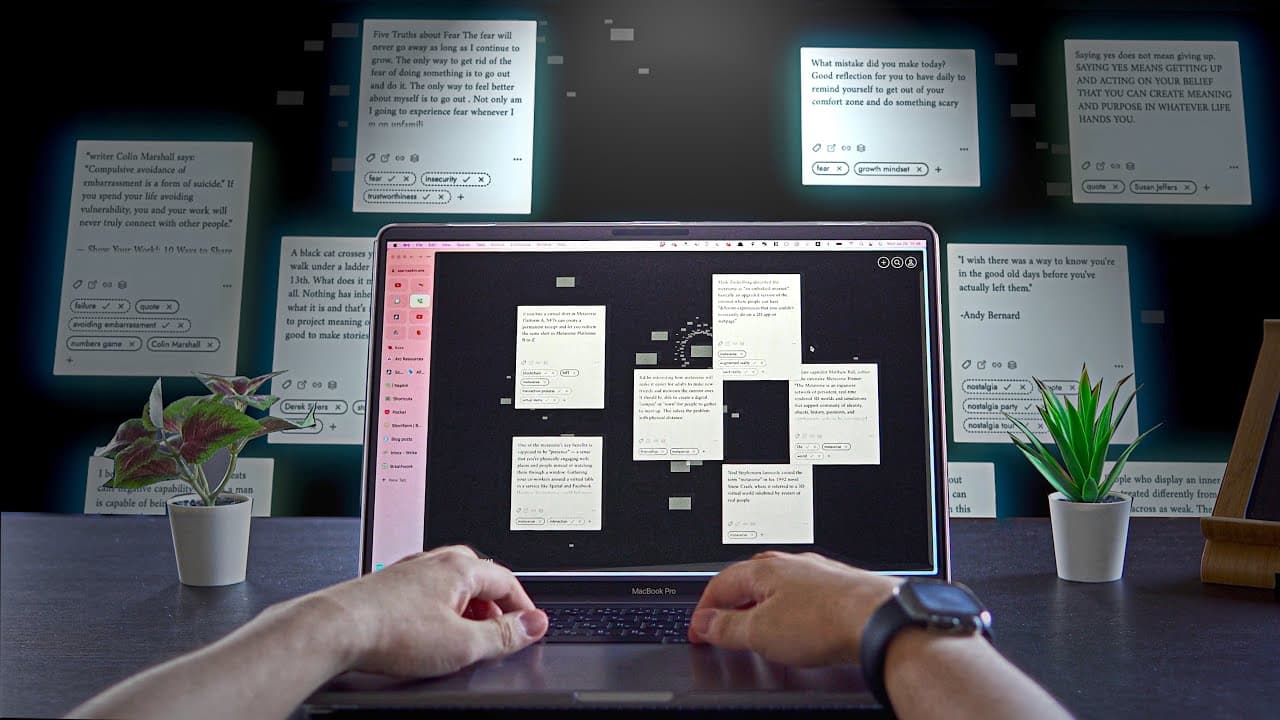
Napkin AI transforms note-taking by effortlessly collecting and organising ideas, quotes, and highlights. Its intelligent system automatically tags and connects your notes, revealing unexpected links and enhancing your content creation process through a bottom-up approach.
Transcript
hey how's it going in this video i want to show you a simple workflow of taking notes and collecting highlights in napkin which is an ai visual note-taking app that i reviewed a while ago if you've read how to take smart notes or familiar with the note card system of ryan jose or robot green napkin is a perfect tool for that so let's dive in one of... Read More
Key Insights
- 🛀 Napkin simplifies note-taking by automatically tagging and organizing imported text, saving time and effort.
- 👶 The AI in Napkin connects ideas across different publications, providing surprising links and allowing users to explore new connections.
- 🛀 By adopting a bottom-up note-taking approach, Napkin facilitates the development and organization of topics for content creation.
- 🗃️ The joy of reviewing note cards in Napkin can serve as a calming and reflective practice, replacing traditional journaling or meditation.
- 👍 Napkin's future developments, including a mobile app and re-device integration, promise to enhance the user experience further.
Install to Summarize YouTube Videos and Get Transcripts
Explore YouTube Video Summarizer or Get YouTube Transcript Extractor
Questions & Answers
Q: How can you import text into Napkin using the web clipper?
To import text, simply highlight the desired part, click "send to Napkin," and it will become a new note card in your collection.
Q: Can you collect quotes and inspirations on the go with Napkin?
Yes, by using Napkin's iOS app or browser extension, you can highlight text and hit "share" to add it to your collection.
Q: How does Napkin facilitate the review of note cards?
In Napkin's inbox, you can easily review the note cards you created, and the AI system automatically connects and presents ideas, creating a dynamic swarm of thoughts.
Q: What is the benefit of using stacks in Napkin for content creators?
Stacks allow content creators to organize note cards into topics or writing projects, helping topics naturally emerge and facilitating the creation of coherent articles and essays.
Key Insights:
- Napkin simplifies note-taking by automatically tagging and organizing imported text, saving time and effort.
- The AI in Napkin connects ideas across different publications, providing surprising links and allowing users to explore new connections.
- By adopting a bottom-up note-taking approach, Napkin facilitates the development and organization of topics for content creation.
- The joy of reviewing note cards in Napkin can serve as a calming and reflective practice, replacing traditional journaling or meditation.
- Napkin's future developments, including a mobile app and re-device integration, promise to enhance the user experience further.
- The one-month free trial offered by Napkin allows users to explore its features and decide if it suits their note-taking and collecting needs.
Summary & Key Takeaways
-
Learn how to collect inspiring ideas, highlights, and quotes using Napkin's web clipper and iOS app, which allow easy import and sharing of text.
-
Explore the joy of reviewing note cards, where Napkin's AI automatically connects ideas, making surprising links across different publications.
-
Discover how Napkin's bottom-up note-taking approach, with the use of stacks, can enhance content creation, such as writing blog posts or essays.
Read in Other Languages (beta)
Share This Summary 📚
Summarize YouTube Videos and Get Video Transcripts with 1-Click
Try YouTube Summary with ChatGPT & Claude or YouTube Transcript Generator
Explore More Summaries from Shu Omi 📚

Summarize YouTube Videos and Get Video Transcripts with 1-Click
Try YouTube Summary with ChatGPT & Claude or YouTube Transcript Generator